EasyManua.ls Logo

Sansui SLEDVD198 - Parts and Functions; Unit Connections Overview; Front Panel Controls

Sansui SLEDVD198
80 pages
Print Icon
To Next Page IconTo Next Page
To Previous Page IconTo Previous Page
Loading...
11
ENGLISH
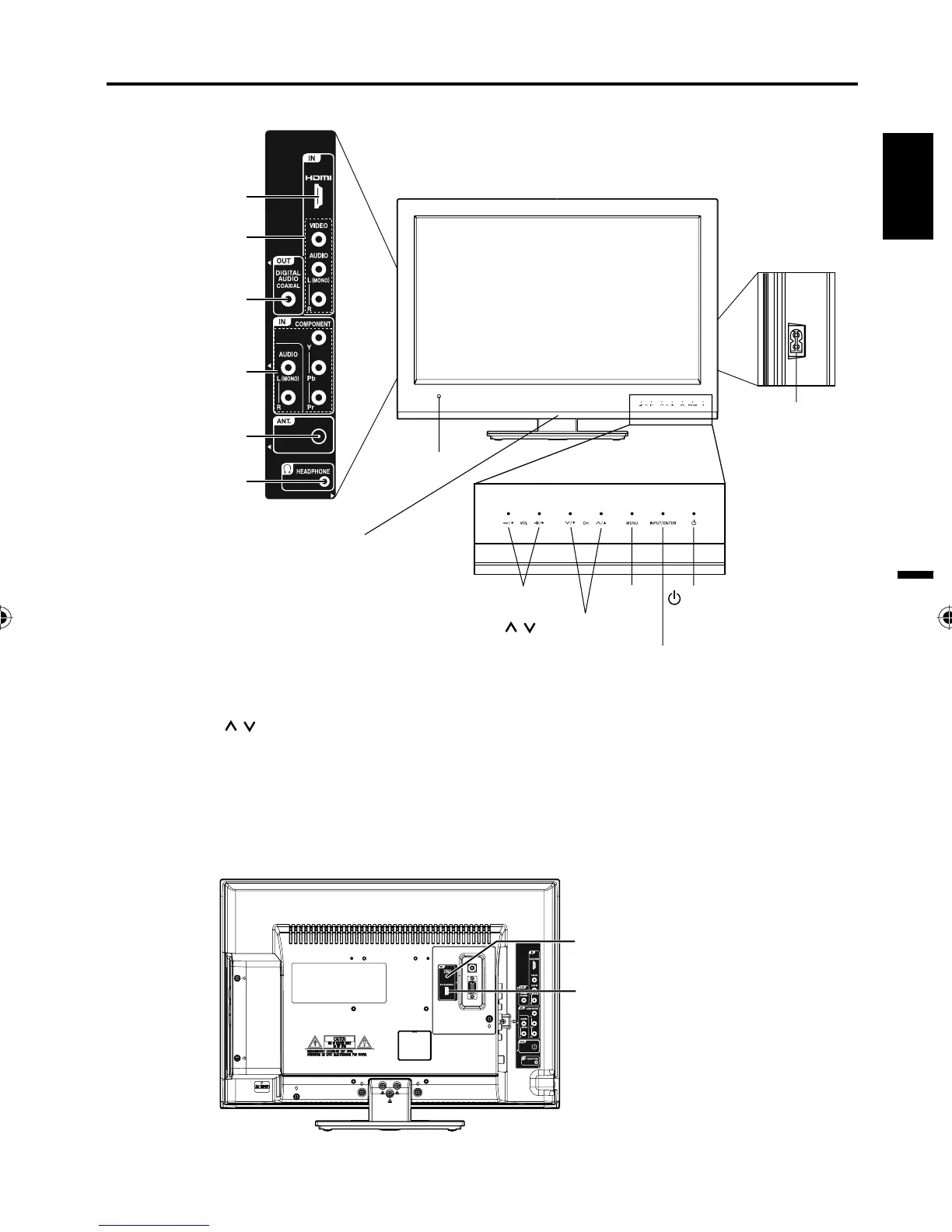
Left side
Front
Remote sensor
(POWER) button
INPUT/ENTER button
VOL (VOLUME) +/– buttons
CH (CHANNEL)
/ buttons
MENU
button
Rear
To display the menu screen.
Touch MENU button to display the menu screen.
CH (CHANNEL)
/ buttons,
VOL (VOLUME)
+/– buttons and INPUT/ENTER button can be used
to select the desired setting during the menu screen
operations.
PC/DVI AUDIO IN jack
VIDEO IN jacks
(VIDEO/AUDIO
(L (MONO)/R))
COMPONENT
IN jacks
(Y/Pb/Pr/ AUDIO
(L (MONO)/R))
HDMI IN jack
PC MONITOR IN jack
Parts and functions
AC INPUT jack
Right side
DIGITAL AUDIO
COAXIAL OUT jack
RF (ANT.) IN jack
HEADPHONE jack
Indicator
Red : Standby
Blue : On
55D0121A.indb 1155D0121A.indb 11 7/7/10 9:15:02 AM7/7/10 9:15:02 AM

Table of Contents

Other manuals for Sansui SLEDVD198

Related product manuals