EasyManua.ls Logo

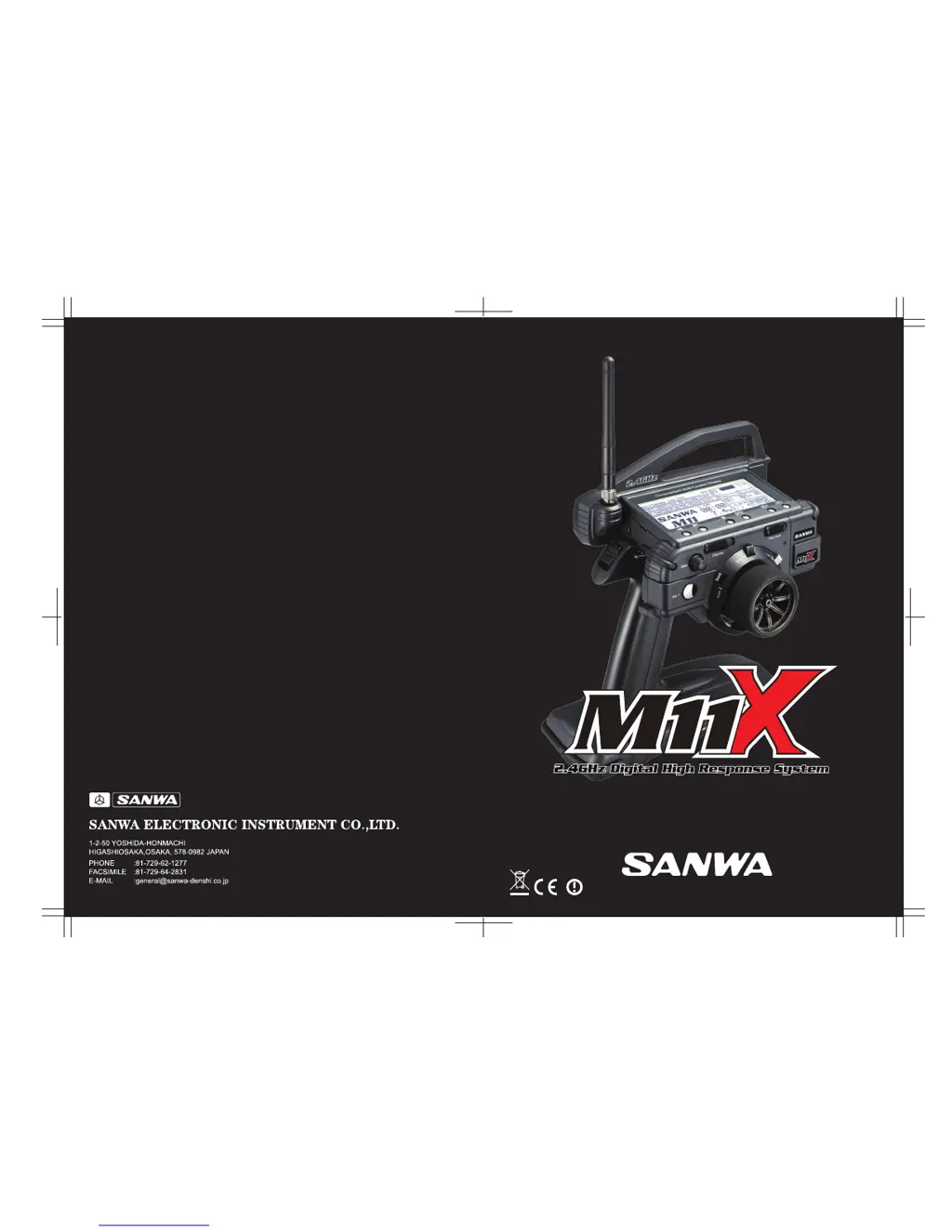
Sanwa M11X - User Manual

Sanwa M11X
67 pages
Print Icon
To Next Page IconTo Next Page
Loading...
OPERATING MANUAL
670A12978A

Questions and Answers

  • M
    mortonbriannaJul 26, 2025
    Why is the servo movement slow on my Sanwa M11X Remote Control?
    • L
      leonlauraJul 26, 2025
      If the servo movement is slow on your Sanwa Remote Control, try the following: * Charge the battery. * Turn the key lock switch OFF. * Check the servo Speed settings. * Recharge the battery. * Adjust the linkage to operate freely. * Align the trim and Sub-Trim. * Reset the linkage on the servo for more travel from servo and reset settings. * Reset trim to zero and center the servo horn and linkage on servo. * Turn timers ON. * Tighten spring tension. * Quickly press the ENTER key in the Binding Menu after releasing the Bind button. * Ensure the transmitter is compatible with FHSS-3 and the receiver, and that the transmitter modulation is set to FH2. * Note that the Servo Monitor will display servo Sub-Trim as movement. This is normal.
  • J
    jose51Nov 9, 2025
    What to do if Sanwa M11X does not transmit?
    • S
      Sandra RogersNov 9, 2025
      If your Sanwa Remote Control is not transmitting, consider the following: * The battery may be low or not fully charged, so charge the battery. * The battery connector may be loose, so unplug and then reinstall the connector under the battery. * The S-POS switch might not be in the OFF position, so turn S-POS switch to the OFF position. * The interval timer might not be OFF, so turn the interval timer OFF. * The command signal settings might be incorrect, so check command signal settings. * The key lock switch might not be OFF, so turn key lock switch OFF. * The servo Speed settings might be incorrect, so check servo Speed settings. * The battery might need recharging, so recharge the battery. * The linkage may be stiff or binding, so adjust the linkage to operate freely...

Summary

INTRODUCTION

SAFETY

Important safety precautions for using the radio control system.

USAGE PRECAUTIONS

DRIVING POSITION ADJUSTMENTS

CHARGING THE BATTERY

SAFETY PRECAUTIONS AND CHARGING WARNINGS

Crucial safety precautions and warnings for charging the battery.

CHARGING THE TRANSMITTER BATTERY

Step-by-step instructions for charging the transmitter battery.

LCD MENU KEYS

TRANSMITTER AND RECEIVER BINDING

BINDING PREPARATION

Preparatory steps required before starting the binding process.

BINDING PROCEDURE

Step-by-step guide to successfully bind the transmitter and receiver.

BATTERY AND OPERATING TIMER

STEERING DUAL RATE

END POINT ADJUSTMENT

STEERING END POINT ADJUSTMENT

Adjusts the left and right steering servo travel limits.

THROTTLE END POINT ADJUSTMENT

Adjusts throttle and brake servo travel limits.

AUXILIARY CHANNEL 3 END POINT ADJUSTMENT

Sets end points for Auxiliary Channel 3 (e.g., brake, needle valve).

AUXILIARY CHANNEL 4 BRAKE END POINT ADJUSTMENT

Sets end points for Auxiliary Channel 4 used for braking.

AUXILIARY CHANNEL 4 BRAKE END POINT ADJUSTMENT (CONT.)

Continues setting end points for Auxiliary Channel 4 brake.

EXPONENTIAL

STEERING EXPONENTIAL

Adjusts steering response curve near neutral for smoother control.

THROTTLE EXPONENTIAL

Adjusts throttle response curve near neutral for smoother control.

ADJUSTABLE RATE CONTROL

STEERING ADJUSTABLE RATE CONTROL

Adjusts steering response curve for quicker or milder action.

THROTTLE ADJUSTABLE RATE CONTROL

Adjusts throttle response curve for quicker or milder action.

SERVO SPEED

ANTI-LOCK BRAKING

TRACTION CONTROL

FORWARD TRACTION CONTROL SETTINGS

Adjusts traction control settings for forward movement.

RETURN TO NEUTRAL TRACTION CONTROL SETTINGS

Adjusts traction control settings for return to neutral.

MODEL NAMING

MODEL DATA COPY AND CLEAR

Copies model data or clears existing model data.

SERVO SUB-TRIM

SERVO REVERSING

STARTING POSITION

THROTTLE HOLD

BRAKE MIXING

COMPENSATION MIXING

SERVO MONITOR

TRANSMITTER SET-UP

SYSTEM USER OPTIONS

Options for customizing display contrast, vibration, and logos.

MODULATION AND CHANNEL MODE SET-UP

Selects modulation type and channel mode (2CH/4CH).

SERVO MODE SETTING

Sets servo mode to NOR or SHR for digital servos.

AUDIO SIGNAL SOUND

KEY ASSIGNMENTS

SWITCH KEY ASSIGNMENT

Assigns functions to push-button switches for ON/OFF control.

SWITCH FUNCTION SELECTION

Selects desired functions for push-button switches (FUNC1-3).

TRIM KEY ASSIGNMENT

Assigns functions to trim switches and the dial knob.

TRIM FUNCTION SELECTION

Selects functions to be controlled by trim switches.

FAIL SAFE

FAIL SAFE SETTING

Sets predetermined servo positions for signal loss.

FAIL SAFE CHECK

Checks the programmed Fail Safe settings by testing servo movement.

CLEARING FAIL SAFE SETTINGS

Clears programmed fail safe positions for channels.

BATTERY VOLTAGE FAIL SAFE SETTING

Sets a custom voltage threshold for Fail Safe activation.

VARIABLE RATE ADJUSTMENT

CALIBRATING SERVO TRAVEL

Recalibrates steering and throttle servo travel for accuracy.

LIMITING MAXIMUM STEERING WHEEL MOVEMENT

Adjusts the maximum physical movement of the steering wheel.

TROUBLESHOOTING GUIDE

TROUBLESHOOTING SECTIONS

Lists common problems, their causes, and solutions.

Sanwa M11X Specifications

General IconGeneral
ModelM11X
Channels4
Frequency2.4GHz
ModulationFHSS-3
TelemetryNo
DisplayLCD
Battery TypeNiMH
Model TypeCar, Boat
Compatible ReceiversSanwa RX-451, RX-471

Related product manuals