EasyManua.ls Logo

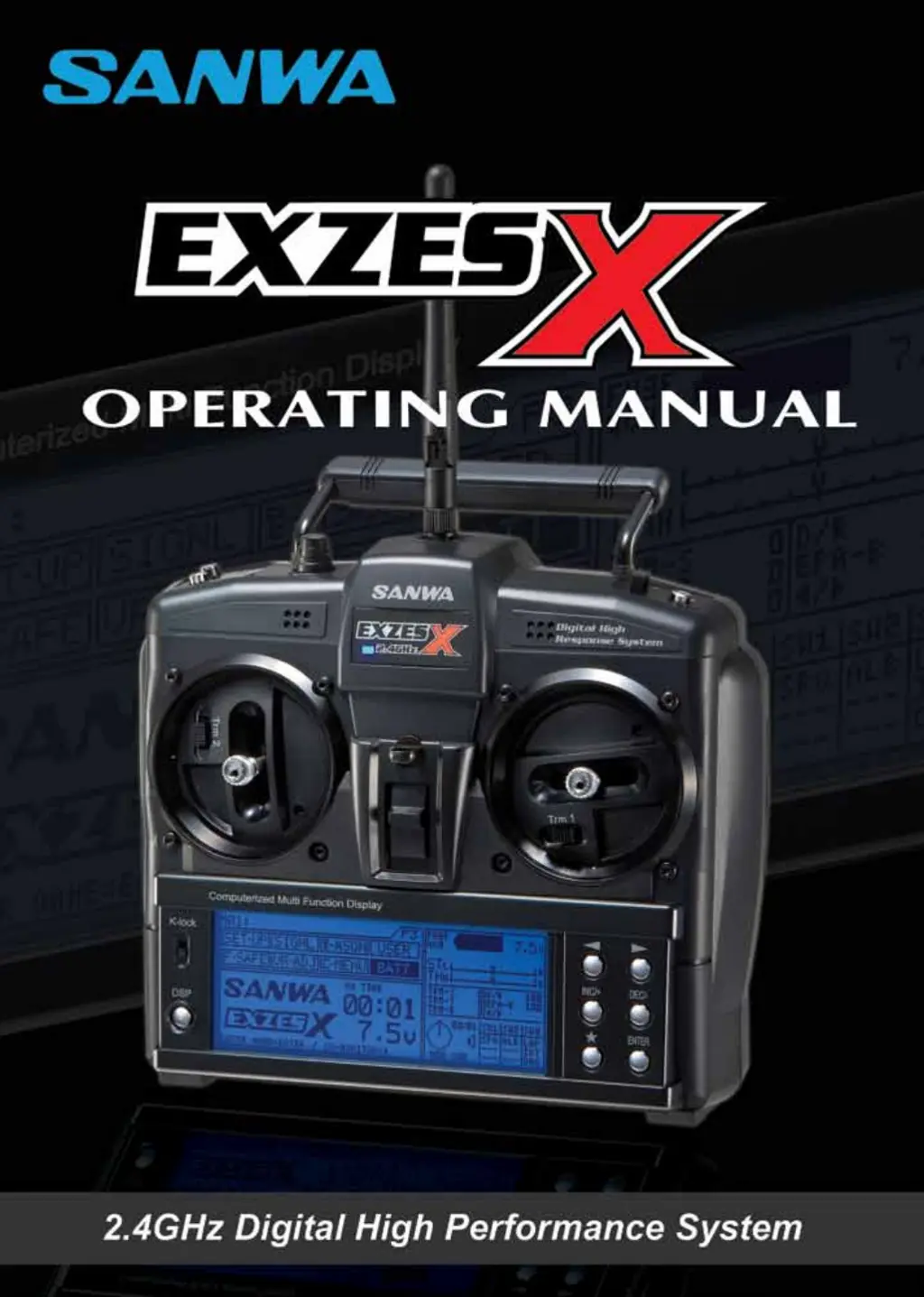
Sanwa ExzesX - User Manual

Sanwa ExzesX
68 pages
Print Icon
To Next Page IconTo Next Page
Loading...
Page 1

Questions and Answers

  • D
    Dana WoodAug 20, 2025
    How to fix Sanwa ExzesX when transmitter does not turn ON?
    • D
      Dr. Christy EspinozaAug 20, 2025
      If your Sanwa Remote Control transmitter doesn't turn on and the power indicator is off, there might be a few reasons. First, check if the batteries are installed correctly, paying attention to the polarity. Also, ensure the battery tray is properly plugged in. If you've used the wrong charger or reversed the polarity, it may have caused damage, and you should contact Sanwa or Airtronics Customer Service. Lastly, the transmitter battery voltage might be low, so try replacing or recharging the batteries.
  • C
    colemanmanuelAug 22, 2025
    Why does my Sanwa ExzesX alarm sound a series of beeps?
    • V
      Victoria HowardAug 22, 2025
      If the Sanwa Remote Control transmitter is emitting a series of beeps, this usually indicates that the transmitter battery voltage is low. You should replace or recharge the transmitter batteries to resolve this issue.
  • A
    Ana WongAug 25, 2025
    What to do if Sanwa Remote Control transmitter will not bind to receiver?
    • S
      shannon77Aug 25, 2025
      If your Sanwa Remote Control transmitter will not bind to the receiver, there are several potential causes. Make sure the Modulation Type is correct and matches the receiver type you are using. If too much time has passed after pressing the Bind Button, quickly press the ENTER key after releasing the Bind Button on the receiver. Ensure you are using a compatible receiver, such as Sanwa or Airtronics 2.4GHz FHSS-2 and FHSS-3. If you're using an ESC with BEC, disconnect the ESC and use a dry cell battery for the Binding procedure, then reconnect the ESC after binding.
  • J
    John PachecoAug 26, 2025
    How to stop Sanwa ExzesX alarm from continuous double beeping?
    • M
      Michael HullAug 26, 2025
      If your Sanwa Remote Control alarm sounds a continuous double beep, it means the S-POS switch is turned ON. To stop the beeping, simply turn the S-POS switch OFF.
  • M
    maria19Aug 28, 2025
    Why is servo movement slow with Sanwa ExzesX Remote Control?
    • V
      vgentryAug 28, 2025
      If you notice that the servo movement is slow on your Sanwa Remote Control, there could be a few reasons. Check the Servo Speed menu settings to ensure a negative value isn't set. Also, check the receiver battery voltage and replace or recharge if it's low. Finally, make sure the control linkages aren't stiff or binding; adjust them so they operate freely.
  • T
    tgrantAug 30, 2025
    What does it mean when Sanwa ExzesX Remote Control alarm sounds a periodic double beep?
    • C
      Crystal AnthonyAug 30, 2025
      If the alarm on your Sanwa Remote Control sounds a periodic double beep, it indicates that the Interval Timer is ON. To resolve this, turn the Interval Timer OFF.
  • T
    Thomas SandersSep 1, 2025
    Why are steering angles different on Sanwa Remote Control?
    • V
      Valerie TaylorSep 1, 2025
      If the left and right steering angles are different on your Sanwa Remote Control, even when the settings are the same, it might be due to the Trim or Sub-Trim being out of adjustment. Center the Trim and adjust the Sub-Trim to correct this issue.
  • T
    Teresa ChapmanSep 3, 2025
    Why won't my Sanwa ExzesX servo move to the end of its range?
    • S
      Sierra PetersenSep 3, 2025
      If the servo on your Sanwa Remote Control will not move to the end of its range, the D-RATE and EPA settings might be too large. Reset the linkage on the servo to allow for more travel and then reset the settings accordingly.
  • G
    griffithtylerSep 5, 2025
    Why does my Sanwa ExzesX Remote Control servo not move when using Trim switch?
    • J
      Jennifer HughesSep 5, 2025
      If your Sanwa Remote Control servo does not move when using the Trim switch, it is possible that the trim is outside of the operational range. Reset the trim to zero and center the servo horn and linkage on the servo.
  • K
    Katrina CarlsonSep 7, 2025
    Why is there no sound when pressing Programming Keys on Sanwa ExzesX?
    • F
      fowlerjamesSep 7, 2025
      If there is no sound when you press the Programming Keys on your Sanwa Remote Control, it is possible that the command signals are muted. Check the Command signal settings to ensure they are properly configured.

Summary

Safety Precautions

Usage Precautions

2.4 GHz Frequency Band Precautions

Precautions for using the 2.4GHz frequency band to avoid interference.

Transmitter Precautions

Important operating precautions for the transmitter.

Receiver Precautions

Important operating precautions for the receiver.

Transmitter Feature Descriptions

Transmitter Controls and Adjustments

Details on control sticks, dial, buttons, trims, spring tension, and gimbal angle.

Transmitter Battery Installation and Receiver Connections

Transmitter Battery Installation

Instructions for installing batteries into the transmitter.

Receiver Connections and Mounting

Guidance on connecting and mounting the receiver in the model.

Transmitter and Receiver Battery Options

Transmitter and Receiver Battery Options

Information on using rechargeable Ni-Cd/Ni-MH or Li-Po/Li-Fe batteries.

Transmitter and Receiver Binding

Function Page F1: Steering Dual Rate

D-RATE (STEERING DUAL RATE)

Procedure to adjust the steering servo travel relative to stick movement.

Function Page F1: End Point Adjustment

[ST] STEERING END POINT ADJUSTMENT

Adjusting servo travel for steering in left and right directions.

[TH] THROTTLE END POINT ADJUSTMENT

Adjusting servo travel for throttle high and brake.

Function Page F1: Exponential (EXP)

EXP (EXPONENTIAL)

Adjusting steering response curve for mild to quick feel.

Function Page F1: Throttle Exponential

[TH] THROTTLE EXPONENTIAL

Adjusting throttle response curve for high-torque or high-grip conditions.

Function Page F1: Adjustable Rate Control (ARC)

[ST] STEERING ADJUSTABLE RATE CONTROL

Adjusting steering response curve for mild to quick feel.

Function Page F1: Throttle Adjustable Rate Control

[TH] THROTTLE ADJUSTABLE RATE CONTROL

Adjusting throttle response for high-torque or high-grip conditions.

Function Page F1: Servo Speed (ST)

[ST] STEERING SERVO SPEED

Adjusting the transit speed of the steering servo.

Function Page F1: Servo Speed (TH)

[TH] THROTTLE SERVO SPEED

Adjusting the transit speed of the throttle servo for braking.

Function Page F1: Anti-Lock Braking (ALB)

Anti-Lock Braking POINT Setting

Setting the point at which ALB function activates.

Anti-Lock Braking STROKE Setting

Controlling the amount of brake movement for ALB.

Anti-Lock Braking LAG Setting

Setting the delay before ALB activates after reaching the point.

Anti-Lock Braking SPEED Setting

Controlling how quickly the brake pulsates.

Function Page F1: Traction Control

TR-CTL (TRACTION CONTROL)

Function to improve starts and acceleration stability.

Function Page F1: Model Functions

[SELECT] MODEL SELECT

Procedure to select and load stored model programming data.

[NAME] MODEL NAMING

How to name saved models, up to 12 characters.

Function Page F1: Model Programming Data Management

[COPY;CLEAR] MODEL PROGRAMMING DATA COPY AND CLEAR

Procedure for copying or clearing programming data between models.

Function Page F2: Servo Sub-Trim

SUB-T (SERVO SUB-TRIM)

Correcting servo neutral trim without affecting End Points.

Function Page F2: Countdown Timer and Servo Reversing

REV (SERVO REVERSING)

Electronically switching the direction of servo travel.

Function Page F2: Starting Position

S-POS (STARTING POSITION)

Holding throttle open for easier engine starting.

Function Page F2: Throttle Hold

TH-HLD (THROTTLE HOLD)

Performing various functions like engine cut or steady idle.

Function Page F2: Brake Mixing Overview

BR-MIX (BRAKE MIXING)

Mixing brake servos for models with separate front and rear brakes.

Function Page F2: Brake Mixing Modes

Activating the 3 CH (Channel 3) Brake

Enabling the 3rd channel brake servo function.

Function Page F2: Compensation Mixing Overview

C-MIX (COMPENSATION MIXING)

Creating custom mixes to control multiple functions simultaneously.

Function Page F2: Compensation Mixing 1

[C-MIX1] COMPENSATION MIXING 1

Detailed steps for programming the first compensation mix.

Function Page F2: Compensation Mixing Settings

Function Page F2: Servo Monitor

Function Page F3: Transmitter Setup (System User Options)

Function Page F3: Transmitter Setup (Backlight and Modulation)

Function Page F3: Modulation, SHR Mode, and Audio Signals

Function Page F3: Audio Signal Sound Settings

Function Page F3: Key Assignments (Push-Button Switches)

Function Page F3: Key Assignments (Switch and Trim)

Function Page F3: Trim Switch Settings

Function Page F3: User Naming

Function Page F3: Fail Safe Setup

F-SAFE (FAIL SAFE)

Automatically setting servos to a position if signal is lost.

[FAIL SAFE] FAIL SAFE SETTING

Programming fail-safe positions for individual channels.

Function Page F3: Fail Safe Settings and Receiver Battery Voltage Fail Safe

Setting the Fail Safe Percentage Value

Setting the brake servo position when Fail Safe activates.

[B-FAIL SAFE] RECEIVER BATTERY VOLTAGE FAIL SAFE SETTING

Activating and setting a custom receiver voltage for throttle Fail Safe.

Function Page F3: Receiver Battery Voltage Fail Safe and Variable Rate Adjustment

VR-ADJ (VARIABLE RATE ADJUSTMENT)

Recalibrating control stick endpoints and neutral positions.

Function Page F3: Variable Rate Adjustment Calibration

Function Page F3: Custom Menu Setup

Troubleshooting Guide

Sanwa ExzesX Specifications

General IconGeneral
TelemetryYes
DisplayLCD
Frequency2.4GHz
Compatible ReceiversRX-451
Battery TypeAA
ModulationFHSS (Frequency Hopping Spread Spectrum)

Related product manuals