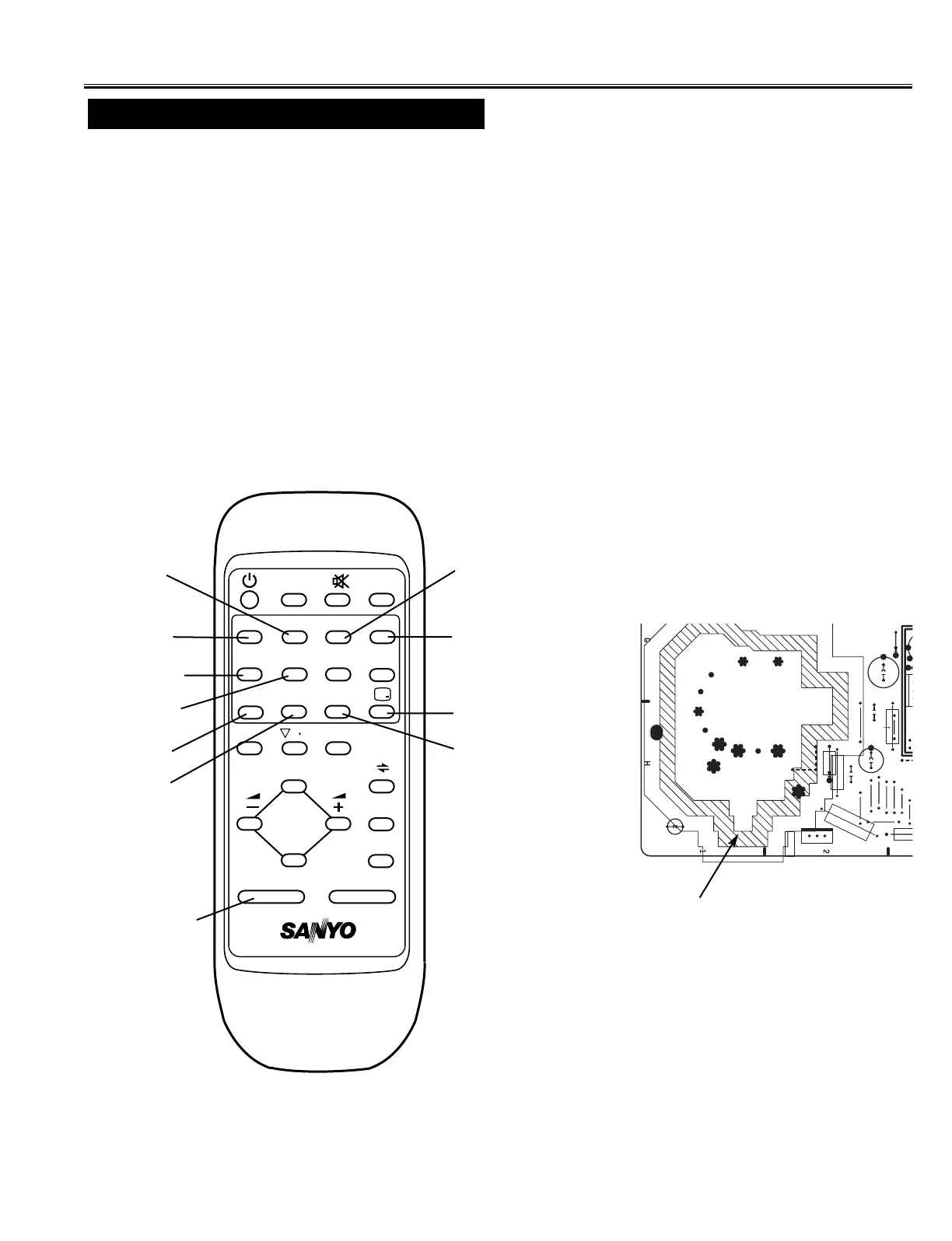
FBT.
VERT.
-13-
(1) Receive the monochrome circular pattern.
(2) Set the brightness and colour to normal, contrast to maximum.
(3) Enter to the service mode.
(4) Set each value of Item-14 RBIAS, 15 GBIAS, 16 BBIAS mode to 0, 17 RDRIV and 19 BDRIV mode to 64.
(5) Select Item-20 mode to be one horizontal scanning line and turn the screen volume on the FBT to obtain just visible
one coloured line.
(6) Press the 1 (Red Bias
-
), 2 (Red Bias +), 5 (Green Bias
-
), 6 (Green Bias +), 9 (Blue Bias
-
) or 0 (Blue Bias +)
button to adjust the brightness of each colour until a dim white line produced. Please see the control button alloca-
tions in this mode.
(7) Select Item-21 DRV mode to enter the white balance adjusting mode.
(8) Press the 3 (Red Drive
-
), 4 (Red Drive +), -/-- (Blue Drive
-
) or RECALL (Blue Drive +) button alternately to
produce normal black and white picture.
(9) Exit from the service mode.
(10) Check for proper grey scale tracking at all brightness levels.
NOTE: If the grey scale adjustment is made after picture tube replacement, check the high voltage.
Items 14-17, 19-21 GREY SCALE
Service Mode Adjustments
MAIN BOARD
SCREEN VR
(Under side)



 To Next Page