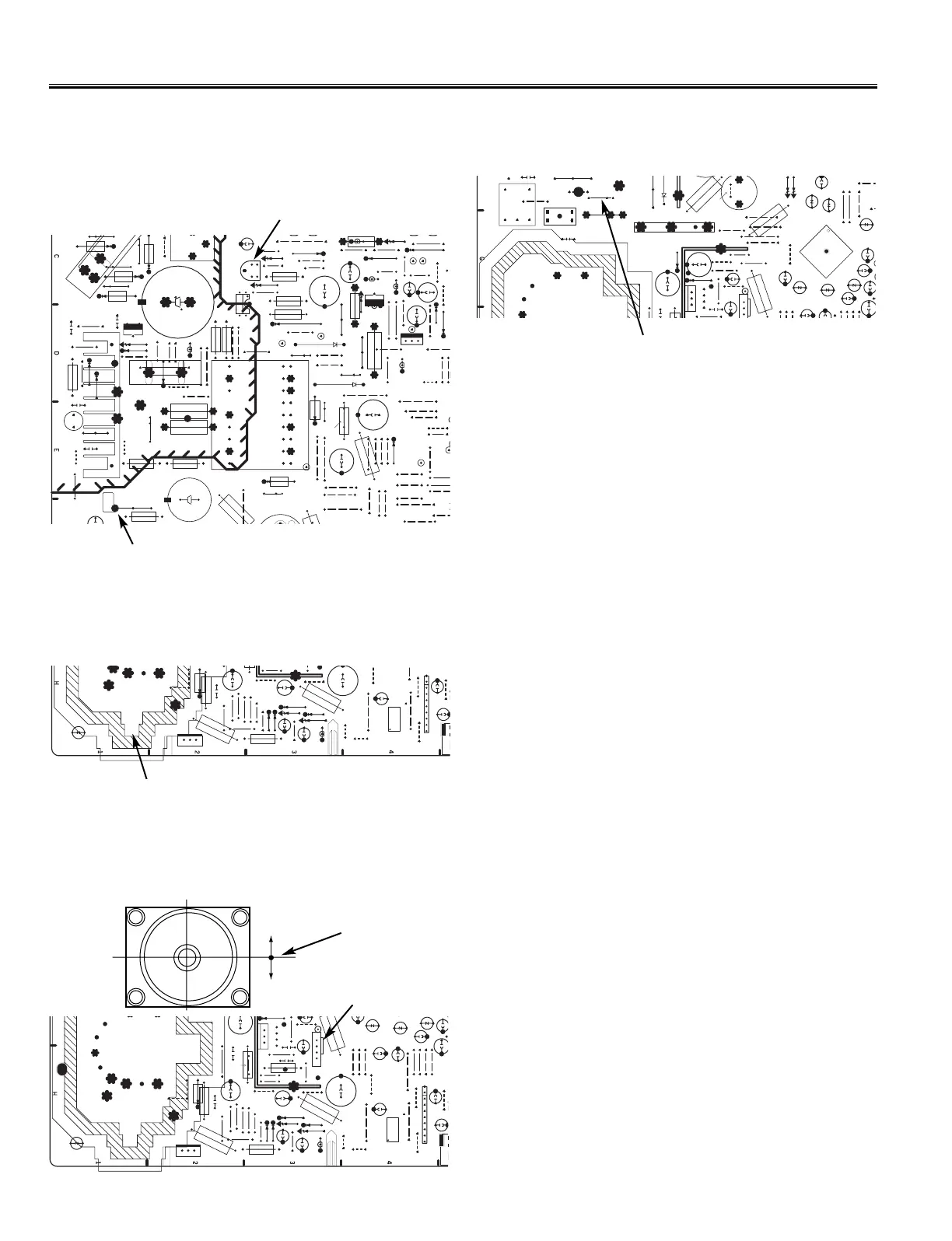
+B ADJ.
TRANS.
VR631
MAIN BOARD
+B VOLTAGE ADJUSTMENT
1. Connect DC meter to TP-B and the ground.
2. Tune the receiver to an active channel and synchronized
picture. Select NATURAL picture mode by pressing the
PICTURE MODE button on the remote control.
3. Adjust B-voltage to be 130 ± 0.5V DC by using VR631.
TP-B
FOCUS ADJUSTMENT
1. Receive a monochrome circular pattern.
2. Set the brightness to normal and contrast to maximum.
3. Adjust the focus control on the F.B.T. for the best focus on
the screen center.
FBT.
VERT.
VERT. CENTER
Vertical centre
SW501
VERTICAL CENTER ADJUSTMENT
1. Receive a monochrome circular pattern.
2. Set the brightness and contrast to maximum.
3. Adjust the vertical centre of the picture with SW501.
H-DRIVE TRANS.
FBT.
VERT.
HIGH VOLTAGE CHECK
Note: +B (+130V) Voltage Check and Grayscale Adjustment must
be completed before attempting High Voltage Check.
1. Connect high voltage voltmeter negative lead to ground, and
connect + lead to anode of picture tube.
2. Tune receiver to an active channel and confirm TV is
operating properly.
3. Maximize the beam current by adjusting the contrast and
brightness controls to maximum. Confirm high voltage is with-
in 20.0 KV and 22.0 KV at maximum beam current.
4. Eliminate the beam current by adjusting the contrast and
brightness controls to minimum. Confirm high voltage does
not exceed 23.5 KV at zero beam current.
If reading is not within range, check horizontal circuit.
No high-voltage adjustment is provided on this chassis.
C436
HORIZ. WIDTH ADJUSTMENT
1. Receive a monochrome circular pattern.
2. Set the brightness and contrast to maximum.
3. If the picture is too wide, remove “C436” on the main unit.


 To Next Page
 Loading...