- 9 -
SERVICE MODE
B. How to enter Service Mode.
You can enter Service Mode in any one of the following ways (1 to 3).
A. Market / Region SETUP
In the initial condition for this model, Market and Region
information are undefined.
In the following cases, be sure to set up Market/Region.
1. When updating the system using CD-R
(Part code : 0PRADF9655--AD).
2. When replacing a DVD substrate.
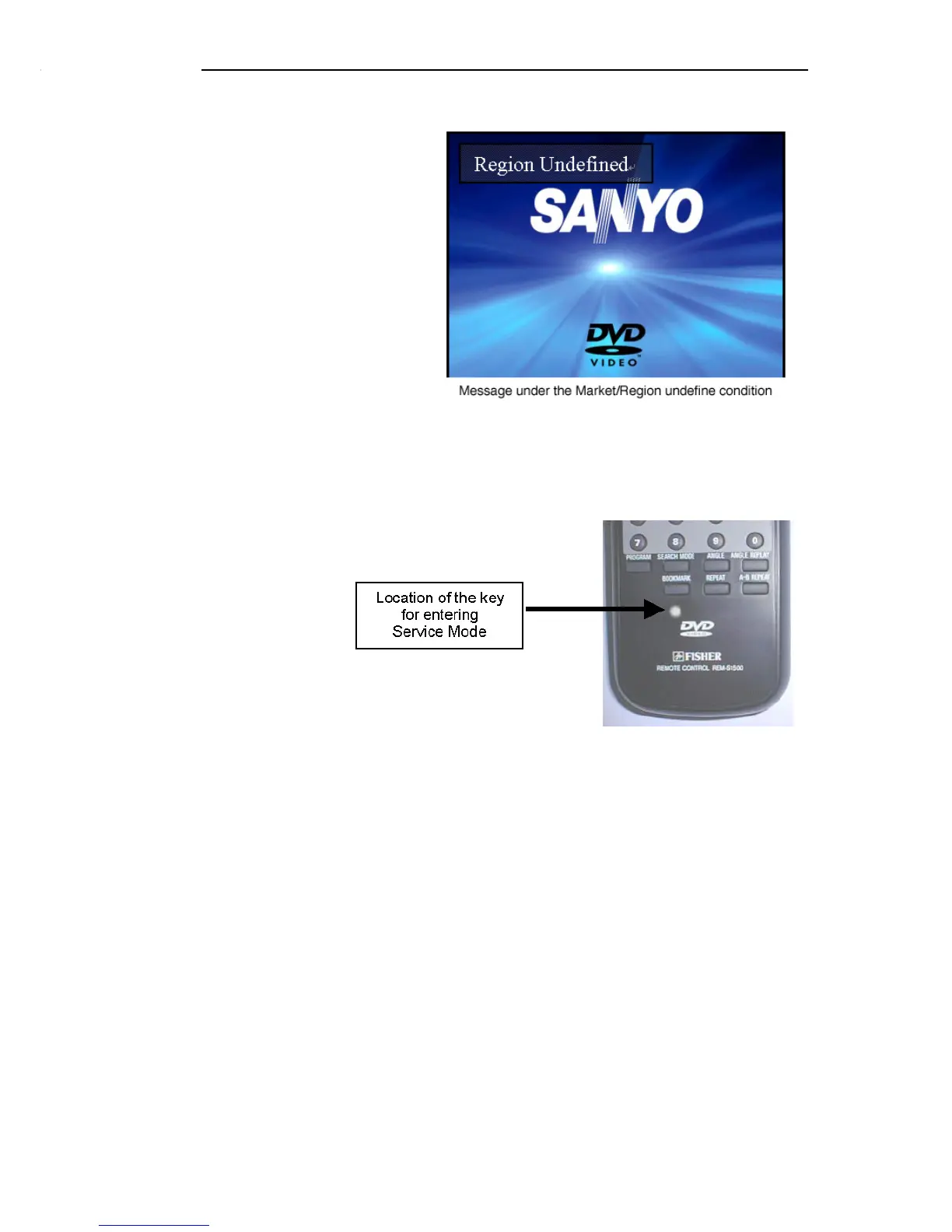
While Market/Region information are undefined, the message
"Region Undefined" is displayed on the screen.
NOTE: Even if the condition is not under 1 or 2 above, if the
message "Region Undefined" is displayed, be sure to set up
Market/Region.
1. Pushing the covered key located beneath Book Mark key on RB-
1500 or REM-S1500.
2. Simultaneously pushing both Shift key and ON SCREEN key on
RB-TS760KR.


 To Next Page