EasyManua.ls Logo

Sanyo DMP-P8 - User Manual

Sanyo DMP-P8
20 pages
Print Icon
To Next Page IconTo Next Page
Loading...

Questions and Answers

  • L
    Lacey McknightAug 1, 2025
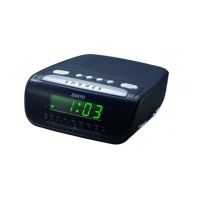
    Why my Sanyo DMP-P8 Clock Radio does not turn on?
    • S
      Stephen HunterAug 1, 2025
      If your Sanyo Clock Radio's power system isn't turning on or responding to the remote, and you're hearing strange noises, ensure the AC mains are properly connected to the wall outlet and that the outlet has power. If that doesn't work, remove the batteries and disconnect the unit from the main power supply for 5 minutes, then reconnect and try again. Check both the batteries and the mains power supply. If problems persist, leave the unit unplugged before seeking further assistance. If the batteries are low, replace all of them with the recommended type.
  • E
    Edward RobertsAug 8, 2025
    How to improve radio reception on my Sanyo DMP-P8?
    • T
      Tracy WolfeAug 8, 2025
      If you're experiencing poor FM or AM (MW) reception on your Sanyo Clock Radio, make sure the FM antenna is fully extended. If the signal remains weak, switch to FM mono mode, if your device has this feature. Try rotating the unit to improve reception. Move the unit away from other electrical equipment like motorized appliances, transformers, televisions, and microwave ovens. Be aware that the structure of some buildings can block radio waves.
  • M
    morrisstephanieAug 15, 2025
    What to do if my Sanyo Clock Radio iPod won't play files?
    • R
      rolsenAug 15, 2025
      If your Sanyo Clock Radio's iPod files won't play or it's not functioning as expected, first ensure the function is set to iPod mode and that your iPod is properly connected. Also, verify that you're using the correct cradle for your iPod model. Check if pause mode is activated; if so, press the Play/Pause button again. Make sure the iPod is switched on. Finally, vibrations might have caused the iPod to come loose from the docking station.
  • T
    Thomas WilsonAug 23, 2025
    What to do if Sanyo DMP-P8 Clock Radio remote control has no functions?
    • I
      Isaac WallaceAug 23, 2025
      If your Sanyo Clock Radio remote control isn't working or has a short range, try inserting new batteries. Make sure to aim the remote straight at the remote sensor on the clock radio.

Summary

Important Safeguards

Signal Word Definitions

Explains DANGER, WARNING, CAUTION signal words and associated symbols.

General Safety Warnings

Provides critical safety warnings for electrical products, especially concerning fire and shock hazards.

Product Usage and Battery Safety

Details cautions for product use, property damage, and safe battery handling.

Preparation For Use

Power Source

Details the system's power requirements and safety notes regarding the AC plug.

Remote Control Battery

Operating Instructions

Setting the Clock

Step-by-step guide to set the clock time and format (12/24 hour).

Setting Alarm 1

Instructions for setting the first alarm, including wake-up mode selection.

Setting Alarm 2

Instructions for setting the second alarm, mirroring Alarm 1 settings.

Troubleshooting

Sanyo DMP-P8 Specifications

General IconGeneral
BrandSanyo
ModelDMP-P8
CategoryClock Radio
LanguageEnglish

Related product manuals