EasyManua.ls Logo

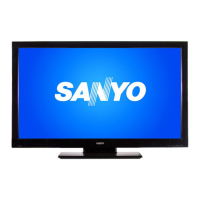
Sanyo DP42849 - User Manual

Sanyo DP42849
67 pages
Print Icon
To Next Page IconTo Next Page
Loading...

Table of Contents

Other manuals for Sanyo DP42849

Question and Answer IconNeed help?

Do you have a question about the Sanyo DP42849 and is the answer not in the manual?

Summary

IMPORTANT SAFETY INSTRUCTIONS

FCC INFORMATION

TRADEMARKS

THINK GAIA

SPECIFICATIONS

PROTECTING THE LCD SCREEN

HANDLING PRECAUTIONS

Precautions for handling the TV cabinet and screen to avoid damage, such as pressure marks.

POSITIONING THE LCD HDTV

Recommendations for placing the HDTV on a firm-flat surface and ensuring adequate space for proper ventilation.

STAND REMOVAL AND WALL MOUNTING

ANTENNA CONNECTION FOR OFF-AIR SIGNALS OR CABLE

Instructions on connecting antennas for receiving TV signals, including notes on signal types.

UNIVERSAL REMOTE CONTROL OPERATION

PC CONNECTIONS AND SETUP

PC Setting

Describes how to adjust various PC display settings like Auto Adjustment, Dot Clock, and Phase for optimal viewing.

PC Picture

Explains how to adjust picture parameters such as Contrast, Brightness, and Color Temperature when using a PC connection.

PC Sound

Explains how to adjust sound parameters like Bass and Treble settings when using a PC connection.

BACK PANEL JACKS

AUDIO; VIDEO CONNECTIONS

GETTING STARTED - INITIAL CHANNEL SEARCH

ON SCREEN HELP MENU

How to access the on-screen help menu for troubleshooting and information during the initial setup process.

CHANNEL SETTING

CHANNEL SEARCH

Explains different methods for searching for TV channels (Auto, Cable, Air) and digital air add-on.

CHANNEL SCAN MEMORY

How to view and manage the list of found analog and digital channels, including enabled and disabled ones.

SETUP

MENU LANGUAGE

How to change the display language of the on-screen menu from English, Spanish, or French.

DIGITAL CAPTION

Instructions for enabling and customizing closed captions, including font style and background color.

V - CHIP

Advanced V-Chip System

Details on the advanced regional rating system for digital channels, allowing blocking of content based on ratings.

ENERGY SAVER

CLOCK TIMER

PICTURE

MANUAL PICTURE SETTINGS

Guide to manually adjusting picture parameters like Color, Tint, Contrast, Brightness, and Sharpness.

SOUND

MANUAL SOUND SETTINGS

Guide to manually adjusting sound parameters like Bass and Treble levels, or using a 4-Band Equalizer.

PHOTO VIEWER (USB)

SLIDE SHOW

How to configure and start a slideshow of photos, including shuffle and quick change options.

JPEG VIEWER USB MENU

How to access and use the on-screen menu for picture settings like Color, Tint, and Contrast via USB.

HDMI LINKING

CEC (Consumer Electronics Control)

Details on how CEC allows multiple devices to interact and be controlled with one remote, enabling automatic power functions.

Xacti-LINK

How to use remote control keys to operate a Sanyo Xacti camera via HDMI, requiring HDMI-CEC to be ON.

MOTION SYNC (120 Hz)

UNIVERSAL REMOTE CONTROL - ADVANCED OPERATION

CHECKING THE CODES

How to find the five-digit code assigned to a specific device for remote control operation.

USING LEARNING

Introduction to the learning feature for copying remote control functions from original remotes.

LEARNING FEATURE PRECAUTIONS

Important precautions to follow before and during the learning process for optimal function copying.

PROGRAMMING A LEARNED KEY

Step-by-step guide to teach the remote new functions from an original remote, including placement and key press sequence.

DELETING LEARNING KEYS

VOLUME LOCK CONTROL

LOCKING VOLUME CONTROL TO ONE MODE (GLOBAL VOLUME LOCK)

Setting the remote so one device's volume controls all others, instead of independent control.

CHANNEL LOCK CONTROL

LOCKING ALL CHANNEL CONTROLS TO ONE DEVICE

Assigning channel changing keys to a single device regardless of the remote's operating mode.

UNLOCKING CHANNEL LOCKS

KEYMOVER FUNCTIONS

MOVING KEYS IN THE SAME DEVICE MODE

Copying remote control functions between keys within the same device mode (e.g., DVD to DVD).

MOVING KEYS TO A DIFFERENT DEVICE MODE

Copying remote control functions from one device mode to another (e.g., DVD to TV).

RESTORING ORIGINAL KEY FUNCTION

Removing custom key assignments and restoring original remote control functions.

RESTORING ALL KEYMOVED DATA IN A SPECIFIC MODE

Clearing all copied key functions for a particular device mode on the remote control.

PROGRAMMING MACROS

PROGRAMMING A MODE INDEPENDENT MACRO

Creating a macro that works in any device mode, executing a sequence of commands with one key press.

PROGRAMMING A MODE-DEPENDENT MACRO

Creating a macro that only works in a specific device mode, executing commands upon key press.

ONE-YEAR LIMITED PARTS AND LABOR WARRANTY

WARRANTY APPLICATION

Conditions and scope of the limited warranty coverage for parts and labor, excluding commercial use.

OBLIGATIONS

Sanyo's obligations regarding defects in material and workmanship under normal use and conditions.

HOW TO MAKE A CLAIM UNDER THIS WARRANTY

Steps to follow to make a warranty claim, including required information and customer assistance contact.

Summary

IMPORTANT SAFETY INSTRUCTIONS

FCC INFORMATION

TRADEMARKS

THINK GAIA

SPECIFICATIONS

PROTECTING THE LCD SCREEN

HANDLING PRECAUTIONS

Precautions for handling the TV cabinet and screen to avoid damage, such as pressure marks.

POSITIONING THE LCD HDTV

Recommendations for placing the HDTV on a firm-flat surface and ensuring adequate space for proper ventilation.

STAND REMOVAL AND WALL MOUNTING

ANTENNA CONNECTION FOR OFF-AIR SIGNALS OR CABLE

Instructions on connecting antennas for receiving TV signals, including notes on signal types.

UNIVERSAL REMOTE CONTROL OPERATION

PC CONNECTIONS AND SETUP

PC Setting

Describes how to adjust various PC display settings like Auto Adjustment, Dot Clock, and Phase for optimal viewing.

PC Picture

Explains how to adjust picture parameters such as Contrast, Brightness, and Color Temperature when using a PC connection.

PC Sound

Explains how to adjust sound parameters like Bass and Treble settings when using a PC connection.

BACK PANEL JACKS

AUDIO; VIDEO CONNECTIONS

GETTING STARTED - INITIAL CHANNEL SEARCH

ON SCREEN HELP MENU

How to access the on-screen help menu for troubleshooting and information during the initial setup process.

CHANNEL SETTING

CHANNEL SEARCH

Explains different methods for searching for TV channels (Auto, Cable, Air) and digital air add-on.

CHANNEL SCAN MEMORY

How to view and manage the list of found analog and digital channels, including enabled and disabled ones.

SETUP

MENU LANGUAGE

How to change the display language of the on-screen menu from English, Spanish, or French.

DIGITAL CAPTION

Instructions for enabling and customizing closed captions, including font style and background color.

V - CHIP

Advanced V-Chip System

Details on the advanced regional rating system for digital channels, allowing blocking of content based on ratings.

ENERGY SAVER

CLOCK TIMER

PICTURE

MANUAL PICTURE SETTINGS

Guide to manually adjusting picture parameters like Color, Tint, Contrast, Brightness, and Sharpness.

SOUND

MANUAL SOUND SETTINGS

Guide to manually adjusting sound parameters like Bass and Treble levels, or using a 4-Band Equalizer.

PHOTO VIEWER (USB)

SLIDE SHOW

How to configure and start a slideshow of photos, including shuffle and quick change options.

JPEG VIEWER USB MENU

How to access and use the on-screen menu for picture settings like Color, Tint, and Contrast via USB.

HDMI LINKING

CEC (Consumer Electronics Control)

Details on how CEC allows multiple devices to interact and be controlled with one remote, enabling automatic power functions.

Xacti-LINK

How to use remote control keys to operate a Sanyo Xacti camera via HDMI, requiring HDMI-CEC to be ON.

MOTION SYNC (120 Hz)

UNIVERSAL REMOTE CONTROL - ADVANCED OPERATION

CHECKING THE CODES

How to find the five-digit code assigned to a specific device for remote control operation.

USING LEARNING

Introduction to the learning feature for copying remote control functions from original remotes.

LEARNING FEATURE PRECAUTIONS

Important precautions to follow before and during the learning process for optimal function copying.

PROGRAMMING A LEARNED KEY

Step-by-step guide to teach the remote new functions from an original remote, including placement and key press sequence.

DELETING LEARNING KEYS

VOLUME LOCK CONTROL

LOCKING VOLUME CONTROL TO ONE MODE (GLOBAL VOLUME LOCK)

Setting the remote so one device's volume controls all others, instead of independent control.

CHANNEL LOCK CONTROL

LOCKING ALL CHANNEL CONTROLS TO ONE DEVICE

Assigning channel changing keys to a single device regardless of the remote's operating mode.

UNLOCKING CHANNEL LOCKS

KEYMOVER FUNCTIONS

MOVING KEYS IN THE SAME DEVICE MODE

Copying remote control functions between keys within the same device mode (e.g., DVD to DVD).

MOVING KEYS TO A DIFFERENT DEVICE MODE

Copying remote control functions from one device mode to another (e.g., DVD to TV).

RESTORING ORIGINAL KEY FUNCTION

Removing custom key assignments and restoring original remote control functions.

RESTORING ALL KEYMOVED DATA IN A SPECIFIC MODE

Clearing all copied key functions for a particular device mode on the remote control.

PROGRAMMING MACROS

PROGRAMMING A MODE INDEPENDENT MACRO

Creating a macro that works in any device mode, executing a sequence of commands with one key press.

PROGRAMMING A MODE-DEPENDENT MACRO

Creating a macro that only works in a specific device mode, executing commands upon key press.

ONE-YEAR LIMITED PARTS AND LABOR WARRANTY

WARRANTY APPLICATION

Conditions and scope of the limited warranty coverage for parts and labor, excluding commercial use.

OBLIGATIONS

Sanyo's obligations regarding defects in material and workmanship under normal use and conditions.

HOW TO MAKE A CLAIM UNDER THIS WARRANTY

Steps to follow to make a warranty claim, including required information and customer assistance contact.

Sanyo DP42849 Specifications

General IconGeneral
BrandSanyo
ModelDP42849
CategoryLCD TV
LanguageEnglish

Related product manuals