EasyManua.ls Logo

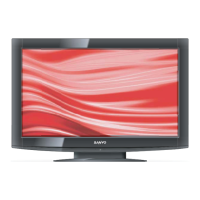
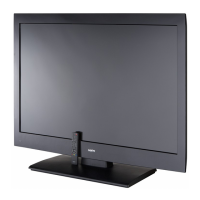
Sanyo LCD-DP55441 - User Manual

Sanyo LCD-DP55441
62 pages
Print Icon
To Next Page IconTo Next Page
Loading...
FILE NO
SERVICE MANUAL
LCD TV
LCD-DP55441
PRODUCT CODE No.: 1-130-273-04
CHASSIS NO. :
P55441-03
REFERENCE No.:SM0945016-00

Questions and Answers

  • I
    Isaac OliverJul 26, 2025
    What to do if my Sanyo LCD-DP55441 has video but no audio?
    • J
      Jessica HoJul 26, 2025
      If your Sanyo TV shows video but you are not getting any sound, here are a few things you can try: * Ensure that the mute function is off. * Check and increase the volume level. * Verify that the correct input source is selected. * Try a different source device. * Inspect the speaker. * As a last resort, consider replacing the main PCB.
  • S
    Shannon FarleyJul 31, 2025
    How to fix a Sanyo TV when the power LED is not lighting up?
    • J
      John SchultzJul 31, 2025
      If the power LED on your Sanyo TV is not lit, replace the power board with a new one. The part number is PK101V2540I (SS|wer board. C55T).
  • A
    Amanda HughesAug 4, 2025
    What to do if Sanyo LCD TV remote control does not work?
    • M
      Mary ReevesAug 4, 2025
      If the remote control isn't working with your Sanyo LCD TV, first check the batteries. Make sure there are no obstructions between the remote receiver on the TV and the remote control itself. Also, ensure you're within the maximum operating range of 5 meters. Finally, check if direct sunlight or strong artificial light is shining on the TV's infrared remote receiver; if so, try eliminating the light source.
  • V
    Victoria CrawfordAug 7, 2025
    Why is there no sound on my Sanyo LCD TV?
    • A
      Annette RiveraAug 8, 2025
      If there is no sound from your Sanyo LCD TV, check the audio cable connection from the audio input source. Then, adjust the sound system settings. Also, press the VOLUME (+) button and ensure the MUTE button is not activated.
  • C
    Christopher HillAug 12, 2025
    What to do if my Sanyo LCD TV has no image?
    • C
      Christina CantuAug 12, 2025
      If your Sanyo LCD TV shows no image, verify the connection between any external equipment and the TV. Note that it may take a few seconds for the image to appear when turning the TV on. Ensure the selected system corresponds with the external or video equipment. Verify that the operating temperature is within the range of 0°C to 50°C. If the issue persists, turn the power off and then on again to restart the TV.
  • V
    Vincent PhillipsAug 17, 2025
    How to fix abnormal color of image on Sanyo LCD TV?
    • S
      Stephen WilliamsAug 17, 2025
      If the image on your Sanyo LCD TV has abnormal color, try adjusting the color value in the settings. You can also try selecting a different color system to see if that corrects the issue.
  • L
    Lisa GilesAug 20, 2025
    Why does my Sanyo LCD TV have tiny black or bright points?
    • W
      Whitney HamptonAug 21, 2025
      Dark or bright points of light (red, green, or blue) may appear on the screen of your Sanyo LCD TV. This is a characteristic of the LCD panel and not a malfunction. The LCD panel is produced with very high accuracy technology with 99.99% or more dot pixel. Picture remain (look like a mirror) may occur when the screen is changed if it displays same screen for a long time. Changing the picture or turn-off the power supply may recover. Stripe pattern may show up on the screen depends on the reflected picture.

Summary

Safety Precautions

Instructions for Safe Handling

Safety measures for replacing components and general handling.

LCD Servicing Guidelines

Precautions for LCD servicing, voltage, environment, and static discharge.

Alignment Instructions

Test Equipment

Required test equipment for alignment procedures.

Power Test Procedure

Procedure for testing pin voltages on P802 and P803/P804.

Factory Adjustment Procedures

Accessing Factory Mode

Instructions on how to enter and navigate the factory adjustment menu.

Factory Menu Options

Description of key factory menu items like Color Temp, Timer Clear, NVRAM Clear.

Performance Verification

Software Updates

USB Firmware Update Procedure

Procedure for updating the TV firmware via USB.

Signal Flow Analysis

Block Diagrams

Integrated Circuit (IC) Features

Troubleshooting Guide

Initial Fault Clearance

Basic steps to resolve common issues before seeking service.

Troubleshooting Flowcharts

Flowcharts to diagnose and resolve common issues.

Installation Guide

Sanyo LCD-DP55441 Specifications

General IconGeneral
BrandSanyo
ModelLCD-DP55441
CategoryTV
LanguageEnglish

Related product manuals