
 Need help?
Do you have a question about the Sanyo VCC-6594 and is the answer not in the manual?
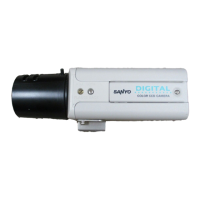
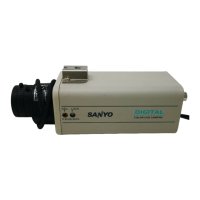
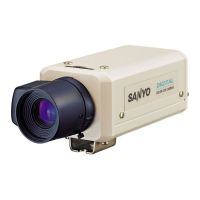
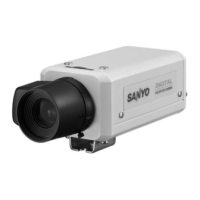
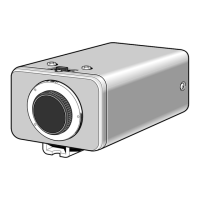
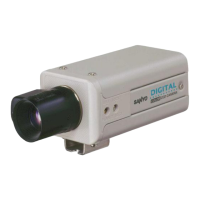
This document is an instruction manual for the SANYO VCC-6594 Color CCD Camera, providing essential information for its installation, operation, and maintenance.
The SANYO VCC-6594 is a color CCD camera designed for industrial video applications. It utilizes an interline transfer method 1/3" CCD with approximately 410,000 picture elements, delivering a horizontal resolution of more than 520 TV lines. This camera is built with 100% solid-state components, ensuring excellent immunity to shock and vibration, and is not susceptible to interference from magnetic or electrostatic fields. Its power supply operates on 24 V AC.
The camera offers high sensitivity, requiring a minimum illumination of 0.3 lux at F1.2 with AGC in the HI position. It incorporates a Digital Signal Processor (DSP) function for enhanced image processing. For varying lighting conditions, the VCC-6594 provides two types of backlight compensation functions: multi-spot photometry and center focus photometry. These features help maintain clear images even when there are significant differences in brightness within the scene. The camera also boasts low smear, anti-blooming, low lag, no burning, and no geometric distortion, thanks to its solid-state image device.
For multi-camera setups, the camera includes a line phase adjustment volume (LINE PHASE) to minimize vertical rolling of images when switching between sources. This ensures smooth transitions in surveillance or monitoring systems.
The camera supports both DC type and VIDEO type auto-iris lenses. When using a DC type auto-iris lens, the A.I. LENS switch should be set to the DC position. For VIDEO type auto-iris lenses (which have an internal EE amplifier), the A.I. LENS switch should be set to the VIDEO position, and the ALC and LEVEL controls on the lens itself can be used for iris adjustments. The manual provides guidance on compatible Sanyo DC type and generic VIDEO type lenses, along with instructions for adjusting the ALC and LEVEL volumes on the lens casing for optimal performance.
The camera's setup section, located under a removable cover, contains various switches for fine-tuning its operation. These include settings for the high-speed electronic shutter (ES) or electronic iris (EI), auto gain control (AGC), aperture compensation (SHRP/NORM), backlight compensation (BLC), white balance (WB), synchronization (SYNC), and auto-iris lens type (A.I. LENS).
The electronic shutter can be set to one of seven speeds, ranging from 1/100 sec to 1/10000 sec, or an auto-iris setting (1/60 sec). The electronic iris is suitable for normal indoor use, but caution is advised against using an auto-iris lens when the electronic iris is enabled. The manual also notes that using the high-speed electronic shutter in low lighting may result in darker pictures, and in very bright conditions, attention should be paid to the light angle to minimize smear.
The automatic gain control (AGC) can be set to HI (+6 dB) for increased sensitivity in dim light, or NORM for normal gain. The aperture compensation switch (APER) can be set to SHRP to emphasize object contours or NORM for standard images.
The backlight compensation function can be set to MULT (multi-spot) for compensation across the entire screen or CENT (center focus) for compensation only in the central portion. If both MULT and CENT are set to ON, MULT takes priority.
White balance can be set to ATW (auto white balance) for automatic adjustment or MANU (manual) for custom adjustment using RED and BLUE adjustment volumes. The lens iris level adjustment volume (VR301) allows for contrast adjustment, useful when shooting in challenging lighting conditions such as dark rooms with bright windows or scenes with extremely bright or dark backgrounds.
The manual emphasizes the importance of proper installation and handling to ensure the camera's longevity. It advises against opening or modifying the unit, recommending that internal settings and repairs be handled by a dealer or Sanyo Authorized Service Centre. Users are cautioned to protect the camera from humidity, dust, high temperatures, and strong shocks or vibrations.
For cleaning, the cabinet can be wiped with a soft cloth, or a soft cloth moistened with a mild detergent solution for stains. Harsh chemicals like benzine or thinner should be avoided as they can cause deformation and paint peeling.
The manual includes a troubleshooting section to address common issues such as no picture on the monitor screen or unclear images. It prompts users to check power connections, signal cables, lighting, lens cap, lens type selection (DC or VIDEO), iris control, monitor adjustments, flange-back position, lens focus, and lens surface cleanliness. For lens cleaning, a soft cloth or a commercially available lens cleaning set is recommended.
In case the camera still does not perform correctly after checking these points, users are advised to consult their dealer or a Sanyo Authorized Service Centre, as the camera is a precision instrument and unauthorized repairs are discouraged.
 General
| Image Sensor | 1/3" CCD |
|---|---|
| Camera Type | Color |
| Minimum Illumination (Color) | 1.0 lux (F1.2) |
| Video Output | 1.0Vp-p composite, 75ohm |
| Lens Mount | CS mount |
| Power Supply | 12 V DC |
| Operating Temperature | -10°C ~ +50°C |



 To Next Page