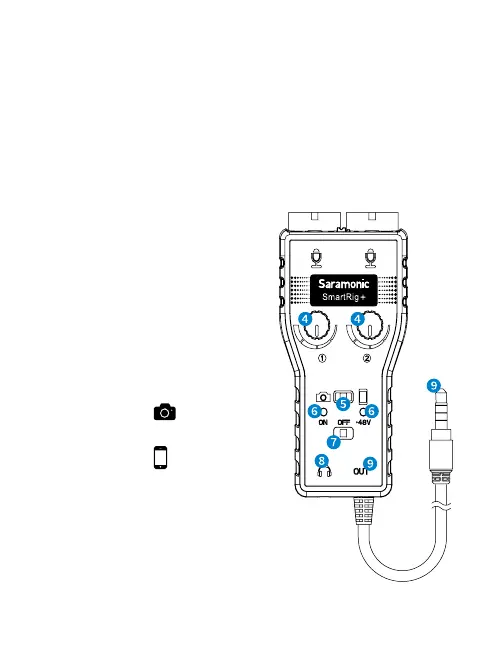
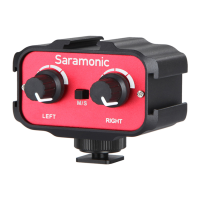
M/S switch
Select mono/stereo output mode
When recording on one channel, use the mono (M) setting.
The signal will be sent to both left and right channels.
When recording on two channels, use the stereo (S)
setting. The level of each channel can be controlled
individually.
Ա
and
Ύ
Control Knobs
Adjust the signal level of
each channel to the optimum
recording levels.
Knob
controls the volume
of input group 1 and knob
Ύ
is
for input group 2.
Բ
Camera/Phone Switch
When connect to a camera,
please slide to
.
When connect to a smartphone,
please slide to
.


 To Next Page