8 ● NG39EN020E ● 05/2013 ● (13) ● V5 ● J05451 ●User’s Manual ScanWave
It is then recommended that the user leaves the handpiece to cool for a few minutes, until the screen displays the
selected time cycle again and then the light can be switched on again.
V - ACCESSORIES
The following accessories are available for ScanWave
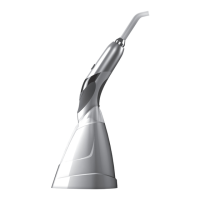
• ScanWave handpiece Ref F05460
• ScanWave battery Ref F05451
• ScanWave charging base Ref F05452
• Power supply Ref X05494
• Light guide Ø7.5mm Ref F05470
• Rigid protection shield Ref F05407
• Light guide Ø5.5mm Ref F05471 (option)
• Kit of 5 flexible protective shields, sterilizable, Ø7.5mm Ref F61507 (option)
• Kit of 5 flexible protective shields, sterilizable, Ø5.5mm Ref F61505 (option)
VI - TROUBLESHOOTING GUIDE
The unit is not repairable in-situ.
All maintenance/repair procedures must be performed in a specialist workshop.
Symptom Possible causes Solutions
No operation
(LCD screen
off)
Battery completely discharged Recharge battery
Battery defective Return to SATELEC after-sales department
ScanWave defective
Put ScanWave back on the charging base
Return to SATELEC after-sales department
No operation
(LCD screen
on)
ScanWave defective
Put ScanWave back on the charging base
Return to SATELEC after-sales department
Light power
defect or no
light power
LED defective and / or dirty Check cleanliness of LEDs, clean with dry air jet and / or
return to SATELEC after-sales department
ScanWave defective Return to SATELEC after-sales department
Defective buttons Return to SATELEC after-sales department
Insufficiently charged battery Check charge indicator on the unit’s LCD screen, charge the
battery
Light guide defective and / or
dirty
Clean light guide and / or return to SATELEC after-sales
department


 To Next Page