EasyManua.ls Logo

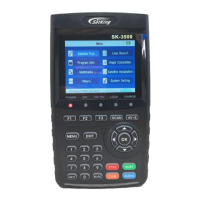
SatKing SK-3500 - User Manual

SatKing SK-3500
21 pages
Print Icon
To Next Page IconTo Next Page
Loading...
USER’S MANUAL

Questions and Answers

  • R
    robert10Aug 2, 2025
    What to do if SatKing SK-3500 Measuring Instruments shows bad picture/blocking error?
    • M
      Michele DodsonAug 2, 2025
      If you're experiencing a bad picture or blocking errors with your SatKing Measuring Instruments, several factors could be the cause. It could be due to no signal or a weak signal, in which case you should check the cable connections, LNB, and other equipment between the LNB and the meter, and adjust the dish. Another reason might be that the satellite dish is not pointing at the satellite, so you should adjust the dish. Alternatively, the signal might be too strong, requiring you to connect a signal attenuator to the LNB input. The satellite dish could be too small, suggesting a change to a larger dish. A high LNB noise factor could also be the culprit, necessitating a change to an LNB with a lower noise factor. Finally, the LNB itself might be faulty, and you should replace it.
  • C
    Christina MorrisAug 7, 2025
    Why do SatKing Measuring Instruments have no sound or picture?
    • G
      Glenn PattersonAug 7, 2025
      If your SatKing Measuring Instruments has no sound or picture, it might be because the satellite dish is not pointing at the satellite. To resolve this, adjust the dish and check the Signal Level in the Antenna Setup Menu.
  • M
    Manuel GuzmanAug 12, 2025
    How to fix SatKing SK-3500 when the display doesn't light up?
    • E
      evansmelissaAug 12, 2025
      If the display light on your SatKing Measuring Instruments doesn't light up, the power switch might not be turned on, or the batteries may have run out. Check to make sure the power is on, even when using an adapter.
  • W
    williammillerAug 17, 2025
    What to do if the key on SatKing SK-3500 Measuring Instruments is not working?
    • B
      bwashingtonAug 17, 2025
      If the key on your SatKing Measuring Instruments is not working, it could be due to the battery being out. Even when using an adapter, ensure the device has power. Another cause might be key blocks; make sure there are no obstructions between the front panel and the key.
  • J
    jgonzalezAug 21, 2025
    What to do if SatKing Measuring Instruments has no sound or picture but the power light is on?
    • C
      Cheryl JacksonAug 22, 2025
      If your SatKing Measuring Instruments has no sound or picture, but the front panel power light is on, it could be because the AV IN jack is inserted without any video input. Try pulling out the AV IN cable.
  • M
    mbrownAug 27, 2025
    How to fix AV out no picture (video) on SatKing SK-3500 Measuring Instruments?
    • K
      Keith ThomasAug 27, 2025
      If there is no picture (video) from the AV out on your SatKing Measuring Instruments, and the system is connected by SCART cable, ensure that your TV is in AV mode. Also, check the UHF channel fixed in your system and tune the UHF properly.

Summary

Guide

Important Safety Instructions

Essential guidelines for safe and proper operation to prevent hazards.

Unpacking

Guide to opening the package and verifying all included items.

Product Overview & Illustration

Visual guide and description of the meter's components and their functions.

Installation of Meter

Instructions for properly installing the satellite meter on site.

Outline

The Menu OSD Instruction

Satellite Find

Step-by-step guide to locating and selecting satellites using the device's menu.

Loop Search

Procedure for performing a loop search to analyze signal transponders.

Program Info

How to view detailed information about the current TV program.

Angel Calculation

Guide to editing satellite angle parameters for optimal signal reception.

Multimedia

Instructions for accessing and playing media files like movies, music, and photos.

Satellite Installation

Detailed steps for installing and configuring satellite settings on the device.

Others

Accessing other utility functions such as channel editors and system information.

System Setting

How to configure general system settings like language, format, and output.

Technical Specification

Trouble Shooting

SatKing SK-3500 Specifications

General IconGeneral
BrandSatKing
ModelSK-3500
CategoryMeasuring Instruments
LanguageEnglish

Related product manuals