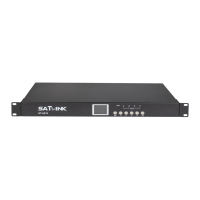
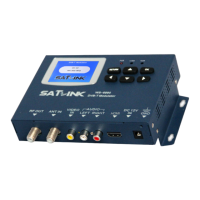
This is a user manual for a DVB-T modulator, model ST-6501, which converts an HD source into a DVB-T channel. The device is designed for high integration, performance, and full features, making it a versatile tool for various applications.
Function Description:
The DVB-T modulator is a composite video input standard definition DVB-T HD modulator that provides a COFDM RF signal in both VHF and UHF ranges. Its primary function is to convert an HD input signal into a DVB-T channel, making it suitable for distribution to LCD TVs or set-top boxes. The modulator supports standard H.264 encoding, which is crucial for modern digital television broadcasting. It can be used in series with other modulators to increase the number of channels in a coaxial cable within a SMATV system, offering flexibility in system expansion.
Important Technical Specifications:
Modulator:
- Standard: DVB-T
- Constellation: 64QAM
- Bandwidth: 7/8 MHz
- Carriers: 8K
- Guard Interval: 1/32
- Code Rate: 2/3
- MER: >28 dB
- Frequency Range: 174 - 230 MHz, 470-862 MHz
- RF Level: 70 ~ 100 dBuV
- Output Impedance: 75Ω
HD:
- Compression: H.264 - bitrate 5-15 Mb/s
- Video Resolution:
- 19201080_60P, 19201080_50P
- 19201080_60i, 19201080_50i
- 1280720_60p, 1280720_50P
- Connector: HD
General:
- Power Source: DC 5V / 1A
- Operating Temperature: 0 ~ +50°C
- Dimensions: 127mm(L) x 65mm(W) x 17mm(H)
- Weight: 195g
Usage Features:
The modulator offers user-friendly setup and control through its quick menu guide and Nixie tube display.
- Country Setting: Users can select the country by pressing the "CNT" key and then using the up/down arrow keys to switch between options like "Euro" (Europe), "ITA" (Italy), "RUSS" (Russia), "UK" (United Kingdom), "AUST" (Australia), and "NEZL" (New Zealand).
- Channel Setting: The "CH" key allows users to enter the channel selection status, and the up/down arrow keys are used to switch between channels.
- LCN Setting: The "LCN" key enables users to enter the LCN (Logical Channel Number) edition status. The up/down arrow keys can then be used to change the LCN within a range of 0 to 999.
- Attenuation Setting: The "ATT" key provides access to the attenuation edition status. Users can adjust the attenuation value from 0 to 30dB using the up/down arrow keys.
- Multiple Video Format Compatibility: The device supports various video formats, including 720p and 1080p, ensuring broad compatibility with different video sources.
- HD Signal Input Port: The modulator features a dedicated HD signal input port for connecting high-definition sources.
- RF Output Port: An RF output port is available for connecting to the distribution network.
- PC Connection: A PC port is included for upgrading the device's firmware, ensuring it stays up-to-date with the latest features and improvements.
Maintenance Features:
The manual emphasizes several important safety instructions and notes for proper operation and longevity of the device:
- Ventilation: It is crucial to place the modulator in a clean space with sufficient ventilation to prevent overheating.
- Heat Avoidance: Do not cover the modulator or place it on top of other units that emit heat.
- Cleaning: The case should be cleaned with a soft cloth and a small amount of washing liquid.
- Cover Integrity: Do not remove the cover of the device.
- Environmental Conditions: Avoid exposing the unit to extreme heat, cold, or humid conditions.
- Liquid and Material Ingress: Ensure no liquids or other materials enter the unit.
- Power Cycling for Cold/Hot Transitions: If the unit is moved from a cold to a hot area, it may cause problems. In such cases, turn off the power and turn it on again after 1-2 hours.
- H.264 Encoding Compatibility: Users should note that since the modulator uses H.264 encoding, the DVB-T service used must support standard H.264 encoding for normal display.
- Audio/Video Synchronization: If the image and sound are not synchronous, re-insert the HD port connection; this should resolve the issue.
The device's compact size and light weight also contribute to its ease of handling and installation.

 Need help?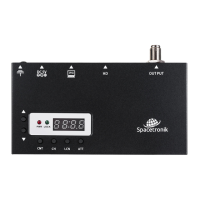

 To Next Page
 General