EasyManua.ls Logo

Satlink ST-6502 - User Manual

Default Icon
12 pages
Print Icon
To Next Page IconTo Next Page
Loading...
USER’S MANUAL
ST-6502
DVB-T Modulator
Question and Answer IconNeed help?

Do you have a question about the Satlink ST-6502 and is the answer not in the manual?

Summary

GUIDE

IMPORTANT SAFETY INSTRUCTIONS

Key safety notes for operating the modulator safely and properly before installation and use.

GENERAL DESCRIPTION

Overview of the composite video input standard definition DVB-T HD modulator and its encoding capabilities.

PRODUCT OVERVIEW & ILLUSTRATION

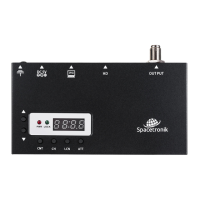
Visual guide to the modulator's components, including ports and buttons, with their respective functions.

FEATURES

QUICK MENU GUIDE

Country Setting

Step-by-step instructions for entering and switching the country selection status on the modulator.

Channel Setting

Procedure for entering the channel selection status and switching through available channels.

LCN Setting

Guide to entering the LCN edition status and changing the Logical Channel Number from 0 to 999.

Attenuation Setting

Steps to enter attenuation edition status and adjust the attenuation value in the 0 to 30dB range.

TECHNICAL SPECIFICATION

Overview

The SATLINK ST-6502 is a DVB-T Modulator designed to convert HD signals into COFDM RF signals within VHF and UHF ranges. This device is an excellent choice for transporting HD signals from various sources such as TV satellite receivers, surveillance cameras, or video/media players to an LCD TV or set-top box. Its compact size and lightweight design make it a user-friendly solution for creating a DVB-T channel from an HD source.

Function Description:

The primary function of the ST-6502 is to act as a single-input modulator that takes an HD source and converts it into a DVB-T channel. It supports standard H.264 encoding for video compression, ensuring compatibility with DVB-T services that support this standard. The modulator outputs a COFDM RF signal, allowing for the distribution of HD content over coaxial cable. It can be used in series with other modulators to increase the number of channels in a SMATV system as desired.

Important Technical Specifications:

Modulator:

  • Standard: DVB-T
  • Constellation: 64QAM
  • Bandwidth: 7/8 MHz
  • Carriers: 8K
  • Guard Interval: 1/32
  • Code Rate: 2/3
  • MER: >28 dB
  • Frequency Range: 174 - 230 MHz, 470-862 MHz
  • RF Level: 70 ~ 100 dBuV
  • Output Impedance: 75Ω

HD:

  • Compression: H.264 - bitrate 5-15 Mb/s
  • Video Resolution:
    • 1920*1080_60P, 1920*1080_50P
    • 1920*1080_60i, 1920*1080_50i
    • 1280*720_60p, 1280*720_50P
  • Connector: HD

General:

  • Power Source: DC 5V / 1A
  • Operating Temperature: 0 ~ +50°C
  • Dimensions: 127mm(L) x 65mm(W) x 17mm(H)
  • Weight: 195g

Usage Features:

The ST-6502 boasts a high level of integration, high-performance, and a full-featured, integrated design. It includes a Nixie tube display for clear visual feedback. The device offers user-friendly setup and control through a quick menu guide.

Front Panel Controls and Indicators:

  • Up (▲) and Down (▼) buttons: Used to switch options within the menu.
  • CNT (Country) button: Switches to the Country option for selecting the desired country setting.
  • CH (Channel) button: Switches to the Channel option for selecting the output channel.
  • LCN (Logical Channel Number) button: Switches to the LCN option for editing the logical channel number.
  • ATT (Attenuation) button: Switches to the Attenuation option for adjusting the RF output level.

Rear Panel Connections:

  • Ground (⏚): Ground connection.
  • DC 5V: Power input for connecting the adaptor.
  • PC: USB port for PC connection, likely for upgrading firmware.
  • HD: HD signal input port.
  • OUTPUT: RF output port.

Quick Menu Guide:

  • Country Setting: Press the CNT key, then use ▲/▼ to switch countries (Europe, Italy, Russia, UK, Australia, New Zealand).
  • Channel Setting: Press the CH key, then use ▲/▼ to switch channels.
  • LCN Setting: Press the LCN key, then use ▲/▼ to change LCN in the 0 ~ 999 range.
  • Attenuation Setting: Press the ATT key, then use ▲/▼ to change attenuation value in the 0 ~ 30dB range.

Important Notes for Usage:

  • Since the modulator uses H.264 encoding, users need to ensure their DVB-T service supports standard H.264 encoding for normal display.
  • If the image and sound are not synchronous, re-insert the HD port cable; this should resolve the issue.

Maintenance Features:

To ensure safe and proper operation, the following maintenance guidelines are provided:

  • Ventilation: Keep the modulator in a clean space with sufficient ventilation.
  • Heat: Do not cover the modulator or place it on a unit that emits heat. Avoid exposing the unit to extreme heat.
  • Cleaning: Clean the case with a soft cloth and a little washing liquid.
  • Cover: Do not remove the cover of the unit.
  • Environmental Conditions: Do not let the unit be exposed to extreme cold or humid conditions.
  • Foreign Objects: Prevent any liquids or other materials from entering the unit.
  • Temperature Changes: If the unit is moved from a cold to a hot area, it may cause problems. In such cases, turn off the power and turn it on again after 1-2 hours.

The SATLINK ST-6502 is a robust and efficient DVB-T modulator, offering a straightforward solution for converting and distributing HD video signals.

Satlink ST-6502 Specifications

General IconGeneral
BrandSatlink
ModelST-6502
CategoryModulator
LanguageEnglish

Related product manuals