14 15
SI-200 SI-200
Always switch off the vacuum cleaner and plug in the power cable before cleaning
the Powerclean brush. Clean the Powerclean brush (PL1) regularly after use.
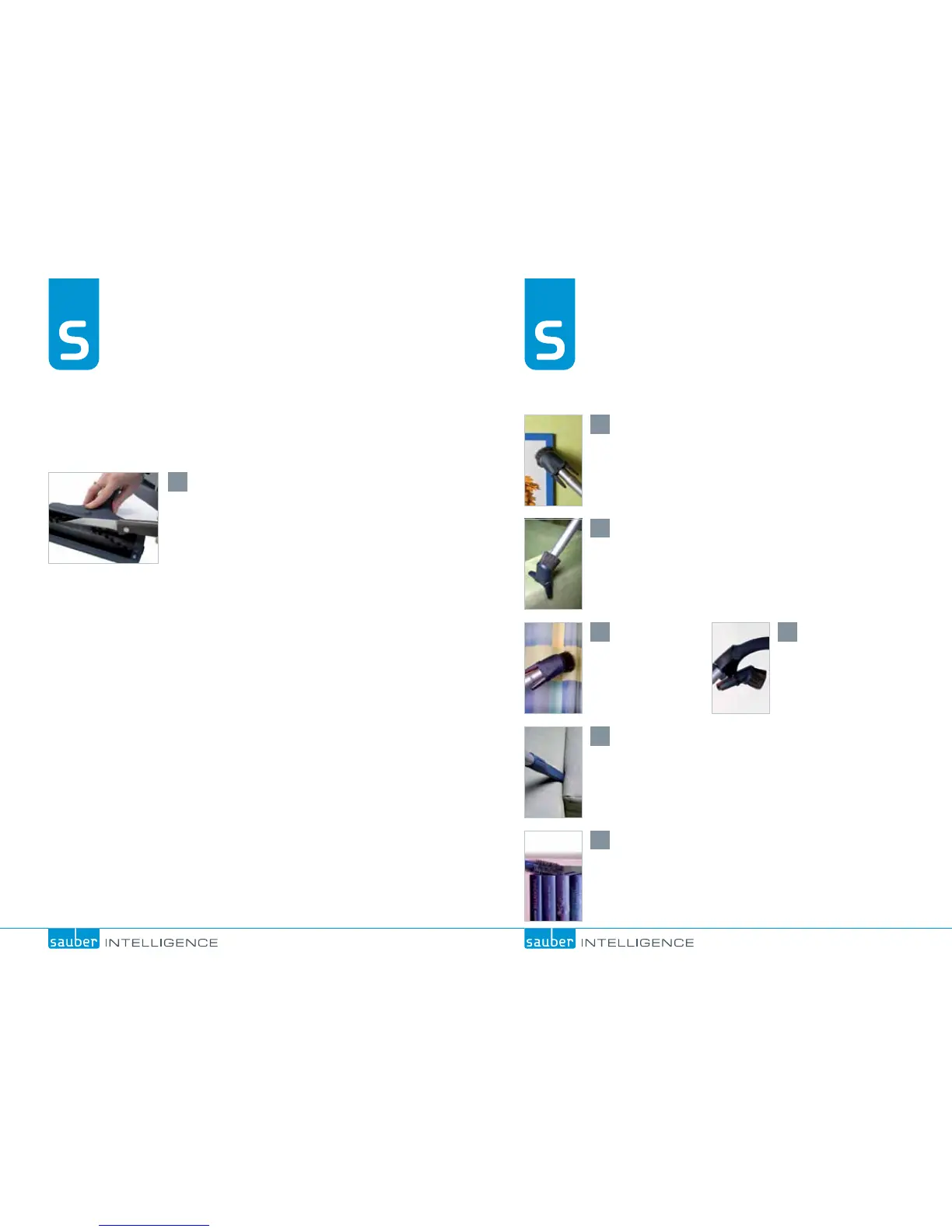
*GUISFBETBOEPUIFSNBUUFSHFUTDBVHIUJOUIFCSVTI
SPMMSFNPWFUIF7"$6'-&9
TM
, carefully cut along the
cutting groove of the roller, being careful not to damage
the brush; then turn on the vacuum cleaner to suck
in the loose threads. The Powerclean brush can be
wiped clean with a damp cloth.
*GUIF1PXFSDMFBOCSVTIJTCMPDLFEUIFNPUPS
TXJUDIFTPGGBVUPNBUJDBMMZ*GUIJTPDDVSTTXJUDI
off the vacuum cleaner, remove whatever item
has blocked the Powerclean brush, and switch
POBHBJO*GUIF1PXFSDMFBOCSVTIEPFTOPUTUBSU
again after cleaning, contact your local Sauber
service centre.
1
PL1 Maintenance
Cleaning the brush
Automatic switch-off function
6TFUIFTNBMMDPNCJOBUJPOOP[[MFPOUIFCSVTITJEFGPSEVTUJOH
Place the radiator brush on the crevice nozzle.
6TFUIFDPNCJOBUJPOOP[[MFPOUIFXJOHTJEFUPWBDVVNVQIPMTUFSZ
When vacuuming
curtains, reduce
the vacuum power
manually.
The small combination
nozzle can always
be kept at hand by
placing it on the
handle support.
6TFUIFDSFWJDFOP[[MFXIFOWBDVVNJOHOBSSPXTQBDFTTVDIBT
corners and grooves.
2
1
6
3 4
5
Accessories


 To Next Page