Look for this icon. It means a video
assembly tip is available at:
www.sauder.com/services/tips
Assemble your unit on a carpeted fl oor or on the empty carton to avoid scratching your unit or the fl oor.
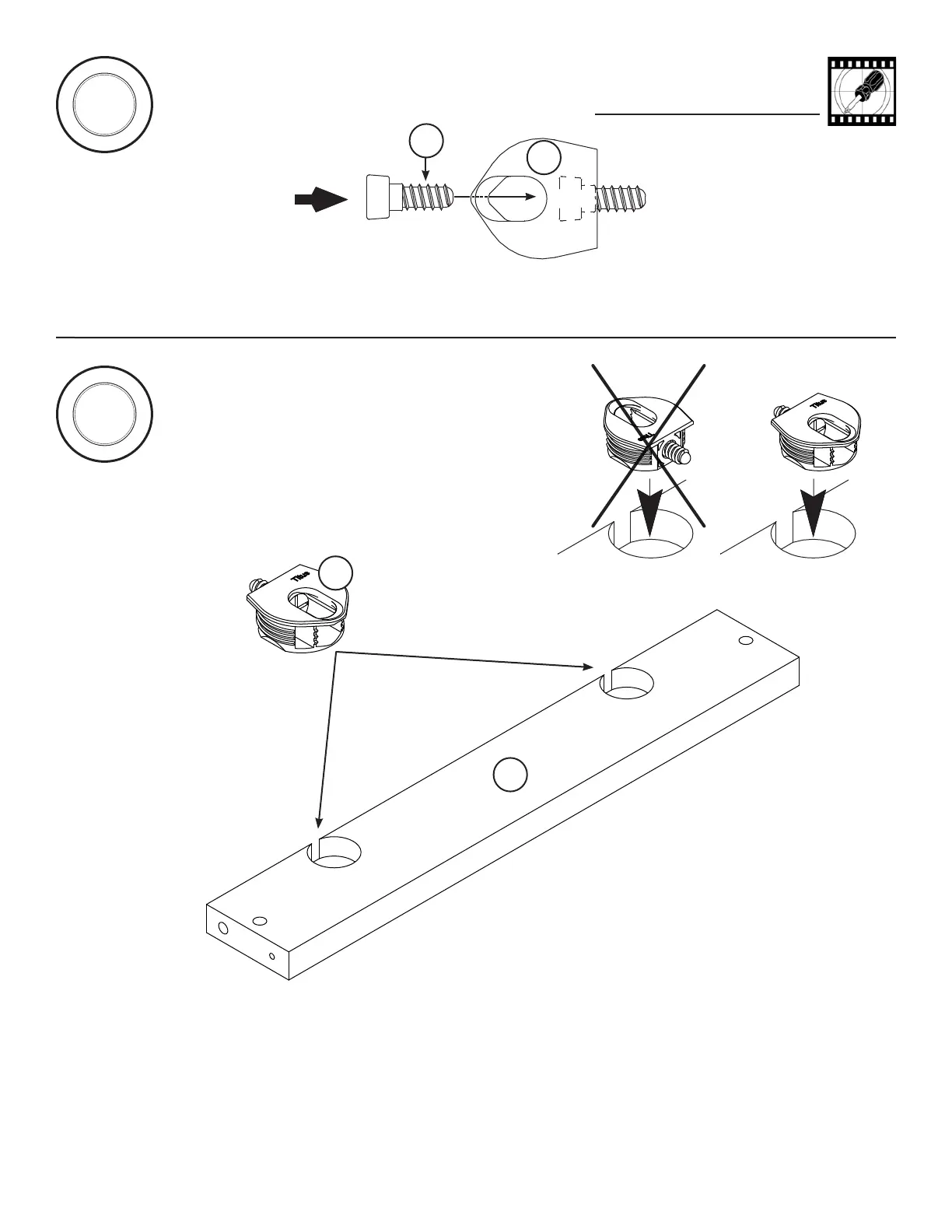
Use your hammer to tap two HIDDEN CONNECTORS (M) with SCREWS into the large holes in the LONG BRACE (H).
Repeat this step for the other LONG BRACE (H).
1
S
t
e
p
2
S
t
e
p
(4 used)
Insert a CONNECTOR SCREW (R) into each HIDDEN CONNECTOR (M).
M
H
M
R
Page 4 www.sauder.com/services 414289


 To Next Page
 Loading...