å
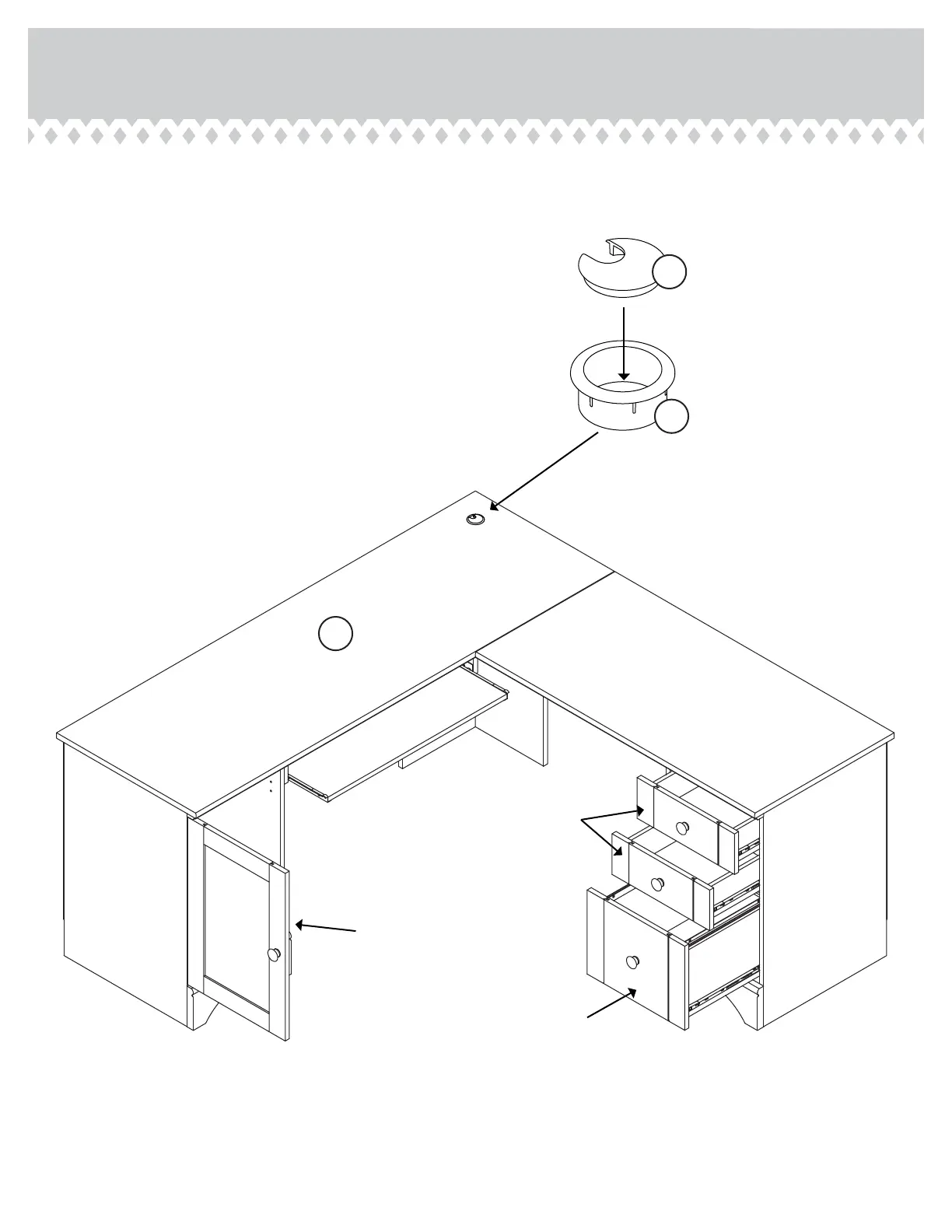
Push a GROMMET CAP (1P) and GROMMET (10P) into
the lare hole in the TOP (G3).
å
To insert the drawers into your unit, tip the front of the
drawer down and drop the rollers on the drawer behind
the rollers on the unit. Lift the front of the drawer up
and slide it into the unit. Repeat this step to insert the
KEYBOARD SHELF.
Step 30
403793www.sauder.com/services
Pae 35
1P
10P
G3
60 lbs.
25 lbs.
40 lbs.
30 lbs.
10 lbs.
50 lbs.



 To Next Page