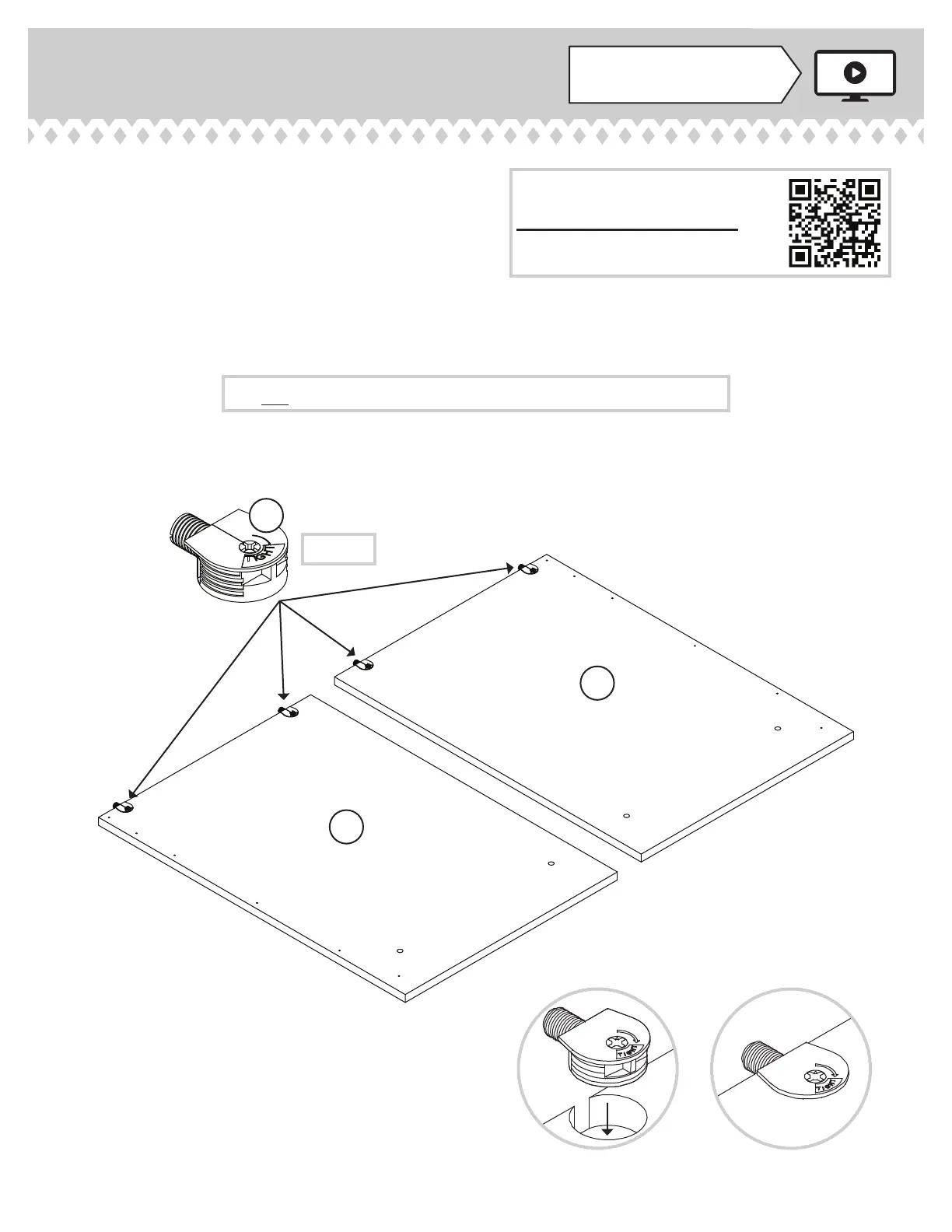
Step 1
Look for this icon. It means a
video assembly tip is available at
www.sauder.com/services/tips
å
Assemble your unit on a carpeted fl oor or on the
empty carton to avoid scratchin your unit or the fl oor.
å
To bein assembly, push a SAUDER TWIST-LOCK®
FASTENER (7F) into the lare holes in the
OUTER ENDS (A and B).
å
Repeat this step for the INNER ENDS (C3 and D3)
and BOTTOM (F2).
412015 www.sauder.com/servicesPae 6
A
B
7F
(12 used)
Do not tihten the TWIST-LOCK® FASTENERS in this step.
Scan this QR code or go to this address:
http://qr.sauder.com/?ID=2586
to watch a video on how to assemble your unit.



 To Next Page