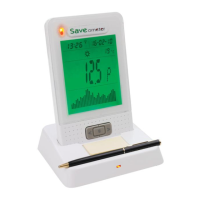
Cost alert thresholds. These are a useful reminder
when you are using excessive electricity. The
coloured LED lights at the top of the display
indicate the amount of electricity (& therefore
cost) that is being used per hour. The default
settings, shown alongside, may be varied to suit
your own particular use pattern. A large house or
commercial enterprise will probably set
considerably higher thresholds for each indication.
Off Less than 4p / hr
Green More than 4p/hr
Amber More than 20p/hr
Red More than 40p/hr
Red * More than 54p/hr
*flashing
Zero the TOTAL COST of electricity used. Your TOTAL
ELECTRICITY COSTS are shown on the second or third
depression of the top button (TB). TOTAL COSTS may be reset
to zero at any time. For example, some users may wish to
monitor their costs over 6 month periods, while some
commercial activities using more electricity may chose to
monitor costs every week or fortnight. Zeroing the TOTAL
COSTS does not interfere with any other monthly, weekly or
other useful information. This feature is to provide you with a
total of electricity costs over any period of your choice.
To avoid accidental erasure of this important total, you will be
prompted by the lower display to hold the > button down for 6
seconds, and then confirm (you see the word “SURE?”) that you really
do wish to proceed to zero the total cost by pressing S
Erase ALL acquired stored data. This feature is seldom used
and is primarily for when a Saveometer is reinstalled in a new
location, such as when moving home or business. This enables
you to erase all data that your Saveometer has ever acquired
since it was first installed. This mode will remove your bar chart,
& all costs (electricity & gas if applicable) and other acquired
data that have ever been ever stored. All settings such as
charging rates, LED thresholds etc remain unchanged. To avoid
accidental erasure, in this mode you will be prompted by the lower
display to hold the > button down for 6 seconds, and then confirm
(you see the word “SURE?”) that you really do wish to proceed to
erase the acquired data by pressing S.
Messages Some Saveometers have short messages that show
briefly from time to time. You may set their frequency to off,
level 1 (every 1 hour) or level 2 (every 30 minutes)
Set Voltage that is supplied to your premises
CO
2
(carbon dioxide) created by each Kilowatt hour of
electricity used. The default setting is a current National UK
average, but may vary according to your supplier. Please check
with your supplier for an even more accurate figure.
Set atomic clock synchronisation. It is unlikely you will ever
need to use this feature unless moving to another country. The
Saveometer clock receives radio signals to maintain supreme


 To Next Page
 Loading...