Select if your meter measures gas in cubic feet or cubic meters, & if your
meter has 4, 5 or 6 meaningful digits. Please inspect your meter then use
the > key to select cubic meters or cu feet, also select 5 or 6 digits (ignore
the red numbers on the right) - & press S to select. (If your meter is very
old it may have only 4 meaningful digits - then select 5 in this mode as
the 4 digit option has been discontinued *)
Cubic Mtrs
or Cu ft, also
4, 5 or 6
meaningful
digits?
This sets what is known as a “gas conversion factor”. Once set, it is
doubtful whether you will need to change the value again. The amount
of gas used is measured by your gas meter and converted by your
supplier into kilowatt hours for which you are charged. Our conversion
factor depends on whether your meter reads in cu ft (0.32) or cu meters
(11.27). This factor may also vary very slightly from time to time
according to the type and quality of gas supplied & several other factors.
11.27 for
Cu Meters
or
0.32 for
Cu Feet
This mode enables you to synchronise your gas meter with the
Saveometer. Select mode 20 & you will see 5 or 6 main digits (000000).
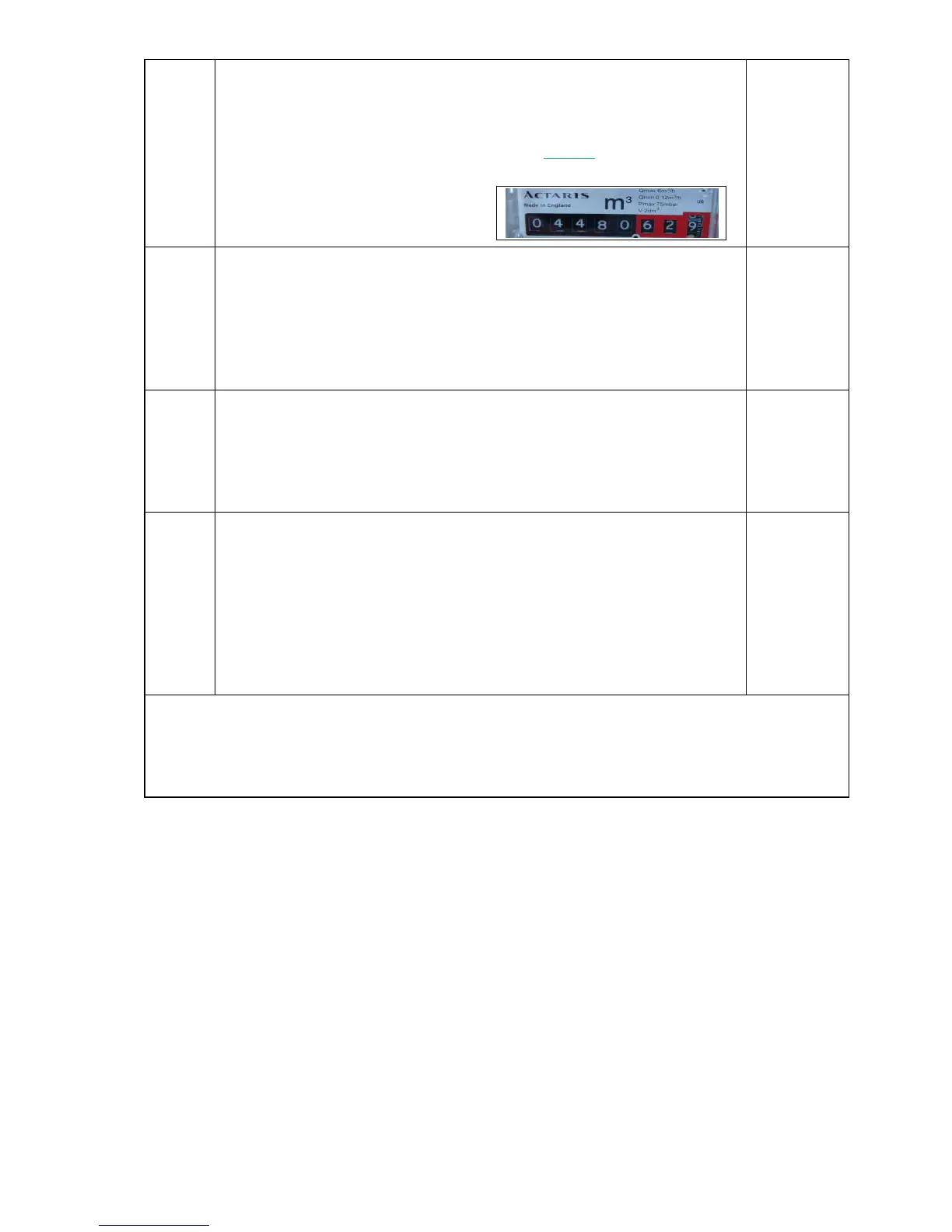
Read your gas meter (ignoring the last 2 or 3 digits on the right – usually
surrounded in red) and using the < & > press and hold until the display
matches the reading of your meter. Digits will increment or decrement
progressively faster the longer the < & > keys are pressed.
This feature enables you to test the wireless range between a gas
transmitter and a display. Select mode 21 and see “Gas Test”. Press S &
“Gas Rx” will show on the display - blinking. Press the transmit button on
the gas transmitter for 1 second and if within range the “Gas Rx” on the
display will be replaced by the data received from the gas transmitter. If
no signal is received “Gas Rx” will continue to show. To finish press S
again to exit this mode. You may find it useful to use a cordless or
cellular phone to communicate when using this feature as the gas
transmitter and a Saveometer display may be far apart.
Gas transmitters are sealed units, and contain high quality long life lithium batteries which in normal
use last over 12 years. When a battery becomes low a message “BATT LOW” will show on the display
several weeks before it expires. Always return your Saveometer gas transmitter to Eco
1
for battery
replacement. * If your meter is old and has only 4 meaningful digits, selecting 5 digits will not effect
the accuracy of you gas readings.
10 CALCULATING YOUR SETTINGS
Electricity
The rate or rates you are charged for each Kilowatt hour (kWh – and sometimes called a
“unit”) of electricity is shown on your electricity bill, but if in doubt please call your supplier.
Some suppliers charge variable rates according to levels of consumption, & practically all
suppliers make standing charges that vary according to the periods covered, and then add
VAT. For users paying a single rate per kWh, & for best accuracy, you take your past four
quarterly bills and add up the total charges (including standing charges & VAT and less any
discounts for paying by standing order or by direct debit) and divide the total cost by the
number of Kilowatt hours (kWh) that have been charged. In this way you will arrive at an
average cost per Kilowatt Hour for your particular use pattern and supplier. The default cost
per Kilowatt hour is factory set at about 12.25 pence (kWh). Once you have calculated a figure
that is appropriate for you it will only take you 30 seconds to adjust your setting using mode 4.
In this example the meter has 5
whole digits & measures in Cubic
Meters indicated by M3
Indicated by “M3”


 To Next Page
 Loading...