Plantronics Savi User Guide 9
Powering up the headset
If the headset battery is charged and connected to the headset,
the headset is automatically on.
Talk time
With a single full charge, the Savi W410/W420 will provide up to
7 hours of talk time. Talk time will be reduced when operating in
wideband mode and/or if the headset is used consistently at a far
distance from the adapter.
Muting a headset during a call
Short press the dedicated mute button to toggle mute on and off.
The USB adapter light will flash red when the headset is muted.
When mute is activated, you will hear three high tones. When
unmuted, you will hear three low tones.
After the Plantronics software is loaded, the mute tones can be
turned off by going to Start > Programs > Plantronics Control
Panel > Devices > Device Settings > Headset – Mute Tone.
5 Using your headset system
For your safety, do not use headset at high volumes for
extended periods of time. Doing so can cause hearing
loss. Always listen at moderate levels. For more information
on headsets and hearing, visit:
plantronics.com/healthandsafety.
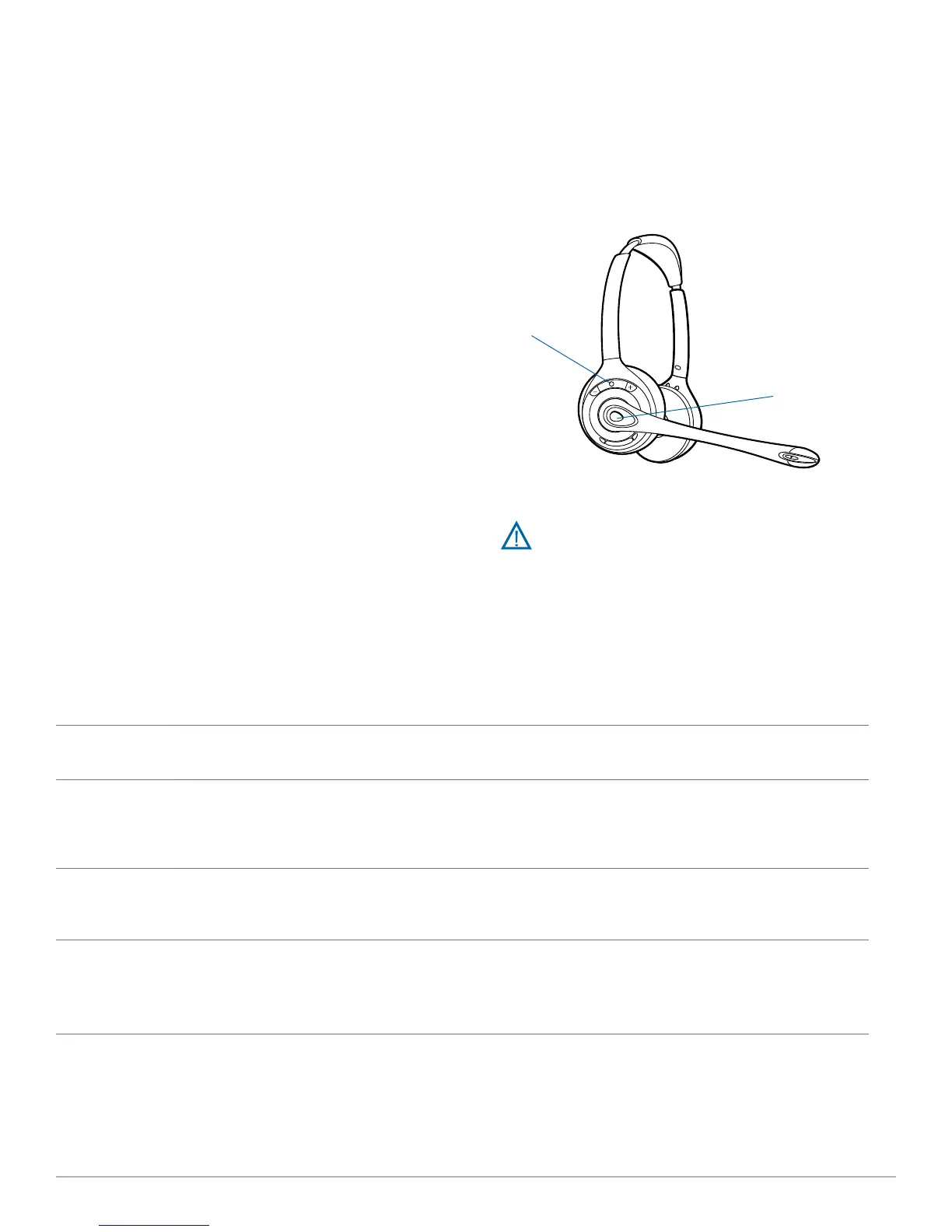
Indicator light
Call control button
Placing, answering and ending calls with desk phone
Phones with handset lifter or electronic
hookswitch
Phones without handset lifter or electronic
hookswitch
To place a call 1. Briefly press call control button on headset*
or briefly press base desk phone talk button
2. Dial number
1. Briefly press call control button on headset*
or briefly press base desk phone talk button
2. Remove handset from cradle**
3. Dial number
To answer a call 1. Briefly press call control button on headset
or briefly press base desk phone talk button
1. Briefly press call control button on headset or
briefly press base desk phone talk button
2. Remove handset from cradle**
To end a call 1. Briefly press call control button on headset
or briefly press base desk phone talk button
1. Briefly press call control button on headset or
briefly press base desk phone talk button
2. Return handset to cradle**
* Assumes your default line is set to desk phone.
** To place, answer and end calls with desk phones that have a headset button, without a handset lifter, you will need to press the headset
button on the desk phone instead of removing the handset from the cradle.



 To Next Page