EasyManua.ls Logo

Savio K5003 - User Manual

Savio K5003
2 pages
Print Icon
To Next Page IconTo Next Page
Loading...
K5003
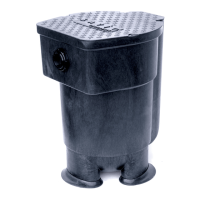
FilterWeir
16
Stone Accessory Kit
07-SV-094
For Use with Savio FilterWeir
16 (F050)
K5003
OPERATING MANUAL
Innovative, precision engineered solutions
Advanced water gardening products for healthy, clean living ponds.
SAV
i
O Engineering, Inc.
Albuquerque, New Mexico USA
http://www.savio.cc • email: support
@savio.cc
Customer Service Information
Skimmerfilters
®
Water Master Pumps
Livingponds
®
Filters
Pond Packages
®
Uvinex
system
Radiance
Lighting
FilterWeirs
Pond Free
®
Packages
Springflo Filter Media
Black Foam
Waterfall Well
Read entire instructions prior to assembly and operation.
4
Question and Answer IconNeed help?

Do you have a question about the Savio K5003 and is the answer not in the manual?

Summary

Savio Filterweir 16 Stone Accessory Kit Operating Manual

Components and Installation

Apply Glue

Apply glue to the underside of the Stone Ledge for attachment to the filterweir.

Secure Stone Ledge

Place and press the Stone Ledge onto the filterweir lip for 30 seconds, allowing 2 hours for curing.

Install Removable Stone Lid

Place the removable stone lid to prevent debris and camouflage the unit. Do not glue the lid.

Summary

Savio Filterweir 16 Stone Accessory Kit Operating Manual

Components and Installation

Apply Glue

Apply glue to the underside of the Stone Ledge for attachment to the filterweir.

Secure Stone Ledge

Place and press the Stone Ledge onto the filterweir lip for 30 seconds, allowing 2 hours for curing.

Install Removable Stone Lid

Place the removable stone lid to prevent debris and camouflage the unit. Do not glue the lid.

Savio K5003 Specifications

General IconGeneral
BrandSavio
ModelK5003
CategoryWater Filtration Systems
LanguageEnglish

Related product manuals