PRODUCT MANUAL One-Touch Voice Recorder Pen : SB-P640
Page 7
www.SafetyBasement.com Phone: 877-345-2336 Fax: 888-236-2524
NEXT
PLAY
/ STOP
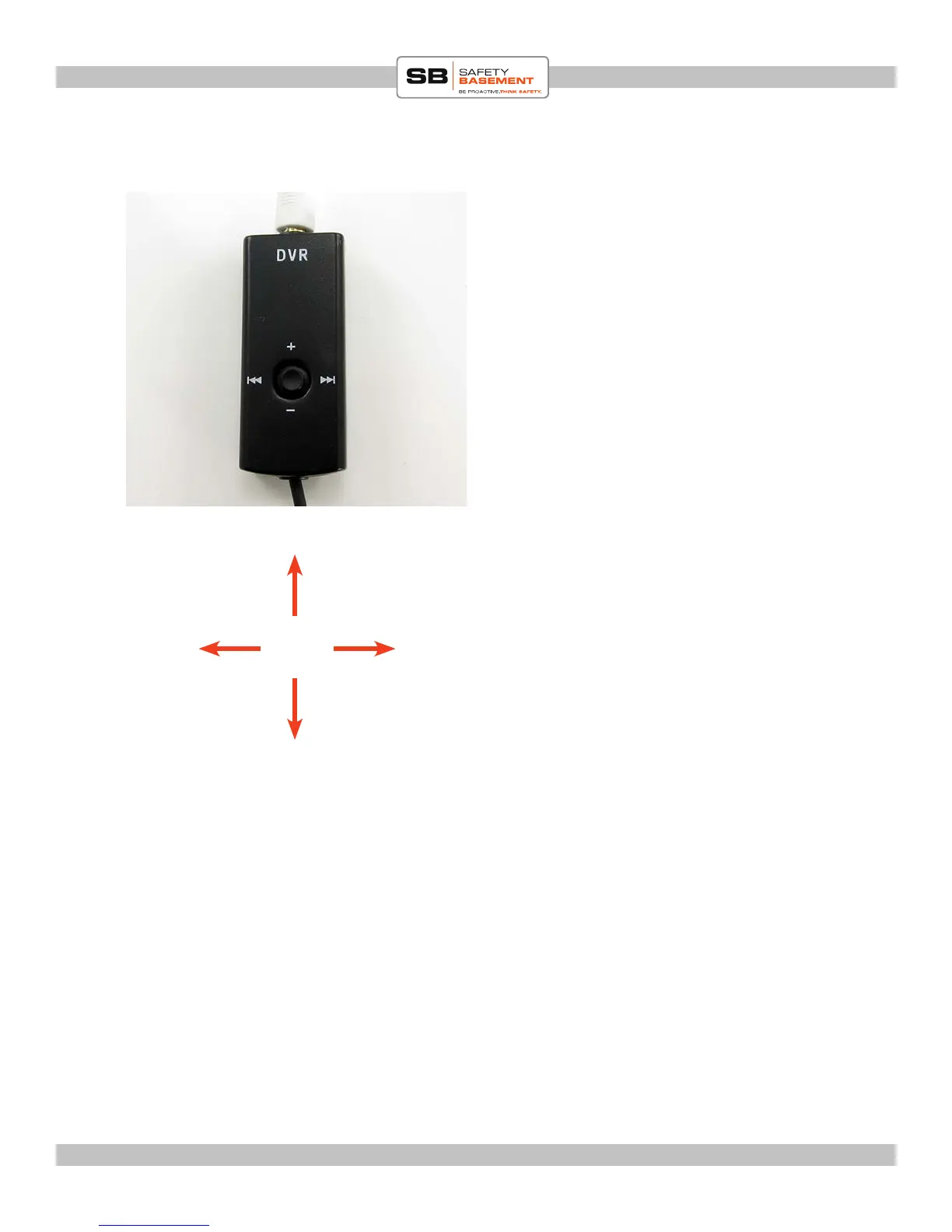
PLAYBACK VIA CONTROLLER
e Controller has a small joystick.
PRESS the center of the joystick to begin
playing your les.
PUSH le or right to choose another le,
NEXT and PREVIOUS.
PUSH up and down to adjust the volume of
playback.
PRESS the center to stop a le.
PREVIOUS
VOLUME UP
VOLUME DOWN
Note: the Status Light under the clip will be Blue during playback.



 To Next Page