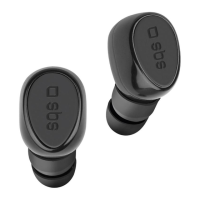
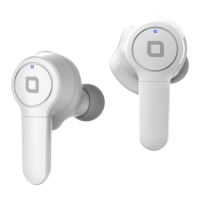
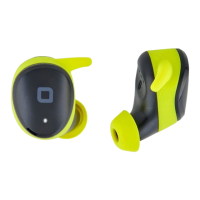
This document describes the SBS Twin Bugs Pro, a pair of wireless earbuds designed for use with smartphones and tablets.
Function Description
The Twin Bugs Pro are wireless earbuds that connect to devices via Bluetooth. They offer a range of functions controlled by touch-sensitive multifunction buttons on the earbuds. These functions include:
- Play/Pause: Single tap on either earbud.
- Previous Track: Long touch (approx. 3 seconds) on the right earbud.
- Next Track: Long touch (approx. 3 seconds) on the left earbud.
- Answer/End Call: Single tap on either earbud during an incoming call.
- Reject Call: Long touch (approx. 2 seconds) on either earbud.
- Volume Up: Rapid double tap on the right earbud.
- Volume Down: Rapid double tap on the left earbud.
- Voice Assistant: Rapid triple tap on either earbud.
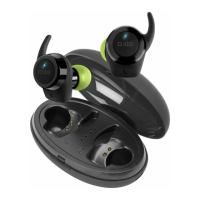
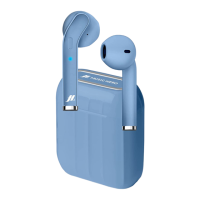
The earbuds come with a charging box that also serves as a power bank for the earbuds.
Important Technical Specifications
- Wireless Version: V 5.1
- Impedance: 32Ω
- Working Range: 10m
- Frequency Range: 20Hz-20kHz
- Speaker Size: 6mm
- Sensitivity: 105dB
- Charging Box Battery Capacity: 300mAh
- Earphone Battery Capacity: 30mAh (each earbud)
- Charge Port: Type-C
- Charge Time: 1 hour
- PRF (Peak Radiated Power): 6 mW max
- Frequency: 2402 ÷ 2480 MHz
Usage Features
Charging:
- Charging the Base: Use a USB/Type-C cable. Insert the Type-C end into the charging box's socket and the USB end into a travel charger or a PC's USB port. Four LEDs on the charging box will flash in succession to indicate charging progress and will turn off when charging is complete.
- Charging the Earbuds: Insert the earbuds into their compartments in the charging box. A red LED on each earbud will light up, indicating charging. The LED will turn off once charging is complete.
- Important Note: Fully charge the product before first use.
Turning On and Pairing:
- Ensure Bluetooth® on your smartphone is switched off.
- Remove the earbuds from the charging box.
- Wait a few seconds for the two earbuds to pair with each other (the right earbud's LED will flash blue and red).
- Once paired, turn on Bluetooth® on your phone and search for and pair with the headset.
Power Off:
- Reinsert the earbuds into the charging box, or press the multifunction button on an earbud for 5 seconds.
Maintenance Features
- Initial Use: Remove any stickers from the earphones when first used.
For further information or support, users are directed to contact info@sbsmobile.com. The product is manufactured by SBS spa, located at Via Circonvallazione s/n, 28010 Miasino (No) - Italy, and their website is sbsmobile.com. The product is printed in China.

 Need help?


 To Next Page
 General