13
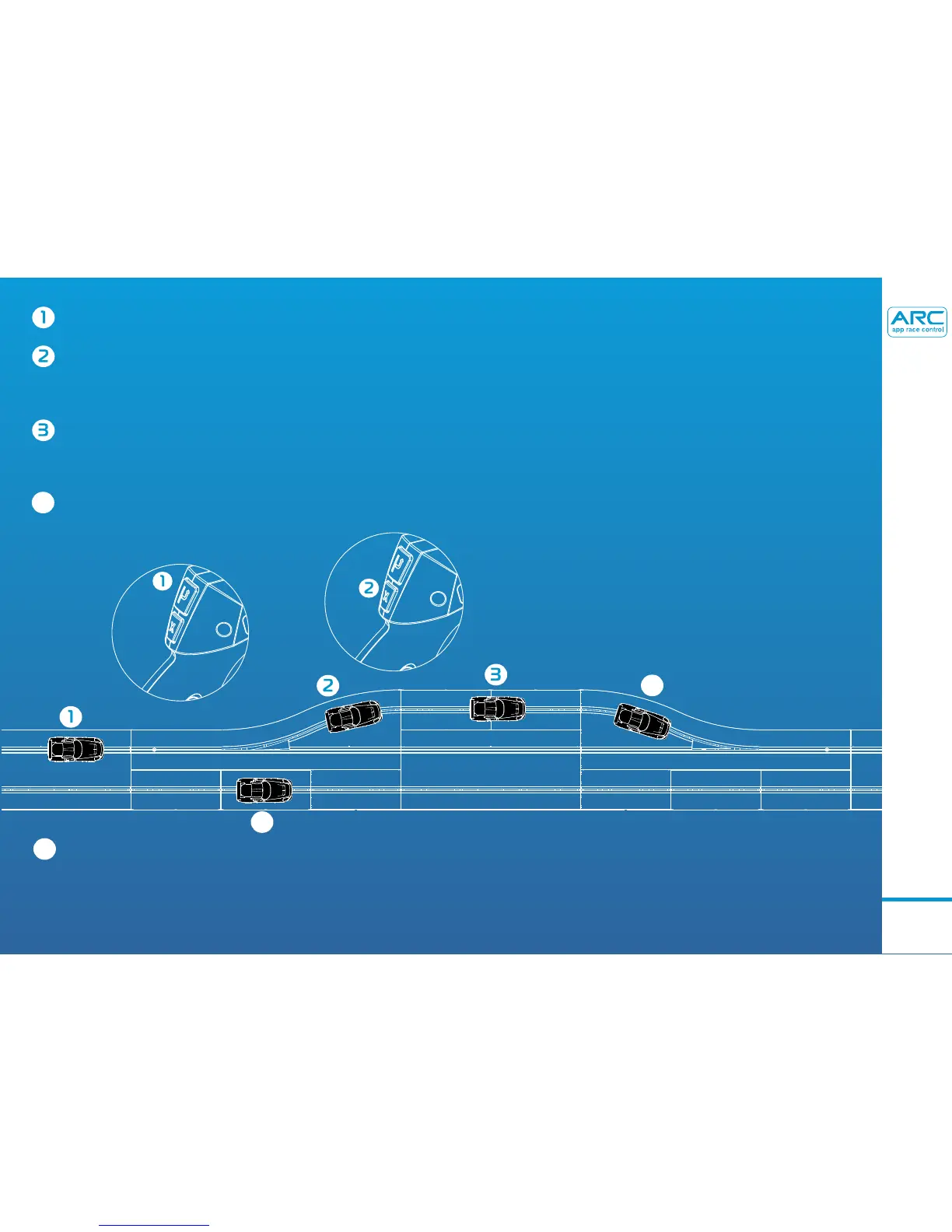
To enter the pit lane, press the lane change button.
When in the pitlane, press and hold the brake button to come to a full stop.
Continue holding the brake button.
After 2 seconds, pit stop will be activated. Continue holding the brake button until
you are ready to leave the pit lane.
To leave the pit lane, release the brake button and press the trigger as normal.
4
4
You can not enter the pit lane from this lane
5
5
Note: The pitstop fuctionality can be activated anywhere on the track (ie drivers do not have to enter the pitlane in order for the
pitstop button to work). However, it is recommended that a pitlane is used when racing in ARC PRO mode in order to avoid
collisions in the same lane whilst racing.
- PIT LANE GUIDE



 To Next Page