Need help?
Do you have a question about the Scan Coin SC 303 and is the answer not in the manual?
Statement of product compliance with relevant EU directives and international standards.
Details FCC compliance requirements for radio frequency devices.
Information regarding WEEE Directive for proper disposal of electronic equipment.
Hazards from moving parts, sharp edges, personal injury, and entanglement.
Risks associated with lethal voltages and proper grounding procedures.
Requirement for ear protection due to machine noise levels.
Caution against exceeding load limits to prevent tipping.
Specifies the user guide relates to software version 4.03.
Information on available accessories and how to contact SCAN COIN.
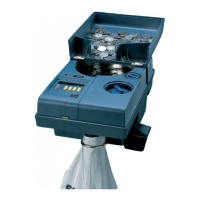
Identifies and labels key components of the SC 303/313 machine.
Defines directions (left, right, etc.) relative to the machine.
Explains continuous counting and batch counting modes.
Details important safety labels attached to the machine.
Explains the information provided on the machine's identification label.
Steps to connect and turn on the machine for initial use.
How to operate the machine for continuous coin counting.
Instructions for counting coins in predefined batches.
Steps to diagnose and resolve startup issues.
Guidance for addressing incomplete batch counts.
Instructions for daily cleaning to maintain performance.
Procedure for cleaning the coin track for optimal counting.
Steps for replacing the outfeed belt after significant usage.
 General
| Brand | Scan Coin |
|---|---|
| Model | SC 303 |
| Category | Cash Counter |
| Language | English |

 To Next Page