Page 7
3. Maintenance and Service
Replacing the Light Bulb
Step 1
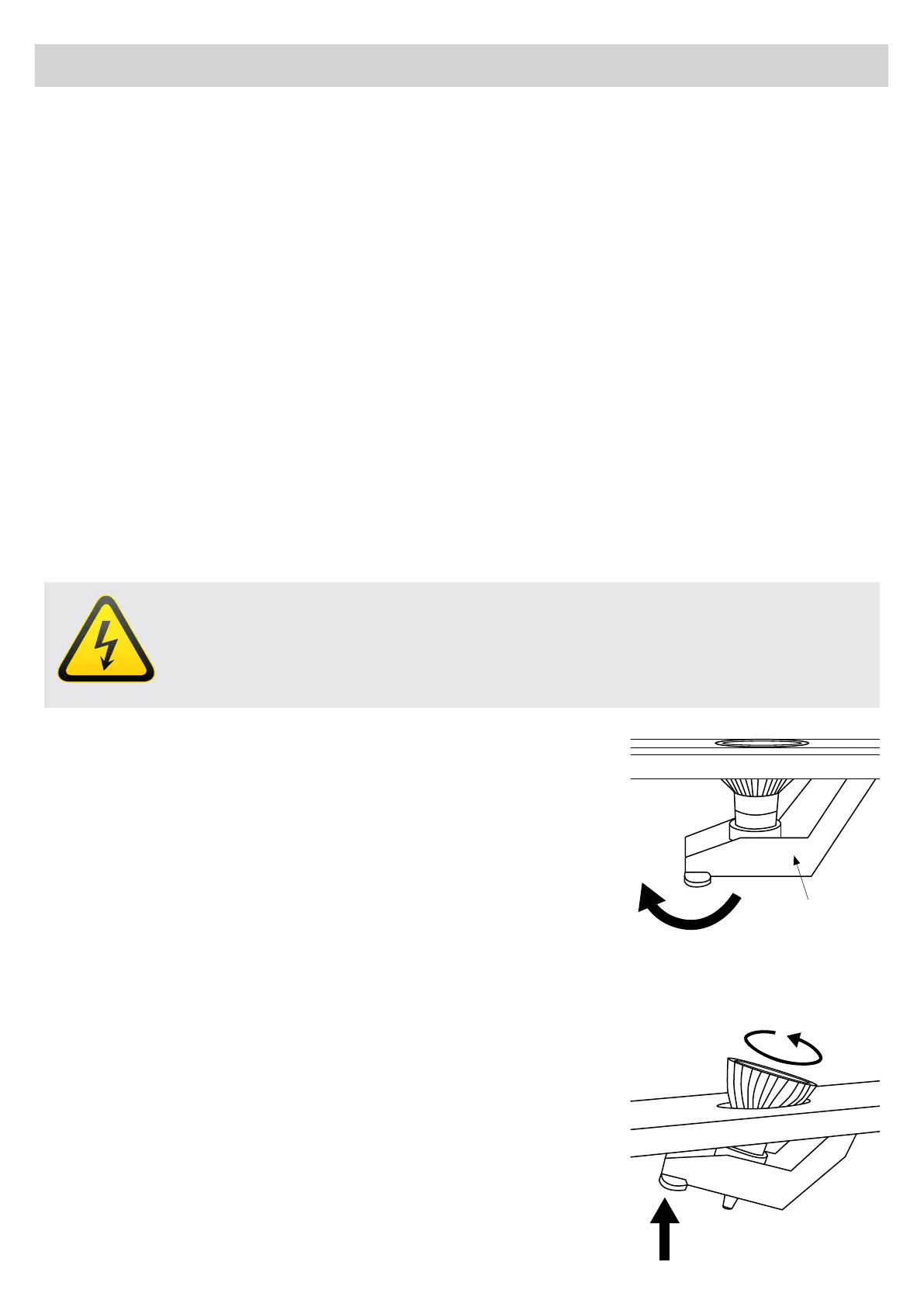
Remove the lters from the rangehood. Gently push the light tting
upwards, see gure on the right.
NOTE: Please use halogen of the same specication as those installed
as standard in the rangehood.
Step 2
While holding the light holder upwards, gently turn light bulb anti-
clockwise and remove it from the light holder. Insert a new light bulb by
lining up the pins of the light bulb with the larger holes inside the light
holder. Once the pins are in place, turn clockwise to secure the light
bulb.
DANGER
Always switch off and disconnect the power supply before replacing any light bulbs. Failure
to do so may cause serious injury. Please be aware that the light bulb will retain heat for a
short period of time after being switched off.
For Users
• This product is designed for domestic use only and should NOT be used outside or for commercial
applications.
• After use, always ensure controls are left in the “OFF” position. When frying with a gas ame, take particular
care not to allow the oil or grease in the pan to catch re. (Flambé)
• Do not leave the frying pan or fryer unattended, as the oil could overheat and catch re.
• Never ambé any foods beneath the rangehood. The ames can cause a re.
• Before carrying out any operations inside the rangehood, unplug the appliance from the electrical mains.
• Adhere to the cleaning frequencies and intervals for changing lters, otherwise the accumulated grease can
cause a re or damage the product.
• Any alterations made to the rangehood will void the warranty.
Light tting


 To Next Page