EasyManua.ls Logo

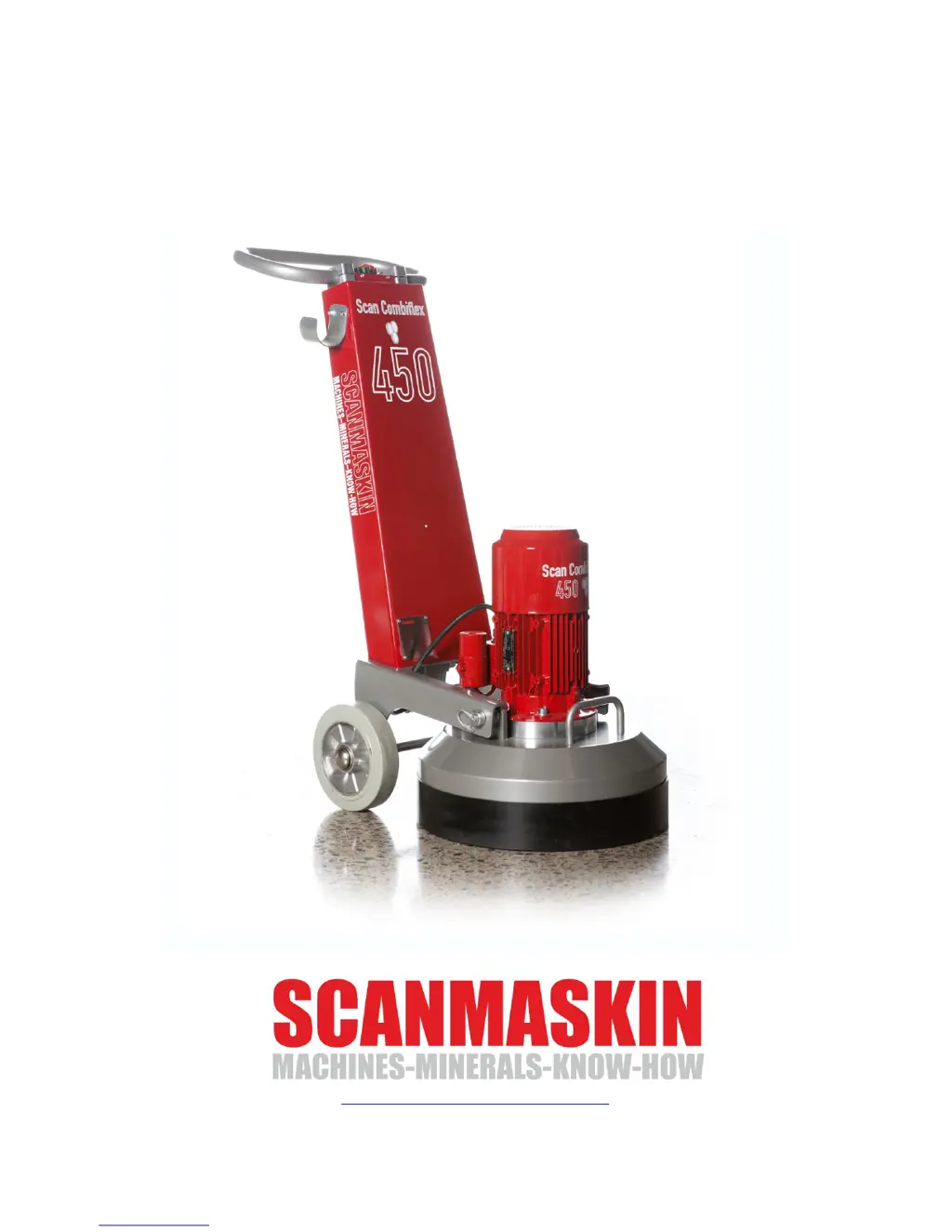
SCANMASKIN Scan Combiflex 450 - User Manual

SCANMASKIN Scan Combiflex 450
37 pages
Print Icon
To Next Page IconTo Next Page
Loading...
Scan Combiflex 450
Users guide
http://www.scanmaskin.com

Other manuals for SCANMASKIN Scan Combiflex 450

Questions and Answers

  • R
    Rebecca BrownAug 20, 2025
    Why is my SCANMASKIN Cleaning Equipment machine weak and stops on the ground?
    • P
      Patricia FryeAug 20, 2025
      Your SCANMASKIN Cleaning Equipment machine might be weak and stop on the ground due to several reasons. There could be a voltage drop at the power supply, so inspect the fuses in the worksite's fuse box and check the cables. Ensure that the main voltage is present and at full voltage at the cable end near the machine. Also, the grinding speed might be too high; try lowering the speed.
  • E
    ericcontrerasAug 22, 2025
    How to fix SCANMASKIN Cleaning Equipment that won’t start?
    • C
      Christopher BraunAug 22, 2025
      If your SCANMASKIN Cleaning Equipment won’t start, the issue might stem from a power failure. First, inspect the fuses in the worksite's fuse box. Next, check the cables. Also, measure that all three phases are present and at full voltage near the machine.
  • T
    Thomas MayAug 25, 2025
    What to do if SCANMASKIN Cleaning Equipment vibrates a lot?
    • K
      Kathy SuarezAug 25, 2025
      If your SCANMASKIN Cleaning Equipment vibrates excessively, it could be due to damaged tools. Inspect the tools and change them if needed.
  • T
    Teresa AdamsAug 26, 2025
    Why does my SCANMASKIN Cleaning Equipment only operate when the start button is pressed?
    • K
      Kristina MonroeAug 26, 2025
      If your SCANMASKIN Cleaning Equipment only operates while the start button is depressed, the motor may be overheated. Wait until the motor is cool again. If that doesn't work, the control device may need to be replaced.
  • R
    Rhonda BeckerAug 28, 2025
    How to troubleshoot a SCANMASKIN Scan Combiflex 450 that won’t start?
    • A
      Ashley CraigAug 28, 2025
      If your SCANMASKIN Grinder won’t start, it could be due to a power failure. First, inspect the fuses in the worksite's fuse box. Also, inspect the cables. Ensure that all three phases are present and at full voltage near the machine.
  • S
    Sherry TerryAug 30, 2025
    What to do if my SCANMASKIN Scan Combiflex 450 Grinder shows A2001 - Over current error?
    • S
      Scott RogersAug 30, 2025
      If your SCANMASKIN Grinder displays an A2001 - Over current error, it could be due to one of the three phases missing from the power supply. Inspect the fuses in the worksite's fuse box and the cables. Also, verify that all three phases are present and at full voltage at the cable end near the machine. Ensure the cable isn't too long; if it is, use a higher-rated cable to a distribution box nearer the machine.
  • J
    Johnny WashingtonSep 1, 2025
    Why is my SCANMASKIN Scan Combiflex 450 weak and stops on the ground?
    • S
      staylorSep 1, 2025
      If your SCANMASKIN Grinder is weak and might stop when on the ground, it could be due to a voltage drop at the power supply. Inspect the fuses in the worksite's fuse box and the cables. Ensure the main voltage is present and at full voltage at the cable end near the machine. Also, make sure that the cable is not too long; if it is, use a cable with a higher rating to a distribution box nearer the machine.
  • C
    Christine LittleSep 3, 2025
    Why does my SCANMASKIN Scan Combiflex 450 show A2001 error when it overheats?
    • E
      Eric ZimmermanSep 3, 2025
      If your SCANMASKIN Grinder displays the error message A2001 - Over current, it might be caused by a high environmental temperature. When the temperature is above 40°C (104°F), the inverter will decrease its maximum output current. Check the ventilation fans and the filters to the fans.
  • A
    Ashley JordanSep 5, 2025
    How to reduce vibration in my SCANMASKIN Scan Combiflex 450?
    • D
      debbie62Sep 5, 2025
      If your SCANMASKIN Grinder vibrates a lot, it could be because the grinding speed is too high. Try lowering the speed. Also, inspect the tools; if they are damaged, change them.
  • C
    Curtis MartinezSep 7, 2025
    What causes A2009 - Over temperature error in SCANMASKIN Grinder?
    • S
      srussellSep 7, 2025
      If your SCANMASKIN Grinder shows an A2009 - Over temperature error, the internal temperature in the inverter is above 120°C (248°F). This could be caused by faulty ventilation in the electrical cabinet. Inspect the ventilation fans and the filters to the fans.

Summary

1 Specifications

1.1 Electrical specifications

To find the specifications that apply to your machine, check the information plate on the machine.

1.2 Mechanical specifications

Details about the physical dimensions, weight, and speed of the SC-450 models.

1.3 Tools

Information on approved tools for the machine and how they are fitted.

1.4 Range of application

Describes the intended uses and work sites for the SC-450 machine.

1.5 Scope of supply

Lists the items included with the standard SC-450 grinding machine.

1.6 Overview

Visual overview of the SC-450 and SC-450NS models with numbered parts.

2 Safety Regulations

2.1 Legend

Explanation of safety symbols used throughout the user guide.

2.2 Safety precautions

General safety measures and personal protective equipment requirements.

2.3 Organizational measures

Guidelines for workplace organization, supervision, and personnel responsibilities.

2.4 Personnel selection and qualification

Requirements for personnel operating or maintaining the machine.

2.5 Safety regarding operation of machine

Precautions for safe operation, including checks and shutdown procedures.

2.6 Electrical safety

Guidelines for safe use of electrical power sources, cables, and connections.

2.6.1 Cables

Guidelines for using cables safely, including length and rating.

2.6.2 Using a generator

Safety precautions when operating the machine with a generator.

2.7 Definition of the “Safety off position”

Defines the safe condition of the machine where it cannot pose a hazard.

2.8 Safety regarding maintenance

Safety precautions to be taken before and during maintenance activities.

2.9 Safety regarding transport

Safety guidelines for transporting the machine, including manual and vehicle transport.

3 Transportation

3.1 Safety precautions

General safety advice to be followed before attempting to transport the machine.

3.2 Manual transportation

Instructions for moving the machine manually, including detaching tools and tilting.

3.3 Lifting

Steps for safely lifting the machine, including tool detachment and strap fastening.

3.4 Separation of machine

Procedure for separating the machine into two parts for transport in limited space.

3.5 Inside vehicles

Guidance on securely transporting the machine inside a vehicle.

4 Operation

4.1 Precautions

General safety measures and personal protective equipment for operating the machine.

4.2 Machine functions

Explanation of how the grinding heads and gear barrel rotate during operation.

4.3 Control device SC-450

Identification and function of the control device buttons for the SC-450.

4.4 Start up

Step-by-step instructions on how to safely start the SC-450 machine.

4.5 Stop

Instructions on how to properly stop the SC-450 machine.

4.6 Control panel SC 450 NS

Overview and description of the control panel buttons for the SC-450 NS model.

4.6.1 Water tank SC-450 NS

Instructions for adjusting the water flow using the control knob on the SC-450 NS.

4.7 Start up the SC-450 NS

Step-by-step guide to safely start the SC-450 NS model.

4.8 Emergency stop; Reset SC-450 NS

How to use the emergency stop and reset the machine.

4.9 Stop the SC-450 NS

Procedure for stopping the SC-450 NS machine.

4.10 Grinding speed SC-450 NS

How to adjust the rotation speed of the grinding discs.

4.11 Rotation direction SC-450 NS

How to change the rotation direction of the grinding discs.

4.12 Safety off position

Ensuring the machine is in the 'Safety off position' before maintenance or tool changes.

4.13 Grinding

Reference to a 'Grinding guide' for instructions and information about grinding.

4.14 Changing tools

Instructions and safety precautions for changing the machine's tools.

5 Maintenance

5.1 Precautions

Safety measures to be taken before starting any maintenance work on the machine.

5.2 Daily inspection prior to operation

List of items to inspect daily before operating the machine.

5.3 Maintenance and inspection list

Schedule for daily and post-service maintenance and inspection tasks.

5.4 Grinding disc replacement; assembly

Steps for safely replacing or assembling the grinding discs and Scan-On plate.

5.5 Cleaning the machine

Guidelines for safely cleaning the machine, including recommended methods.

5.6 Trouble shooting

Guidance on diagnosing and resolving common faults and issues.

5.6.1 Common faults

Table listing common symptoms, their causes, and recommended corrections.

5.6.2 Error codes SC-450 NS

Explanation of error codes, their causes, and required actions for the SC-450 NS.

6 Spare parts

6.1 Gear barrel

Exploded view and part numbers for the gear barrel assembly.

6.2 Center axis

Exploded view and part numbers for the center axis assembly.

6.3 Spindel axis

Exploded view and part numbers for the spindle axis assembly.

6.4 Grinding head

Exploded view and part numbers for the grinding head assembly.

7 Warranty

8 EU Declaration

9 Alphabetical reference

10 Contact information

SCANMASKIN Scan Combiflex 450 Specifications

General IconGeneral
Working Width450 mm
Dust ExtractionYes
Voltage400 V
Grinding Width450 mm
Frequency50 Hz
Planetary Heads3
Disc Speed0-1500 rpm

Related product manuals