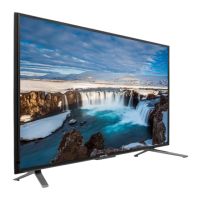
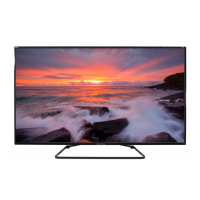
The Sceptre U55 Series User Guide describes a Liquid Crystal Television (HDTV) designed for home entertainment. This device is engineered with a strong emphasis on safety and offers various connectivity options and user-friendly features.
Function Description:
The Sceptre U55 Series is a Liquid Crystal Television (HDTV) primarily used for displaying video content from various sources, including broadcast television, external media devices, and streaming sticks. It functions as a central entertainment hub, allowing users to watch TV channels, play media from USB drives, connect gaming consoles, and integrate with other audio-video equipment. The TV includes a tuner (optional, may vary by product) for receiving broadcast signals, and multiple HDMI ports for high-definition connections. It also supports Mobile High-definition Link (MHL) for connecting compatible mobile devices.
Important Technical Specifications:
- Mounting Specification: 400mm x 300mm using 4 screws sized at M6 (not included). The screw length should not exceed 20mm (referring to the depth inside the mounting holes). When purchasing screws, the thickness of the mounting plate should be added to the original 20mm to determine the total screw length.
- Operating Environment: Temperature: 5°C~35°C, Humidity: 10% to 90% non-condensing, Altitude: 0~2000 m.
- Power: The device operates on electricity and requires a power cord connection.
- Connectivity:
- Multiple HDMI ports (HDMI1/MHL, HDMI2, HDMI3, HDMI4). HDMI1 is MHL enabled.
- AV input.
- YPbPr input.
- USB port for flash drives.
- Coaxial cable input (for TV tuner, if equipped).
- Remote Control: Uses two AAA batteries. The remote control follows SONY's universal remote code.
- Safety Compliance: FCC Class B computing device compliant, EMC Directive (89/336/EEC), (93/68/EEC), and Low Voltage Directive (72/23/EEC) compliant. Class II or double insulated electrical appliance.
- Hazard Warnings: Contains chemicals including lead, which is known to the State of California to cause cancer (www.P65Warnings.ca.gov).
Usage Features:
- Installation:
- Stand Attachment: The TV comes with two display stands (L for left, R for right) that are secured to the bottom of the TV with included screws after laying the TV flat on a table.
- Wall Mounting: For wall mounting, users must ensure the wall is structurally safe for the TV's weight and that the wall mount kit is compatible. All instructions provided by the wall mounting kit must be followed.
- Safety Strap (Optional): If using a stand, a display safety strap (not included) is recommended to minimize the risk of tip-over.
- Connectivity:
- Cable Connection: The manual provides a visual guide for connecting various audio-video equipment, including USB flash drives, gaming consoles, satellite/cable boxes, and other media players.
- Source Selection: Users can switch between different input sources (TV, AV, YPbPr, HDMI1/MHL, HDMI2, HDMI3, HDMI4, Media) using the SOURCE button on the remote or the 'S' button on the side of the HDTV.
- TV Setup (Antenna/Cable without Box):
- Access the MENU, select the CHANNEL icon, and press ENTER.
- Choose signal type (AIR or CABLE).
- Select AUTO CHANNEL SEARCH and press ENTER to scan for channels.
- Remote Control Functions:
- Power: Turns the display on or off.
- Info: Shows display information.
- Number Buttons (0-9): Select TV channels directly.
- (-): Inserts dash for digital channels.
- R: Returns to the previous channel.
- VOL(+)/VOL(-): Adjusts sound level.
- Directional Buttons (▲/∇/◄/►) & ENTER: Navigate menus and select options.
- CH(+)/CH(-): Switches channels.
- Menu: Brings up the main display menu.
- Guide: Opens the digital channel information guide (antenna only).
- Exit: Exits the main display menu.
- Source: Cycles through input sources.
- CC: Cycles between closed captioning modes.
- Mute: Turns sound off/on.
- Fav: Accesses favorite channels list.
- F.ADD/DEL: Adds or deletes channels from favorite list.
- Sleep: Sets TV to turn off after a specific time.
- USB, YPbPr, HDMI: Switches to respective sources.
- Sound Bar Buttons (Optional): Power, Source, Mode, VOL(+)/VOL(-) for Sceptre sound bars.
- Color Function Buttons (A, B, C, D): Currently, only button B (voice guidance for visually impaired) has an assigned function.
- High Definition (HD) Content: Not all broadcasts are in HD. The HD Display's tuner requires a stronger signal for optimal performance; weaker signals may result in loss of picture or sound.
- MHL Support: HDMI 1 is MHL enabled, allowing connection of MHL-compatible cell phones or streaming stick devices (e.g., ROKU MHL streaming stick) using an MHL cable.
Maintenance Features:
- Cleaning: Clean the display only with a dry cloth.
- Ventilation: Do not block ventilation openings. Install according to manufacturer's instructions. Maintain a minimum distance of 5 cm around all edges for sufficient ventilation. Do not impede ventilation with items like newspapers, table-cloths, or curtains.
- Power Cord Protection: Protect the power cord from being walked on or pinched, especially at plugs, receptacles, and where it exits the apparatus.
- Attachments/Accessories: Only use attachments/accessories specified by the manufacturer.
- Cart/Stand Use: If using a cart, stand, tripod, bracket, or table, use caution when moving the combination to avoid tip-over injury.
- Unplugging: Unplug the apparatus during lightning storms or when unused for long periods.
- Servicing: Refer all servicing to qualified service personnel if the apparatus is damaged (e.g., power-supply cord/plug damage, liquid spills, fallen objects, rain/moisture exposure, abnormal operation, or drops).
- Battery Replacement: Insert two AAA batteries into the remote, matching (+) and (-) symbols. Re-attach the battery cover.
- Battery Safety:
- Use only AAA batteries.
- Do not mix new and old batteries.
- Dispose of batteries according to local laws and regulations; they contain harmful chemicals.
- Do not dispose of batteries with normal household waste.
- Do not expose batteries to excessive heat (sunshine, fire).
- Keep batteries away from children and pets.
- Remove batteries if the remote is not used for a long time.
- Keep the remote away from moisture, sunlight, and high temperatures.
- Recycling Information: Dispose of unwanted electronics and batteries through an approved recycler.
- TVs: http://www.earth911.com/recycling-guide/how-to-recycle-large-electronics/
- Batteries: http://www.call2recycle.org/
- General: www.sceptre.com/recycling.html or call 888-580-5588.
- Support: For technical help, contact Sceptre Technical Support via email (SceptreTS@Sceptre.com) or phone (1-800-788-2878) during operation hours (Mon-Fri, 8:30 AM – 5:30 PM PST). Have Product Number (P/N), Serial Number (S/N), and date of purchase available. Customer Service Email: SceptreCS@Sceptre.com.

 Need help?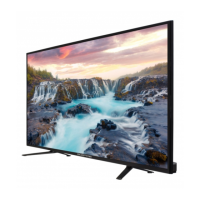



 To Next Page
 General