SCH-26
26000001
Where to put Loki? You can connect Loki either
in-between your source and preamp (if you have
a single source) or between the preamp and
power amp (so it can be used with all sources.)
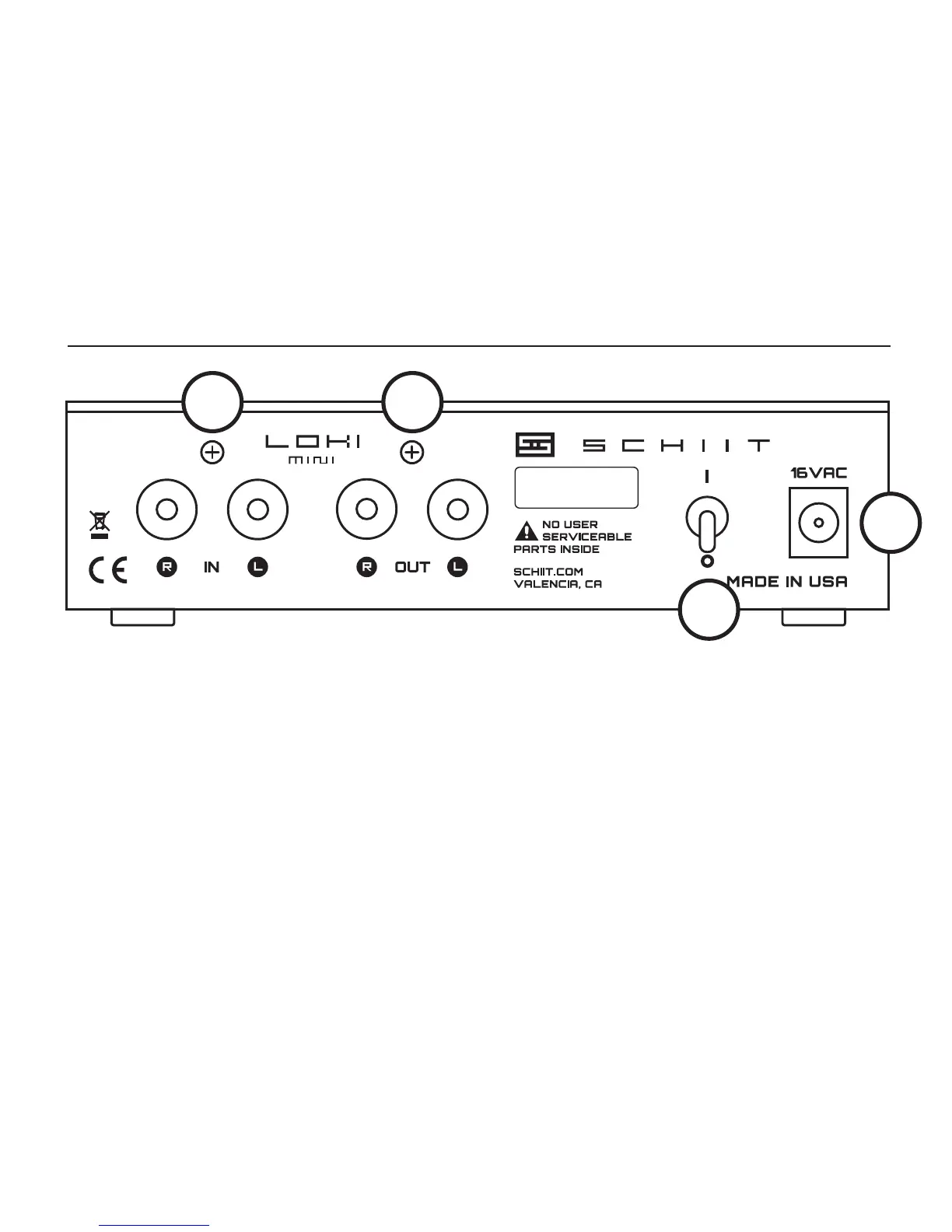
1 Input Jacks. Connect your source or preamp
to Loki’s “IN” RCA jacks with high-quality RCA
cables. Or you can use crappy cables (but why?)
2 Output Jacks. Connect the “OUT” RCA jacks
to your preamp or power amp, again with good
cables.
getting connected
1 2
3
4
3 Power Input. Connect the supplied wall-wart
cable to the jack labeled “16VAC.” Do not use any
other wall-wart, or bad things might happen.
4 Power Switch. Turn on the switch. The
protection relay will mute the output for 8-10
seconds, then it will engage with a click.



 To Next Page