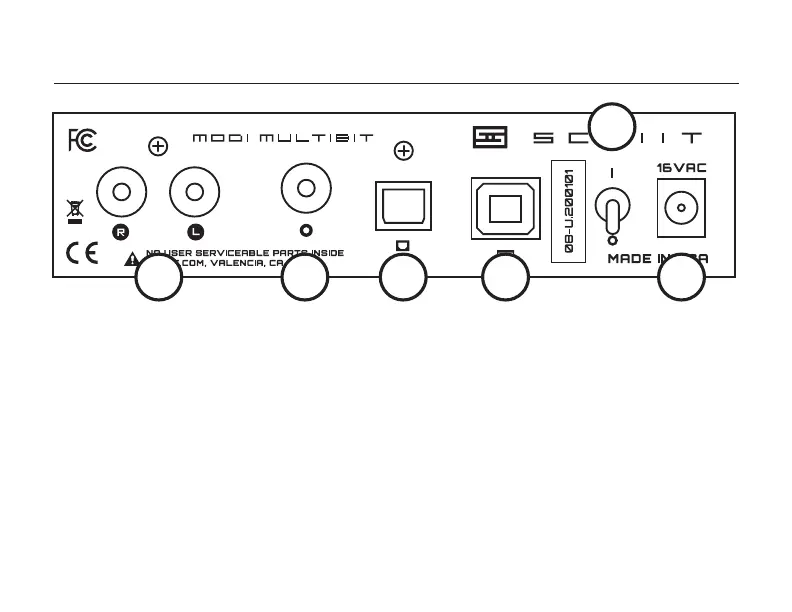
CONNECTIONs
1 Connect the supplied 16VAC wall-wart.
Don’t use any other power adapter.
2 Connect your USB source to the Modi
Multibit’s USB input with a USB 2.0-rated cable,
2M or less in length.
3 Connect your optical source to the optical input
jack, using a good Toslink cable, 3M or less.
4 Connect your coax digital source to the coax
input jack, using a good RCA cable, 75 ohm
preferred.
12345
6
5 Connect the two RCA jacks, labeled “R” and
“L”, to your amplier, preamplier, or receiver.
You may use long cables—Modi Multibit’s active
output stage drives them with ease.
For USB, select the Modi as the audio output
device in Control Panel (Windows) or System
Preferences (Mac) AND in your music player
software. Windows users may have to install
drivers from schiit.com/drivers
6 Turn it on and enjoy your music!


 To Next Page