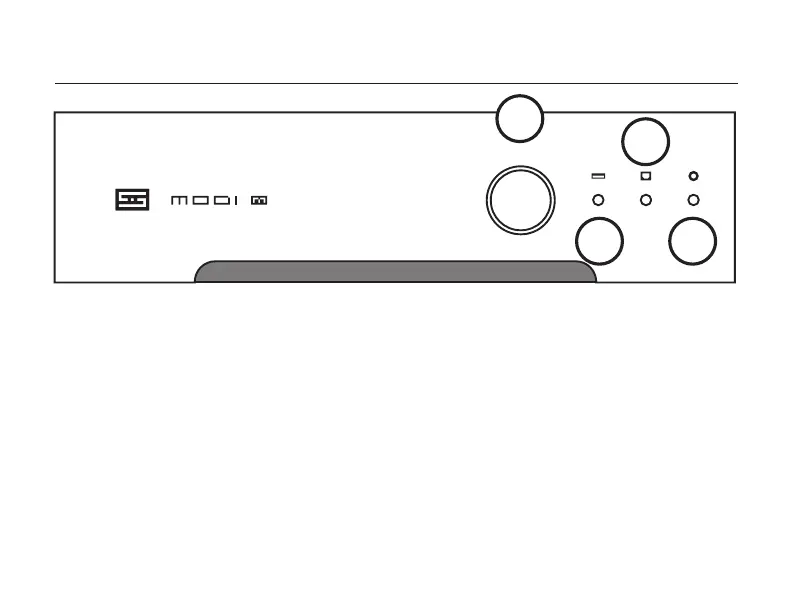
CONTROLs
1 Press the button to cycle through the three
inputs. Just like on Bifrost Multibit. But hey, this
is a heck of a lot cheaper. And USB is standard.
Did we say this was a great deal?
2 This light turns on when you’ve selected a USB
source. If no USB source is connected, Modi
Multibit will skip this input.
3 This light turns on when you’ve selected an
optical source. Simple enough.
1
2
3
4
4 This light turns on when you’ve selected a
coaxial digital source. But you already knew that.
Note: Modi Multibit flashes all three lights (2, 3,
and 4) in sequence for about 20 seconds after you
rst turn it on to prevent any thumps, bumps, or
other weird noises. Once the lights stop flashing,
you’re ready to use the Modi Multibit.
And that’s it. This is a really simple device. Why
don’t you have a listen now?


 To Next Page