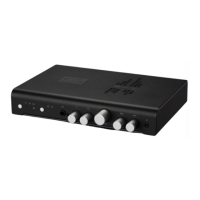
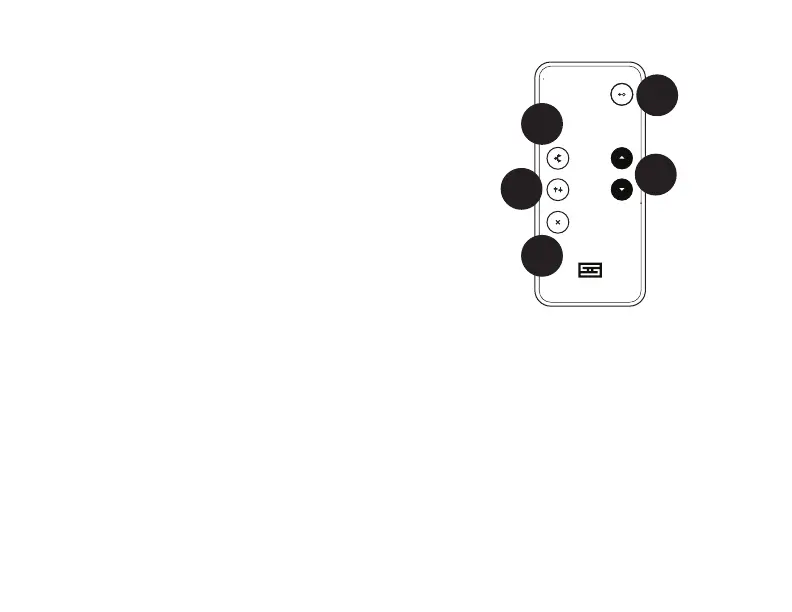
REMOTE CONTROL
1
3
2
5
4
1 Volume. Press the up button to increase
volume, press the down button to lower it.
The knob on the front of Syn will turn as
the volume potentiometer rotates. We like
simple mechanical stuff like that.
2 Input Select. Press the button to step
through the inputs: USB, Optical, and
Analog. Keep pressing and it’ll come back
around again.
3 Process. Press this button to turn on the
surround channels. This mode just adds
channels; it doesn’t mess with the mains
at all. Press again to turn off the surround
channels.
4 Shape. Press to enable shaping of all
channels with the Width and Presence
controls. These controls will affect the main
channels as well as the surround channels.
They also affect the headphone output.
5 Mute. Press to mute Syn. The current
input will ash its front panel light when it is
muted. Press again to unmute.
Battery. The battery slides out from
a tray at the bottom of the remote.
Replace it with the same type when the
remote stops working.
Additional remote functions. It is possible to
adjust Center Level, Surround Level, Width, and
Presence via the remote. However, it requires a
spouse or child who can adjust it for you while
you listen. We apologize for the inconvenience,
but a Syn with 5 motorized controls would be a
much larger and more expensive device.


 To Next Page
 Loading...