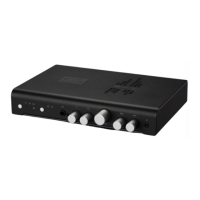
4 Surround Level. Controls the output level of the
surround channels relative to the master volume.
Start around the center; that’s usually pretty close
for most systems. Adjust to produce desired
ambience.
5 Center Level. Controls the output level of the
center channel. Start around the center; that usu-
ally close. Adjust to produce a solid center image
for voice and vocals.
6 Master Volume. Controls the volume of all
channels: Surround, Center, and Sub. Turn up to
increase volume. Turn down to decrease volume.
Simple as that. It’s also adjustable via the remote
control.
7 Width. Increases or decreases apparent stereo
separation to widen or narrow the soundstage.
• Turn to the right to widen the stage. This is
very useful for solidifying the center image for
movies and shows when using a center channel
• Turn to the left to narrow the stage. This is very
useful for decreasing the “in your head” feeling
of headphone listening.
8 Presence. Increases or decreases the pres-
ence region to bring vocals closer or farther
away.
• Turn to the left to decrease the vocal pres-
ence region and move voices back
• Turn to the right to move voices forward.
• Very useful when meshing a center chan-
nel with main channels, and reducing the
super-irritating super-forward super-quacky
sound that some audio engineers love to
inict on main dialogue.
9 Microphone Input. If you have a gaming
headset with an electret microphone, you can
plug the microphone side in here.


 To Next Page
 Loading...