Schücode Commissioning instructions – Schüco DCS Touch Display
22
Dok-Nr.10000432116_01
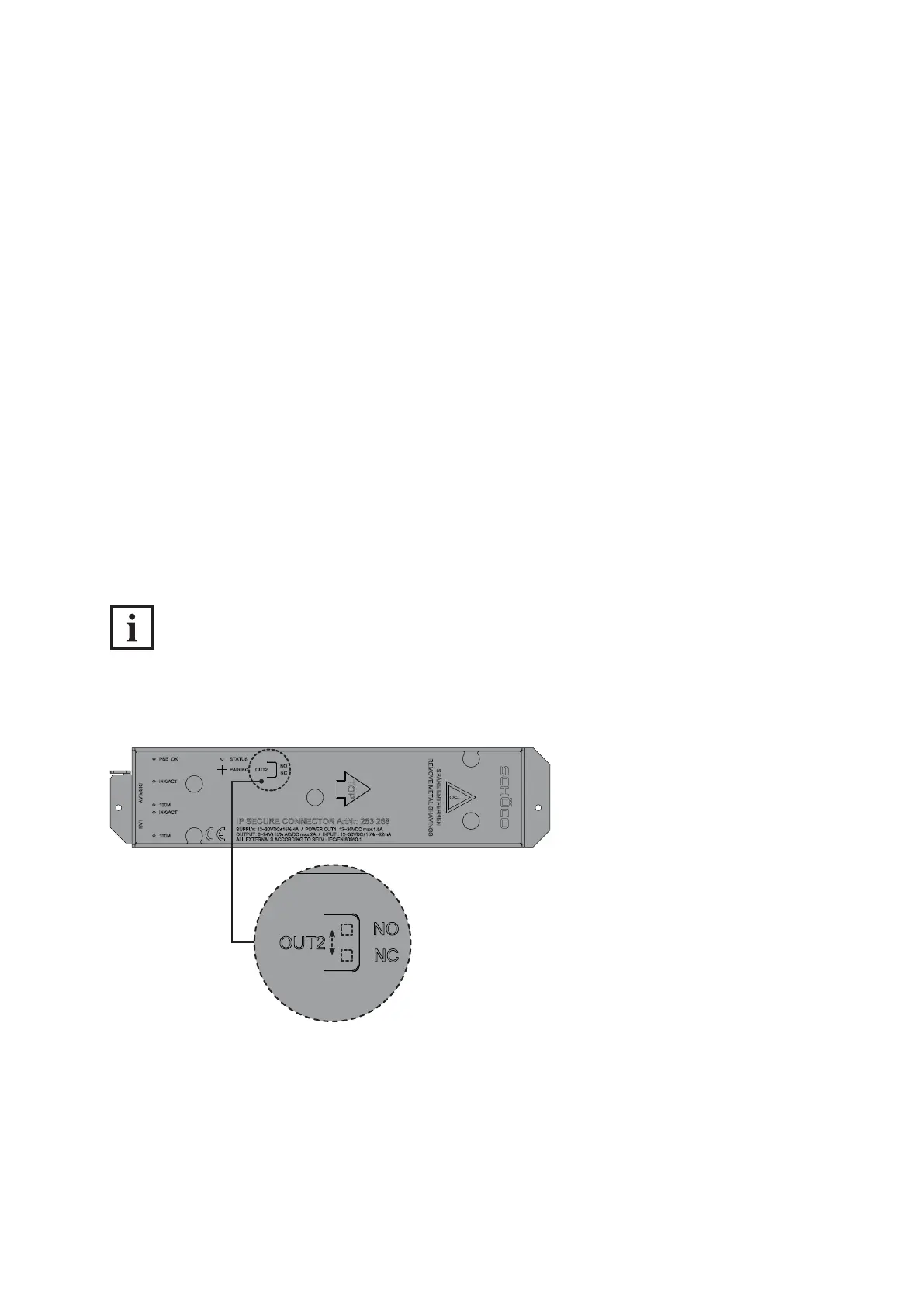
6.2.1. Conguration of „OUT2“ on IP secure connector
Using the „OUT2“ switch, you can select whether the „OUT2“ relay is to function as a closer (NO) or
as an opener (NC). Depending on the device connected, a closer can be used for an external lamp
and an opener for function monitoring, for example.
● Closer (NO/Normally Open): If the closer is actuated, it closes a broken electrical circuit
(factory setting).
● Opener (NC/Normally Closed): If the opener is actuated, it breaks an existing electrical circuit.
Proceed as follows to congure the „OUT2“ relay:
1. Using an object (e.g. screwdriver or pen), press down on the foil above the imprint „OUT2“ to ac-
cess the switch.
2. Move the switch to the „NO“ position so that the „OUT2“ relay functions as a closer, or to the
„NC“ position so that it functions as an opener.
INFORMATION
„NC“ switch position
In the „NC“ (opener) switch position, the „OUT2“ relay is an inverted closer. This means that this relay
is open when there is no supply voltage at the IP secure connector.


 To Next Page
 Loading...
