Schüco de
Commissioning instructions – Schüco DCS Touch Display 27
Dok-Nr.10000432116_01
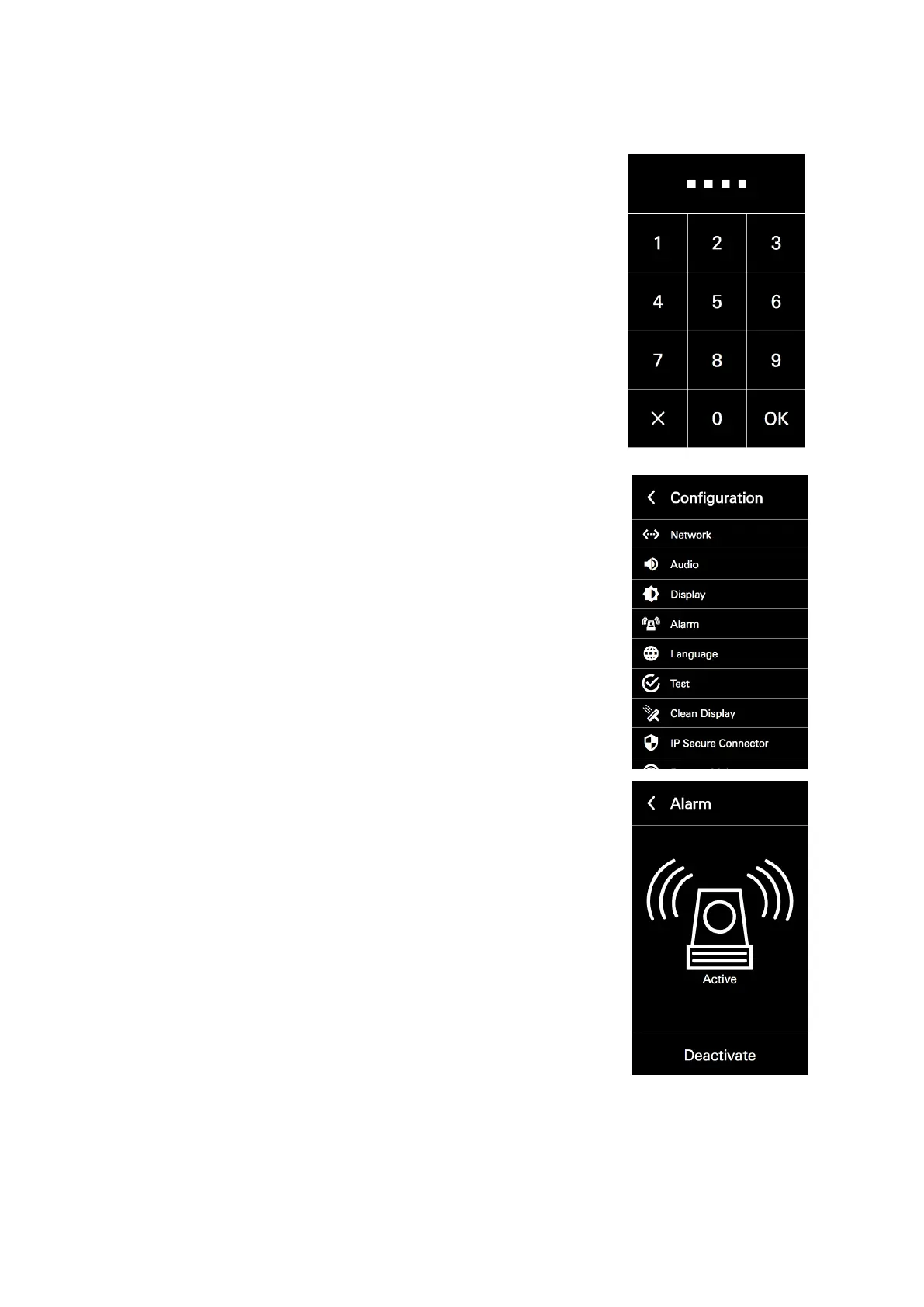
1. Tap the display (if the house number is displayed) and swipe left to
display the code entry.
2. Enter the administrator code („1234“ if it has not yet been changed)
and tap „OK“.
3. Select the „Alarm“ option.
4. Tap „Deactivate“ to avoid the DCS Touch Display from changing to the
alarm mode when it is tilted.
Proceed as follows to remove the Schüco DCS Touch Display:
1. Guide the unlocking nibs of the Schüco DCS Touch Display installation tool into the
top loudspeaker opening of the DCS Touch Display.
2. To release the unlocking mechanism, slide the DCS Touch Display installation tool upwards as far
as possible.



 To Next Page