Schücode Commissioning instructions – Schüco DCS Touch Display
28
Dok-Nr.10000432116_01
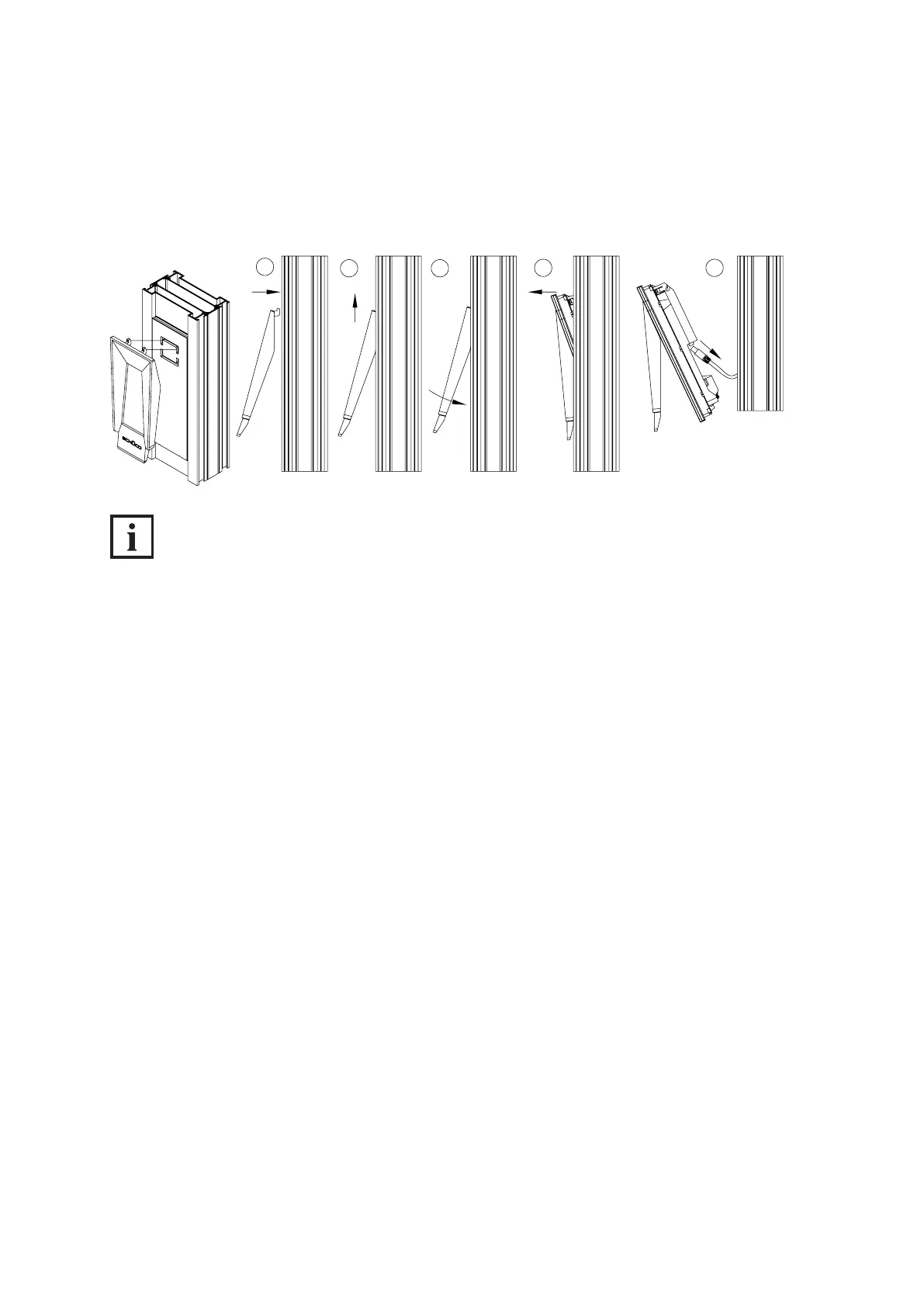
3. Carefully push the bottom end of the DCS Touch Display installation tool towards the DCS unit in
order to release the Schüco DCS Touch Display from its xed position.
4. Carefully remove the Schüco DCS Touch Display from the Schüco DCS unit. Disconnect the plug
from the device and remove the entire electronics assembly.
1
2 3
4 5
INFORMATION
The DCS Touch Display installation tool can also be used as a protective compartment to store
the DCS Touch Display.



 To Next Page