Schüco de
Commissioning instructions – Schüco DCS Touch Display 29
Dok-Nr.10000432116_01
8. Screen surface
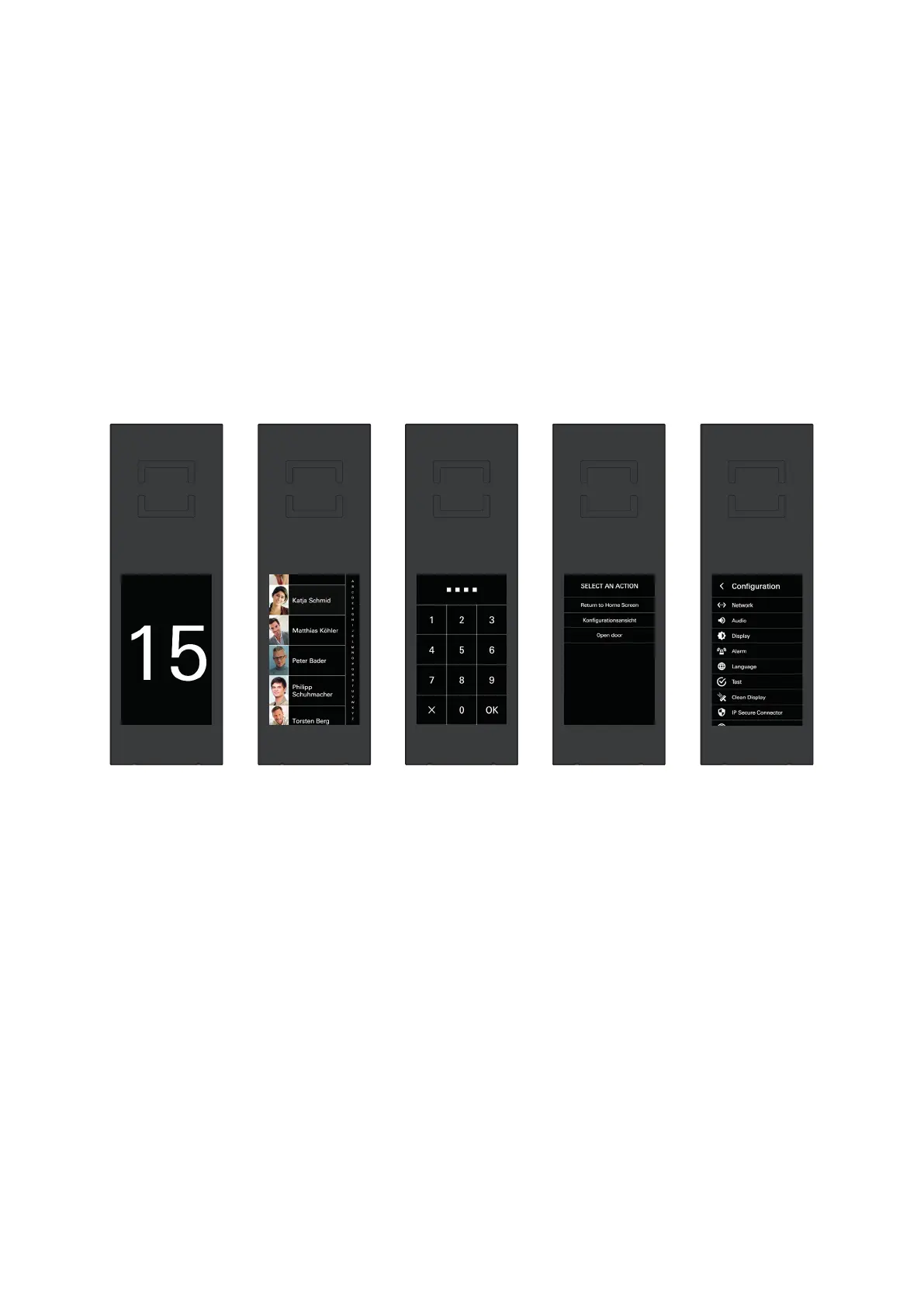
The DCS Touch Display can be operated via the 4.3 inch touchscreen.
The DCS Touch Display is divided into the following ve main screens (from left to right):
● Start screen: Here you can display the house number or any desired image in 480 x 800 pixel
format.
● Doorbell list: Here you can display all the contacts you can call or for whom a stored function can be
activated.
● Code entry: Here you can enter a four or six-digit access code in order to display the „Conguration“
view, for example.
● Select action: Here you can select one of several actions permitted for the user as applicable.
● Conguration: Here you can make basic settings directly on the DCS Touch Display.



 To Next Page