Schüco de
Commissioning instructions – Schüco DCS Touch Display 31
Dok-Nr.10000432116_01
8.2. Doorbell list
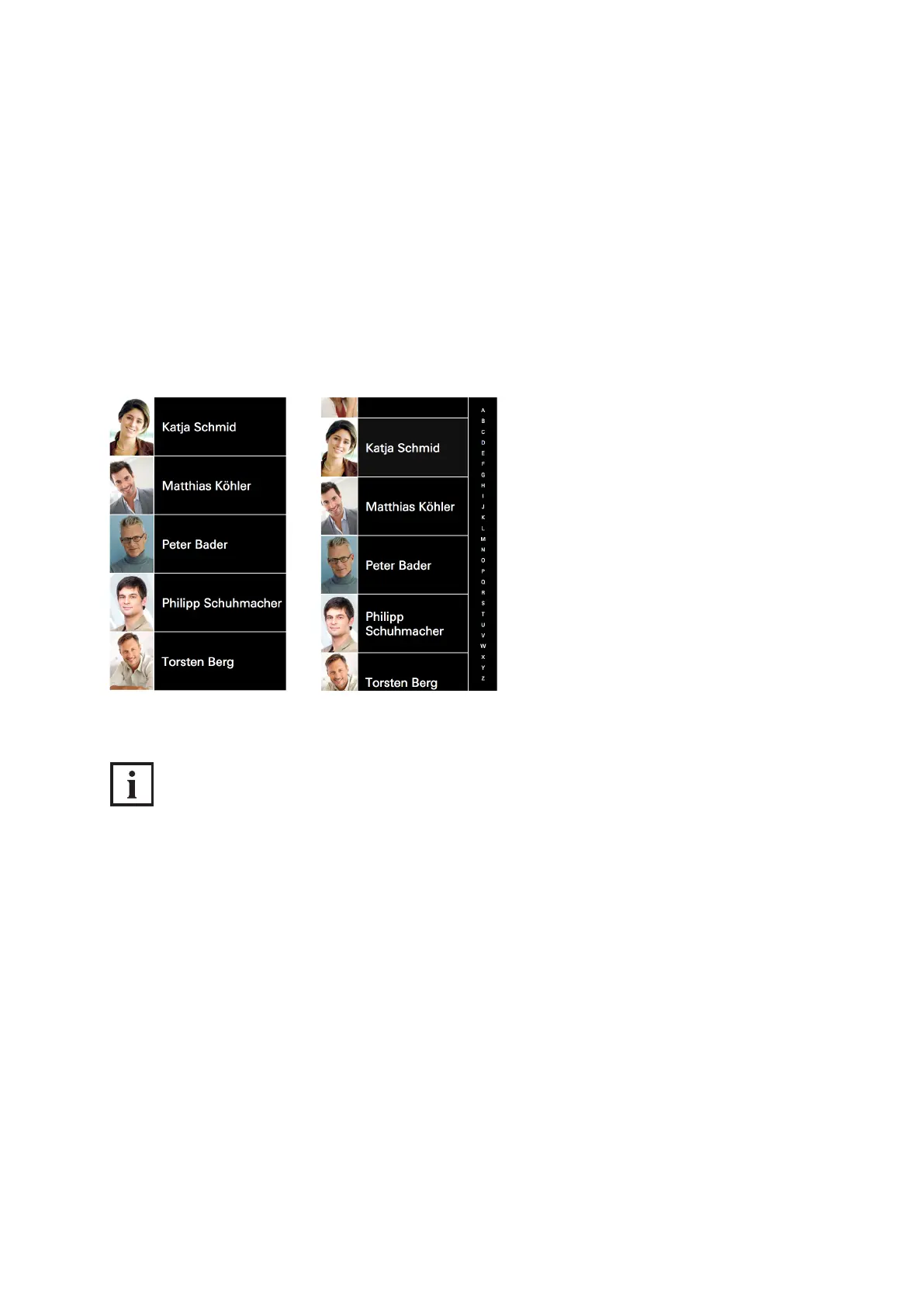
Tap the screen in standard conguration to switch to the „Doorbell list“ view. Here all contacts and ac-
tion sequences are listed which have been congured in the web interface on the „Buttons“ page (see
„9.12 Buttons“). Depending on how many buttons have been congured, the screen of the DCS Touch
Display presents two different view options:
● View without scroll bar: If ve buttons or fewer have been congured, it is not possible to scroll up
and down the screen.
● View with scroll bar: If more than ve buttons have been congured, a scroll bar appears on the
right-hand side of the screen.
INFORMATION
Doorbell list display
Contacts in the „Doorbell list“ view can be sorted either by rst name or surname. The contacts in the
„Doorbell list“ view are listed according to the option which has been selected. The scroll bar on the
right of the DCS Touch Display screen only appears once the buttons have been sorted by rst name
or surname. You can nd more information about sorting contacts in the „Doorbell list“ view under
„9.15 Contacts“.



 To Next Page