Schüco de
Commissioning instructions – Schüco DCS Touch Display 59
Dok-Nr.10000432116_01
INFORMATION
Action sequences and activities
Action sequences and activities can be differentiated as follows: An action sequence allows a logical
command sequence to be dened, through which particular functions can be activated -
e.g. actuating a door opener (see „9.14 Action sequences“). An activity, on the other hand, allows a
trigger to be dened, which automatically performs an action sequence - e.g. in the event of an error
(see „9.13 Activity“).
Trigger
(e.g. input state change)
Device State
(e.g. “Idle”)
Activity
(detection of a
pre-dened
state change)
Activity Action Sequence
Action Sequence
(initiating a sequence)
Action
(e.g. switching
of an output)
9.5. Message boxes
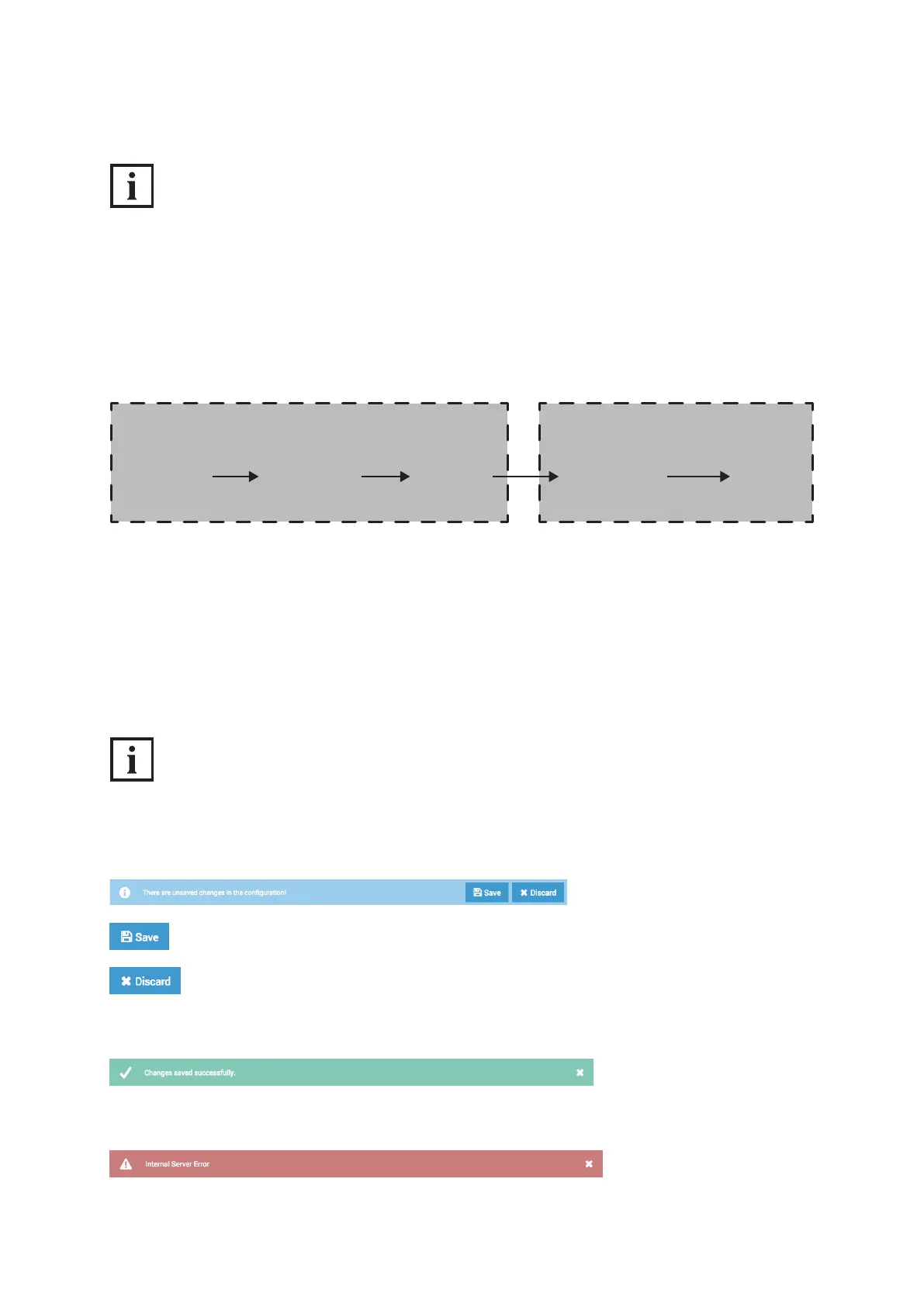
The web interface displays message boxes in the form of change notices, conrmation messages or
error messages in the bottom part of the browser.
As soon as a conguration shows changes, a message box appears with a change notice.
INFORMATION
Applying changes
Changes are not saved automatically. The DCS Touch Display only applies the settings made
once the „Save“ button is clicked.
Click on this button to apply all changes.
Click on this button to discard all changes.
Once a change has been successfully saved, a message box with a conrmation message appears
(e.g. changes successfully saved or picture uploaded).
As soon as an error has been detected, a message box with an error message appears
(e.g. connection errors, incorrect conguration or server errors).


 To Next Page
 Loading...
