Introduction
Einleitung
DCS Touch Display
DCS Touch Display
Access control
Zutrittskontrolle
Emergency exit switch
Fluchttürsicherung
Door communication
Türkommunikation
Components
Komponenten
Accessories
Zubehör
Schüco Door Control System (DCS)
C 2-3
07.2016 / 54105
Systembeschreibung • System description
Schüco Door Control System (DCS)
Schüco Door Control System (DCS)
Schüco DCS Touch Display
In einem per Touch Oberäche zu bedienden Modul wird die
Türkommunikation und Zutrittskontrolle bereitgestellt.
Die Türkommunikation kommuniziert über den offenen und
unveränderten Standard SIP nach RFC 3261. Zwischen einem
und nahezu einer unbegrenzten Anzahl an Nutzern können mit
dem System verbunden werden. Neben den Namen können
wahlweise Bilder der Nutzer oder Firmenlogos auf dem Display
angezeigt werden.
Die Zutrittskontrolle ist Codebasiert. Über eine einfache
Nutzerverwaltung können Codes, abhängig von Uhrzeit und
Wochentag, geschaltet werden. Das Codefeld für die höhere
Sicherheit rotierend angeordnet. So ist es nicht mehr möglich,
aufgrund von Fingerabdrücken die Codes zu regenerieren.
Einstellungen für die Türkommunikation und Zutrittskontrolle
werden über ein übersichtliches Web-Interface vorgenommen.
Grundeinstellungen, wie zum Beispiel die Beleuchtungsstärke
(Helligkeit des Displays) können direkt am Touch Display
vorgenommen werden.
Das Schüco DCS Touch Display verfügt über Ein- und
Ausgänge, an welche zum Beispiel ein E-Öffner für Innentüren
angeschlossen werden kann. Die Datenkommunikation und
Energiebereitstellung erfolgt über eine gemeinsame Leitung.
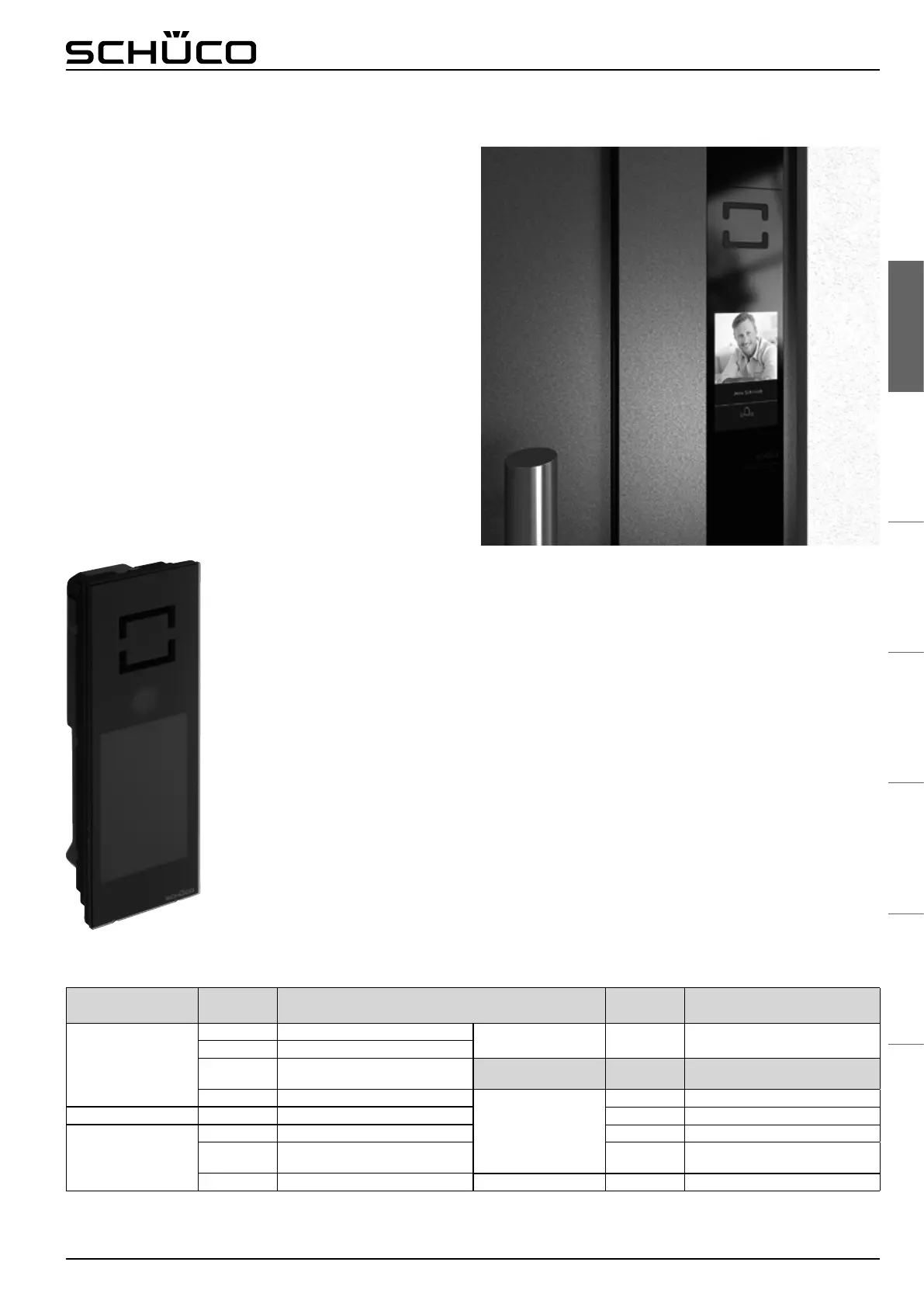
Schüco DCS touchscreen
The door communication and access control are supplied in a
single module which is operated via a touch interface.
The door communication communicates via the open and
unmodied standard SIP in accordance with RFC 3261.
Between one and an almost unlimited number of users can be
connected to the system. There is the option to display images
of the users or company logos next to the names on the screen.
The access control is code-based. Via a simple user
management system, codes can be activated depending on
times of the day and days of the week. For a higher level of
security, the position of the code eld is rotated. It is therefore
no longer possible to regenerate the codes from ngerprint
impressions.
Settings for the door communication and access control are
made via a clearly laid-out interface. Basic settings, such as the
illumination intensity (brightness of the display), can be carried
out directly on the touchscreen.
The Schüco DCS touchscreen is equipped with inputs and
outputs to which, for example, an electric strike for internal
doors can be connected. Data is communicated and power is
supplied via a shared cable.
Übersicht der kompatiblen Geräte die mit dem Schüco DCS Touch Display kommunizieren
Overview of the compatible devices which communicate with the Schüco DCS touchscreen
Hersteller
Manufacturer
Gerätebezeichnung
Device name
Hersteller
Manufacturer
Gerätebezeichnung
Device name
PBX
Avaya Aura Release 6.1
SIP Video Geräte
SIP video devices
Grandstream GXV3240, GXV3275
3CX 3CX Phone Systems Ver. 9, 10, 11
Cisco
Unied Communication Manager
Ver. 5, 6, 7, 8
Hersteller
Manufacturer
Betriebssystem
Operating system
Asterisk
Apps
(Smartphone & Tablets)
Castel SIP Android, iOS, BlackBerry
TouchPanel Divus Superio iPhytter 2 Android, iOS, BlackBerry
SIP Audio Geräte
SIP audio devices
SNOM 320, 360 Bria* Android, iOS, BlackBerry
Cisco SPA525G Linphone
Android, iOS, BlackBerry,
Windows Phone
Linksys SPA 942, SPA 962 SoftPhone (PC) Linphone Windows, Linux
* Zusatzkomponenten notwendig
* Additional component required
Weitere Informationen erhalten Sie unter www.schueco.de/dcs-touchdisplay und www.schueco.de
For more information, contact www.schueco.de/dcs-touchdisplay and www.schueco.com


 To Next Page
 Loading...
