EasyManua.ls Logo

Schumacher SPR1631 - User Manual

Schumacher SPR1631
28 pages
Print Icon
To Next Page IconTo Next Page
Loading...
0099001923E-04
Jump Starter
and Power Source
Arrancador
y Fuente de Poder
Bloc d’alimentation
et aide démarrage
OWNERS MANUAL / MANUAL DEL USUARIO /
MANUEL D’UTILISATION
PLEASE SAVE THIS OWNERS MANUAL AND READ BEFORE EACH USE. This manual
will explain how to use the portable power safely and effectively. Please read and follow
these instructions and precautions carefully.
POR FAVOR CONSERVE ESTE MANUAL DEL USUARIO Y LEALO ANTES DE CADA
USO. En este manual le explica cómo utilizar la fuente de poder de manera segura y
conable. Por favor, lea y siga las siguientes instrucciones y precauciones.
ESSAYER DE GARDER LE MANUEL D’INSTRUCTIONS ET LE LIRE AVANT CHAQUE
UTILISATION. Ce manuel explique comment utiliser l’unité d’une façon sûre et efcace. S’il
vous plaît lisez et suivez ces instructions et précautions.
FOR MODELS / PARA MODELOS / POUR LES MODÈLES
BE01255
FR01337
SJ1289
SPR1631

Questions and Answers

  • M
    michael97Aug 5, 2025
    Why won’t my Schumacher SPR1631 Remote Starter jump start my car?
    • G
      gary02Aug 6, 2025
      If your Schumacher Remote Starter won't jump start your car, there are several potential causes: * The clamps might not be making a good connection. Check the connections to the battery and frame, ensuring they are clean. * The connections could be reversed. Disconnect the portable power and reverse the clamps. * The portable power's battery may not be charged. Press the Battery Status button to check the charge level. * The vehicle's battery might be defective. Have it checked by a professional. * The portable power might not be turned on. Ensure the ON/OFF switch is in the ON position.
  • J
    James BradleyAug 11, 2025
    What to do if my Schumacher SPR1631 won’t power my 12V device?
    • W
      Wesley FrancisAug 11, 2025
      If your Schumacher Remote Starter won't power your 12V device: * Ensure the 12V device is turned on. * Check the battery charge status of the portable power by pressing the Battery Status button. * The 12V device may draw more than 20A or have a short circuit. Disconnect the 12V device. A qualified service person should replace the internal 20A fuse.
  • J
    Jordan FisherAug 15, 2025
    Why won’t the battery in my Schumacher SPR1631 hold a charge?
    • M
      michelle34Aug 15, 2025
      If the battery in your Schumacher Remote Starter won’t hold a charge, the battery may be bad and unable to accept a charge. Have the battery checked.
  • M
    Melvin WilsonAug 20, 2025
    What to do if the Schumacher SPR1631 Remote Starter alarm is on?
    • J
      Justin MendozaAug 20, 2025
      If the Schumacher Remote Starter alarm is activated, it might be due to reversed connections. Disconnect the jump starter and reverse the clamps to resolve this.
  • M
    Mrs. Sarah MatthewsAug 26, 2025
    Why does the Schumacher SPR1631 display 'err' when the converter is on?
    • A
      Adam FriedmanAug 26, 2025
      If the converter is on but the display of your Schumacher Remote Starter shows 'err', it could be due to: * The jump starter battery not being fully charged. Recharge the unit. * The device drawing more than 200W or having a short circuit. Use only devices that draw less than 1.7 amps of AC current.
  • W
    William RodriguezAug 30, 2025
    How to fix a Schumacher SPR1631 compressor that shuts off?
    • R
      Robert TuckerAug 30, 2025
      If the compressor on your Schumacher Remote Starter shuts off, it is likely overheated. Allow it to cool for a few minutes before trying again.

Summary

Important Safety Instructions

Read All Instructions

Read all instructions before use to prevent serious injury or death.

Close Supervision

Ensure close supervision when product is used near children to reduce injury risk.

Avoid Placing Fingers

Avoid placing fingers or hands into the product during operation.

Do Not Expose to Rain or Snow

Do not expose the power pack to rain or snow to prevent damage.

Use Recommended Attachments

Use only manufacturer-recommended attachments to avoid fire, shock, or injury.

Pull Plug, Not Cord

Disconnect the power pack by pulling the plug, not the cord, to prevent damage.

Do Not Use Damaged Pack

Do not use damaged or modified battery packs to prevent unpredictable behavior.

Do Not Operate with Damaged Cord

Avoid operating the power pack with damaged cords or plugs.

Do Not Disassemble

Do not disassemble the power pack; seek qualified service for repairs.

Unplug Before Servicing

Unplug the power pack before attempting any instructed servicing to reduce shock risk.

Risk of Explosive Gases

Batteries generate explosive gases; follow instructions carefully during operation.

Personal Precautions

Have Someone Close By

Ensure someone is nearby when working near a lead-acid battery for assistance.

Keep Water and Soap Nearby

Keep fresh water and soap handy in case battery acid contacts skin or clothing.

Wear Protective Gear

Wear complete eye and clothing protection and avoid touching eyes.

Handle Battery Acid Contact

Wash skin immediately with soap/water; flush eyes with cold water for 10 mins and seek medical attention.

No Smoking or Sparks

Never smoke or allow sparks/flames near a battery or engine due to explosion risk.

Avoid Dropping Metal Tools

Be cautious to avoid dropping metal tools onto the battery, which can cause sparks or explosion.

Remove Metal Items

Remove metal items like rings and watches to prevent short-circuiting and severe burns.

Ventilated Area for Charging

Charge the internal battery in a well-ventilated area, do not restrict airflow.

Avoid Liquid Ejection

Avoid contact with battery liquid, which may eject under abusive conditions; flush with water if contact occurs.

Avoid Excessive Temperature

Do not expose the power pack to fire or temperatures above 265°F (130°C) due to explosion risk.

Use Qualified Service Personnel

Ensure safety by having servicing performed by a qualified person using identical replacement parts.

Attach Cables Correctly

Attach output cables to battery and chassis as indicated; never let clamps touch each other.

Restrictions on Use

Do not use with life support devices; failure could affect safety or effectiveness of such devices.

Product Features Overview

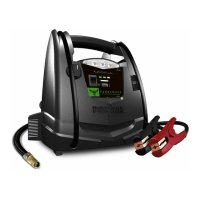
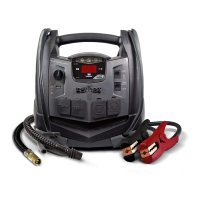
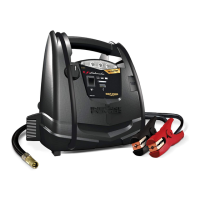
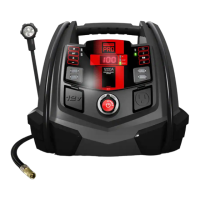
Android Optimized USB Ports

Two USB ports are optimized for Android devices, offering up to 2A per side.

Pressure Decrease Button

Button to decrease pressure settings for the air compressor.

Pressure Increase Button

Button to increase pressure settings for the air compressor.

Set Pressure Button

Button to set the desired pressure for the air compressor.

Compressor Mode Button

Button to select or change the air compressor mode.

Flexible Work Light

Integrated flexible light for illuminating work areas.

Digital Display

Screen showing battery status, voltage, and other information.

Display LED Indicators

LED lights indicating the status of various functions or battery levels.

Converter Button

Button to activate or control the AC power converter function.

Battery Percentage Button

Button to display the current battery charge percentage.

Flex Light ON;OFF Button

Button to turn the flexible work light on or off.

Apple Optimized USB Ports

Two USB ports are optimized for Apple devices, offering up to 2A per side.

Cables with Clamps

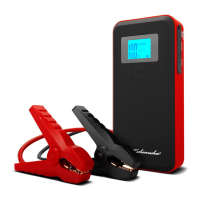
Includes cables with positive (red) and negative (black) clamps for jump starting.

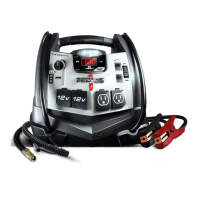
110 V AC Power Outlet

AC outlet providing 110V power for household devices.

Jump Starter ON;OFF Switch

Main switch to turn the jump starter function on or off.

12 V DC Power Outlet

Outlet for powering 12V DC accessories.

Air Compressor Hose

Hose for the integrated air compressor, used for inflating tires.

Air Compressor Adapters

Various adapters included for the air compressor hose.

Charging the Internal Battery

Checking Battery Level

How to check the battery's charge status using the display and button.

Charging via AC Outlet

Instructions for charging the internal battery using an extension cord and AC outlet.

Charging While Driving

Method for charging the battery using a 12V port charging cable while the car is running.

Using the Portable Power

Digital Display Functionality

Explanation of the digital display's functions and what it shows.

Jump Starting a Vehicle

Step-by-step guide on how to safely jump start a vehicle.

Using the Work;Emergency Light

Instructions for operating the integrated flexible work light.

Using the USB Ports

Guide on connecting and using devices via the USB ports.

Powering 12 V DC Devices

Instructions for using the 12V DC outlet to power accessories.

Using the Air Compressor

How to use the air compressor to inflate tires and other items.

Using the Converter

Guidelines for operating the AC power converter with compatible devices.

Powering 110 V AC Devices

Instructions for connecting and operating 110V AC devices through the converter.

Before Using the Converter

Converter Safety Precautions

Critical safety precautions to follow before operating the converter.

Maintenance and Care

Cleaning Clips and Case

Clean the clips and the unit's case after each use.

Monthly Recharge

Recharge the unit once a month when not in use to maintain battery health.

Storing Clips Safely

Store clips on support posts to prevent contact with metallic surfaces.

Avoid Full Discharge

Never completely discharge the internal battery to prolong its lifespan.

Troubleshooting Guide

Car Not Jump Starting

Solutions for issues when the car won't jump start.

12 V Device Not Powered

Troubleshooting steps if the 12V device is not powering on.

Battery Not Holding Charge

Diagnosing and resolving issues where the battery won't hold a charge.

Compressor Shuts Off

Reasons and solutions when the air compressor unexpectedly shuts off.

Alarm Sounds; Err Display

Addressing alarm sounds or 'Err' display indicating a problem.

Accessories and Parts

Available Accessories

List of accessories, such as the 12V port charging cable.

Replacement Parts

Information on obtaining replacement parts like compressor kits and clamp kits.

Repair and Warranty Information

Before Returning for Repairs

Guidance on steps to take before returning the product for service.

Limited Warranty Details

Overview of the product's limited warranty terms and conditions.

Schumacher SPR1631 Specifications

General IconGeneral
BrandSchumacher
ModelSPR1631
CategoryRemote Starter
LanguageEnglish

Related product manuals