Page 8
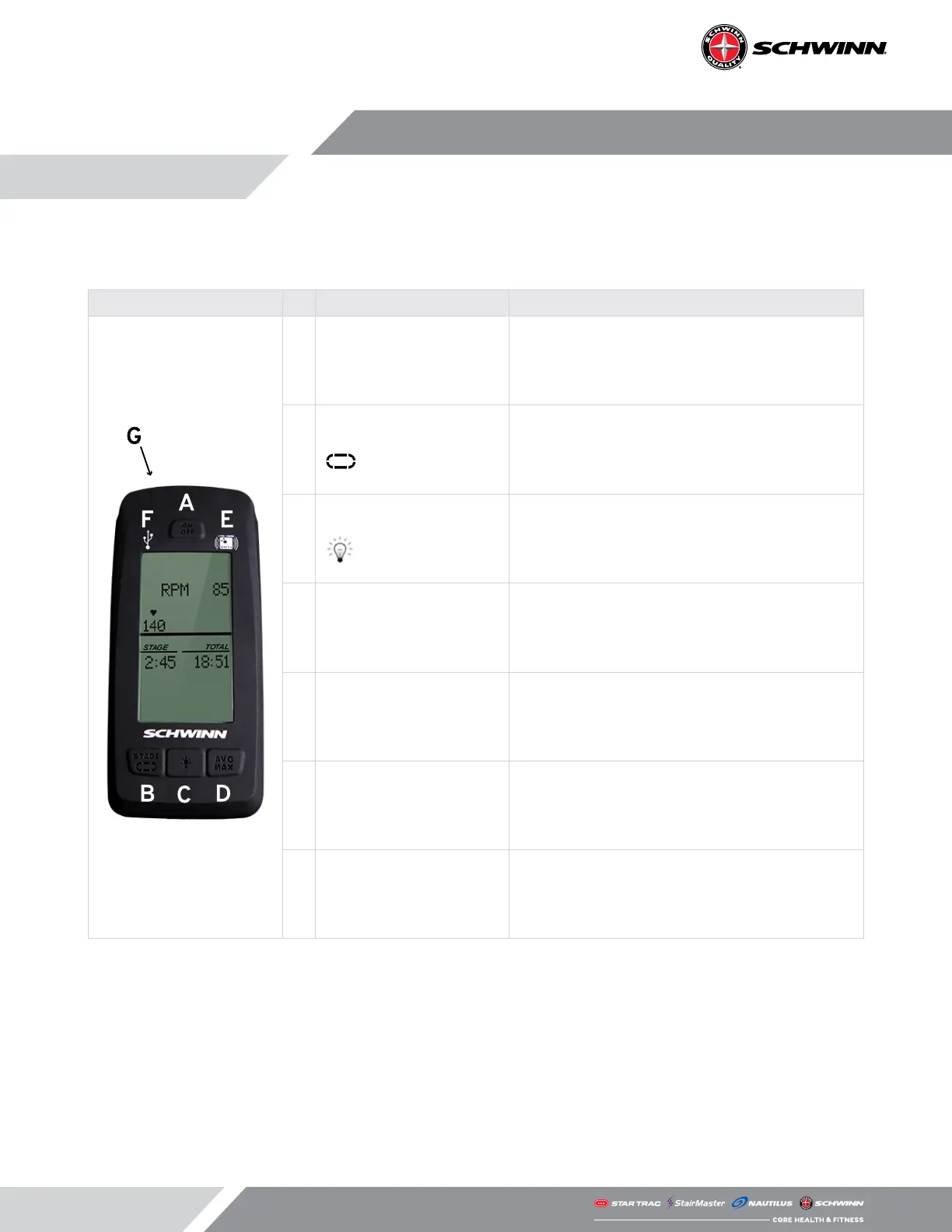
Below is a brief description of the console features and metrics. More details on each are provided in
the CONSOLE OPERATION section of this guide.
Buttons and Features Description Function
A ON/OFF Button
• Used to turn the console on and o, and to
reinitiate heart rate pairing.
B
STAGE Button
• In RIDE mode, used to start and stop the stage
timer.
• In SERVICE mode, used to scroll backwards
through menus.
C
LIGHT Button
• In RIDE mode used to operate the backlight.
• In SERVICE mode, used as the ENTER button to
select menu options.
D AVG/MAX Button
• In RIDE mode used to display average and
maximum values of ride metrics.
• In SERVICE mode used to scroll forward
through menus.
E ANT+ Link
• Pairing zone used to link ANT+ compatible
heart rate monitors and sport watches.
F USB Port Indicator • Points to the location of the USB port.
G USB Port Location
• Located on the top of the console behind the
sweat barrier, this is where a FAT32 formatted,
USB 2.0 stick or later is inserted to record ride
data or upload new console rmware.
CONSOLE FEATURES AND METRICS



 To Next Page