Note:
IfproximitylinkingwasnotcompleteinUserSetup,theconsolecanstilllinkwiththeAnt+sportwatchand
HRMduringthefirst30secondsofWorkoutMode.
TaptheAVG/ENDbuttontoseeyouraveragedatavalues(AVG).Theaveragevaluesshowfor5seconds.Togobacktocurrent
measurementsmorequickly,taptheAVG/ENDbuttonagain.
WhentheCadencedecreasestolessthan5RPMfor3secondsormore,theconsolepausesandtheLCDDisplayshowsthelast
workoutdatavalues.Ifyoustaypausedformorethan5minutes,theworkoutstopsandtheconsolegoestoDisplayResultsmode.
TosettheSTAGEtimeandSTAGEdistancebacktozeroforanewstageintheworkout,taptheSTAGEbutton.TheTOTALtimeand
TOTALdistancecontinuethetotalmeasurementfortheworkout.
Toendtheworkout,pushtheAVG/ENDbuttonandholdfor3seconds.TheconsolegoestoDisplayResultsmode.
DisplayResults
TostoptheworkoutandgotoDisplayResultsMode,pushtheAVG/ENDbuttonandholditfor3secondsorlonger.Theconsole
showstotalCalories,TOTALtimeanddistance,andtheMaxandAveragevaluesforSpeed,Watts,HeartRateandRPM.TheMax
valuesshowfirstfor5seconds.TaptheAVG/ENDbuttontochangebetweenMaxandAveragevalues.After1minute,the
consolesetsthevaluesbacktozeroandgoesintoSleepMode.
PushtheAVG/ENDbuttonandholdfor3secondstostopDisplayResultsModeandgotoSleepMode.
DevicePairing
SetupDevicePairingfortheConsole,theSpeedSensorandthePowerSensor(ifapplicable)beforeyouinstallthemonthebike.
IfyouaddthePowerSensorupgradetoabikethatalreadyhastheConsoleandSpeedSensorinstalled,itisnecessarytoset
upDevicePairingagainfortheconsoleandthe2sensors.Itisnecessarytoremovetheconsoleandsensorfromthebikefor
accesstothepairingbuttons.
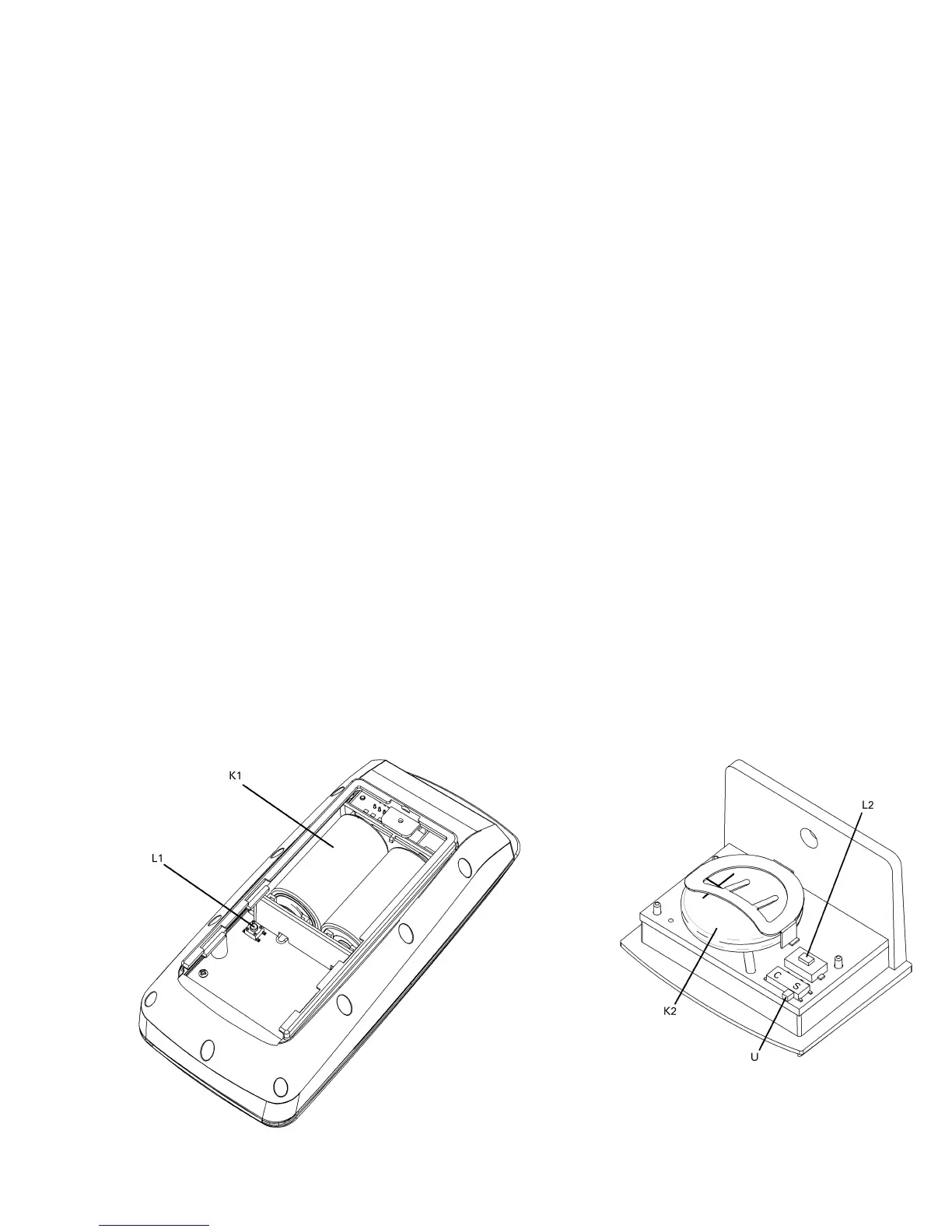
1.Makesurethebatteriesareintheconsole(K1)andthesensors(K2andK3,ifapplicable).
Console SpeedSensor
11 11
11



 To Next Page