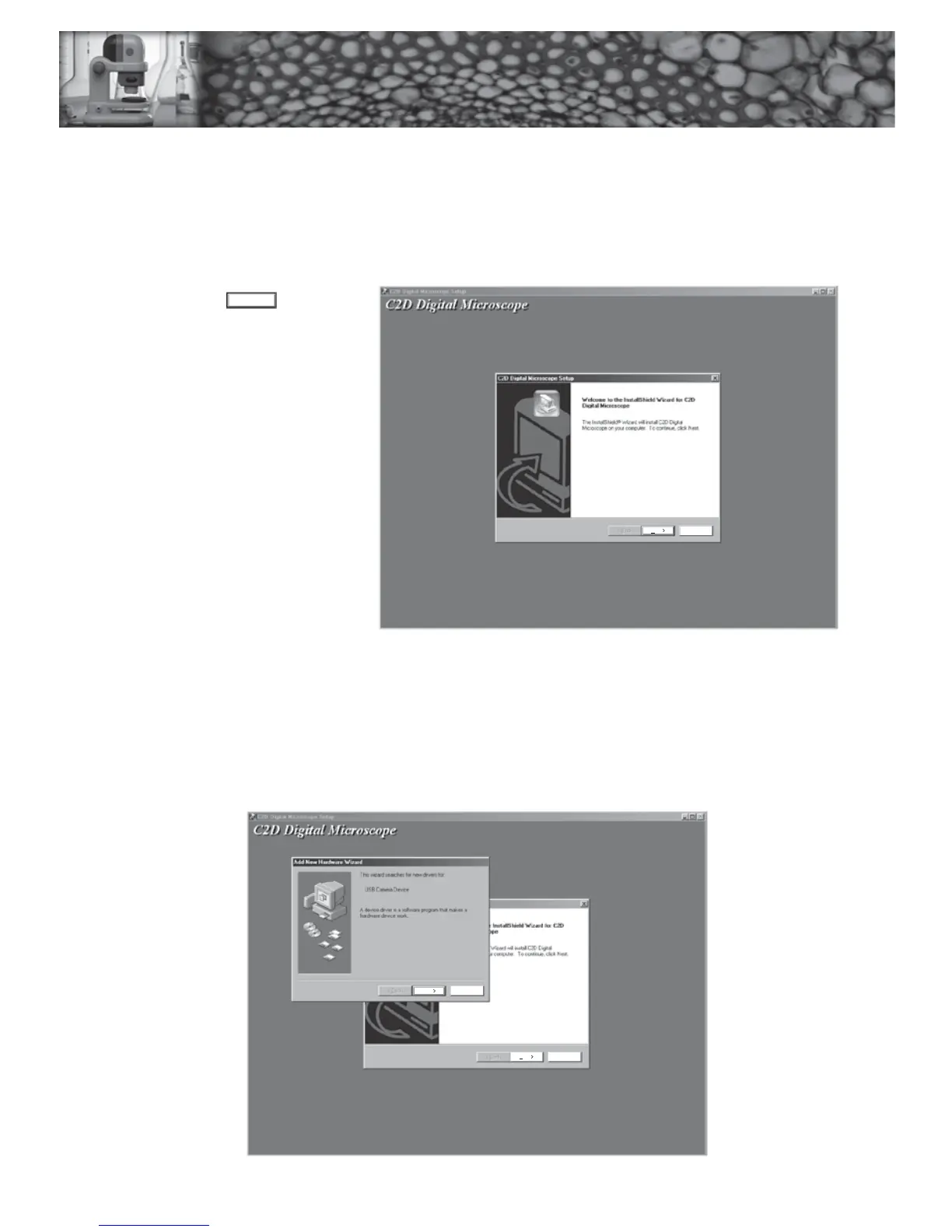
The installation of the software consists two steps:
STEP ONE - Device driver installation
STEP TWO - C
2
D software installation
1. Insert the CD-ROM into the CD-ROM drive, the setup program will be
activated automatically.
STEP ONE - Install Device Driver
NOW CONNECT THE C
2
D DIGITAL MICROSCOPE
™
TO THE COMPUTER
2. After connecting the C
2
D Digital Microscope to the computer, you will see a "new hardware
found" message.
NOTE: Clicking the button
will skip to STEP TWO - Install
the C
2
D Software.
Next >
Next
Cancel
4
SOFTWARE INSTALLATION
SOFTWARE INSTALLATION
Cancel
Next
Next
Cancel


 To Next Page