6
Next
Cancel
Cancel
Finish
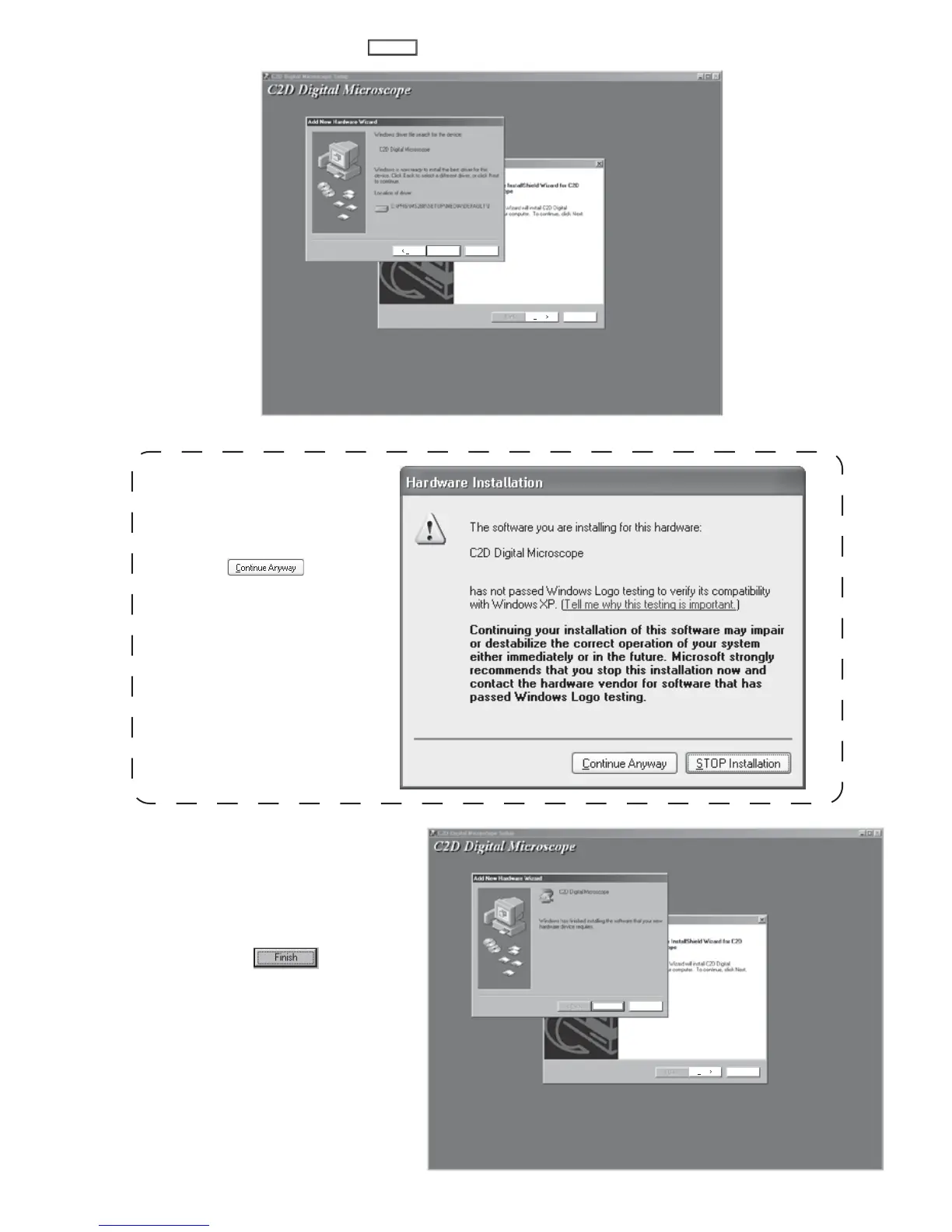
5. Select "CD-ROM Drive" and click button to install the driver accordingly.
Next >
Next
Cancel
Back
Cancel
Next >
6. Once the new hardware device has
been installed properly, please proceed
to step two to install the C
2
D software.
Once the hardware has been installed
properly, click the button to
finish the device driver installation.
For Windows 2000 or XP:
A pop - up window will appear when the
C
2
D device driver is being installed,
please click


 To Next Page