Need help?
Do you have a question about the Scientek SW-4600GWD and is the answer not in the manual?
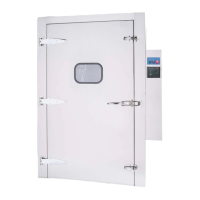
Describes the SW-4600 series washer and its available cabinet configurations.
Details various optional features for the SW-4600 washer, such as boosters and dispensers.
Outlines the sequence of operations for a standard wash, rinse, and dry cycle.
Provides guidance on selecting an appropriate installation location for the washer.
Specifies the necessary electrical, water, and air supply requirements for the unit.
Details the procedures for connecting the washer to the electrical power supply.
Lists important factors and recommendations for proper washer installation.
Describes the steps to perform a pre-operation check after installation.
Outlines the initial steps before starting a wash cycle.
Instructions on how to properly load the washer with glassware.
Step-by-step guide on initiating a wash cycle.
Procedure for safely shutting down the washer at the end of operation.
Explains the system state when the power switch is turned on.
Describes how the microprocessor initiates a programmed wash cycle.
Details the function of the liquid level switch in controlling water fill.
Explains the three-sequence drain system used in wash cycles.
Overview of the control system, including the microprocessor and interface.
Overview of the PanelView 600 touch screen operator interface.
Describes the information displayed on the main menu screen.
Details the controls and information displayed on the operation screen.
Explanation of the function of various control buttons on the interface.
Description of navigation buttons for cycle selection and menu access.
Accessing and overview of the washer's set-up menu options.
Instructions for adjusting wash and rinse cycle times.
Guidance on setting temperature parameters for wash cycles.
Accessing the service menu for testing and troubleshooting.
Procedure for testing the status of PLC input signals and sensors.
Procedure for testing PLC output signals for various components.
Information on viewing and managing system alarms.
Procedure for managing access codes and user privileges.
Recommendations for establishing a periodic inspection and maintenance schedule.
Instructions for cleaning the exterior surfaces of the washer.
Guidance on cleaning scale from the washer's tank interior.
Procedure for cleaning debris baskets and the sump screen.
Instructions for periodic cleaning of steam trap and in-line strainers.
Guidance on inspecting and cleaning the rotary spray headers.
Diagnosing and resolving issues with low pump pressure.
Troubleshooting steps for when the machine fails to drain properly.
Addresses issues where water fill does not stop.
Information on maintenance and repair procedures for solenoid valves.
Detailed list of Programmable Logic Controller (PLC) Input/Output addresses.
Diagram showing the overall layout of the control system components.
Detailed layout of the components within the control panel.
Detailed parameters for Cycle 1: Glassware 1.
Detailed parameters for Cycle 2: Glassware 2.
Table outlining common time settings for various cycle stages.
Diagram illustrating the mechanical controls and plumbing of the system.
Top-down view showing the washer's layout and dimensions.
Front elevation view of the washer, showing the soiled side.
Side elevation view of the washer, indicating service access.
Details the terms and conditions of the one-year warranty coverage.
 General
| Water Level Selection | Yes |
|---|---|
| Timer | Yes |
| Material | Plastic |
| Loading Type | Top Loading |
| Wash Programs | Quick, Soak |
| Voltage | 220V |

 To Next Page