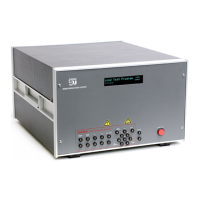
This document is a user manual for the Digital Storage Oscilloscope SMO502ED and SMO1002ED.
Function Description
The oscilloscope is designed to display and analyze electrical signals. It supports communication with a PC via USB, allowing users to store, analyze, display data, and remotely control the device using dedicated software. The device can perform automatic measurements of displayed signals, including period, frequency, and peak-to-peak voltage. It also features mathematical functions, including FFT (Fast Fourier Transform), for analyzing time-domain waveforms into their frequency components. The oscilloscope offers various trigger modes (single, alternate, video) to stabilize waveforms and capture specific events. It includes functions for saving and recalling waveforms, configuring auxiliary system settings, and performing self-calibration.
Important Technical Specifications
The manual does not explicitly list detailed technical specifications such as bandwidth, sample rate, or number of channels in a dedicated section. However, some operational parameters are mentioned:
- Probe Attenuation Coefficient: The default is 10X.
- Autoset Function: Requires a signal frequency of no lower than 20Hz and an amplitude of no less than 5mV.
- Horizontal Time Base: Can be expanded for 4 divisions downwards when the time base is ≤50ms.
- FFT Function: Transforms 2048 data points of the time-domain signal into its frequency components. The record length should be 10K or above. The final frequency contains 1024 points ranging from 0Hz to Nyquist frequency.
- USB Port: Supports USB 2.0 or below, FAT16 or FAT32 allocation unit size no exceed 4k, max capacity 64G.
- Trigger Voltage Level: The input signal connected is more than 42V peak (30Vrms) or on circuits of more than 4800VA.
- Display: Features a backlight with adjustable intensity (0% - 100%) and various grid types (graticule).
- Waveform Storage: Can store 16 waveforms.
Usage Features
The oscilloscope offers a comprehensive set of features for signal acquisition, display, measurement, and analysis:
Quick Start and Basic Operations:
- Front Panel: Equipped with knobs and function buttons for easy operation. Menu selection buttons on the right side of the display screen allow setting different options.
- Rear Panel: Includes a USB Host port for data transfer, air vents, AC power input jack, and a foot stool for adjusting the tilt angle.
- Control Area: Features buttons for Utility, Measure, Acquire, Cursor, Run/Stop, Horizontal, Vertical, and Trigger controls.
- Display Interface: Shows the waveform display area, run/stop status, trigger state, and various measurement readings (e.g., Vp-p, Vrms, frequency, period, rise time, fall time, duty cycle, delay, phase, pulse count).
- Probe Compensation: A square wave of 1 KHz frequency and 5V peak-peak value is displayed to adjust probe compensation.
- Probe Attenuation Coefficient: Adjustable in the menu (1X, 10X, 100X, 1000X).
- Self-calibration: A function to improve measurement accuracy, performed by disconnecting all probes or wires from the input connector.
- Vertical System: Controls for position, scale, coupling (DC, AC, Ground), inversion, probe attenuation, and measurement units (V/A or mV/A).
- Horizontal System: Controls for position, scale, and zoom.
- Trigger System: Allows setting trigger type (Edge, Video, Alternate), source (CH1, CH2), coupling (AC, DC), slope (rising, falling), level, and mode (Auto, Normal, Single). Holdoff can also be adjusted.
Advanced Features:
- Mathematical Functions: Includes FFT for frequency analysis. Users can select window types (Hamming, Rectangle, Blackman, Hanning, Kaiser, Bartlett) and formats (Vrms, dB).
- Cursors: Used for voltage and time measurements. Horizontal cursors are set at the intersections of the vertical cursors and the waveform. Auto Cursor automatically sets cursors.
- Executive Buttons:
- Autoset: Automatically adjusts settings for optimal waveform display and performs basic measurements. It identifies waveform types (Sine, Square, Video, DC level, Unknown).
- Run/Stop: Enables or disables sampling.
- Copy: Shortcut for the Save function, allowing saving waveforms, configurations, or screen images.
- Auxiliary System Function Setting: Includes configuration options for KeyLock (locking/unlocking buttons), About (displaying version/serial number), Display (backlight, graticule type, menu display time), and Adjust (self-calibration, default settings, probe check).
- Firmware Update: Allows updating the instrument firmware via a USB memory device.
Maintenance Features
- General Safety Requirements: Emphasizes using proper power cords, connecting/disconnecting probes correctly, grounding the instrument, checking terminal ratings, operating without covers, using the proper fuse, avoiding exposed circuits, operating in a well-ventilated area, and avoiding damp/explosive environments.
- Safety Terms & Symbols: Defines warning, caution, and danger terms, and explains safety symbols (Hazardous Voltage, Refer to Manual, Protective Earth Terminal, Chassis Ground, Test Ground).
- Function Inspection: Steps to verify normal operation, including checking accessories, power cord connection, self-check items, and probe connection/attenuation.
- Troubleshooting: Provides guidance for common issues such as no display, signal not displayed, incorrect measured voltage amplitude, and unstable waveforms.
- Maintenance, Service & Warranty:
- Cleaning: Recommends regular cleaning of the exterior with a dusting brush and the casing/plastic parts with a moist cloth (99% water, 1% mild detergent) or washing benzene (petroleum ether) for greasy dirt. The display may be cleaned with water or washing benzene (but not with spirit-alcohol solvents).
- Dispatch Procedure for Service: Instructions for sending the instrument back for service, including notifying Scientific and securely packing the device.
- Warranty: Scientific warrants the instrument to be free from defects in material and workmanship for 12 months from the date of purchase. The warranty is void if the instrument is repaired or replaced without Scientific's authorization, if the serial number is altered, or if the product is damaged due to accident, negligence, or misuse.
- E-Waste Management: Scientific supports environmentally sustainable measures and encourages recycling of products through authorized recyclers.

 Need help?
 General

 To Next Page