-
3 –
Setting Up
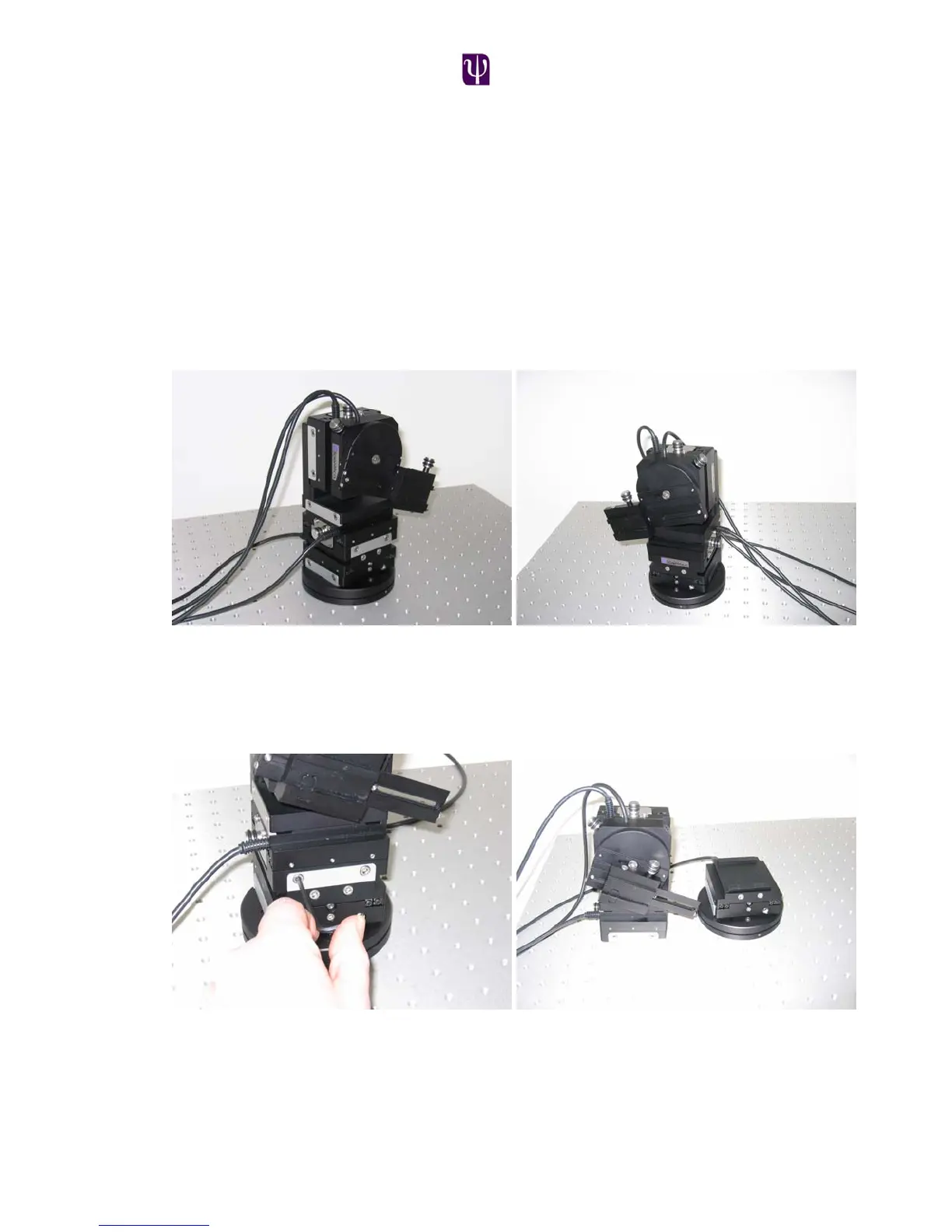
Right Handed or Left handed configuration
The manipulator can be set up for use in either a left handed or right handed
configuration. This allows the user to mount the manipulator on either side of the
experiment and maintain the operation of the virtual approach axis as well as
providing easy access to the manual adjusters. In the left handed set up the
dovetail headstage slide projects to the right and the rotary stage and linear
stage knobs are conveniently positioned away from the microscope. The right
handed set up essentially mirrors the left handed one.
Left Handed configuration Right Handed configuration
The Patchstar is designed in a modular fashion in order to make the manipulator
as flexible as possible. This ensures that changing the configuration from left to
right handed is very simple: Firstly loosen the x stage dovetail screws as shown
using a 3mm allen key. Then slide the upper part of the manipulator off the Y axis.
Now remove the Z stage and bracket from the x axis stage. Turn the x axis stage
through 180º so that the manual adjustment knob and cable are positioned on
the right side of the assembly and re-tighten the dovetail screws.



 To Next Page